Category: Blog Post

  • 95% of AI Projects Fail. Don’t Let Your Call Center Be One of Them.

    95% of AI Projects Fail. Don’t Let Your Call Center Be One of Them.

    95% of AI Projects Fail. Don’t Let Your Call Center Be One of Them.

    By now, you’ve probably heard the stat: 95% of AI projects fail. It’s been splashed across headlines and whispered in boardrooms ever since MIT’s 2024 study on enterprise AI adoption found that the vast majority of pilots fizzle before delivering measurable business value (MIT Sloan, Windows Central, The AI Navigator).

    That failure rate isn’t just academic. It’s a warning sign for executives under pressure to “do something with AI.” Boards are demanding results, employees are skeptical, and customers are unforgiving when half-baked solutions make their experience worse. Nowhere is this pressure more acute than in call centers, where AI has been sold as the silver bullet to reduce costs and transform customer experience.

    The problem? Most call center AI projects don’t even make it out of the pilot phase. The technology may be powerful, but when the rollout is rushed, misaligned, or poorly integrated, the results are predictable: frustrated employees, wasted budgets, and a public failure that makes the next project even harder to sell.

    But here’s the thing—failure isn’t inevitable. A small percentage of organizations are already proving AI can make call centers faster, smarter, and more resilient. The difference isn’t the tools they buy. It’s how they implement them.
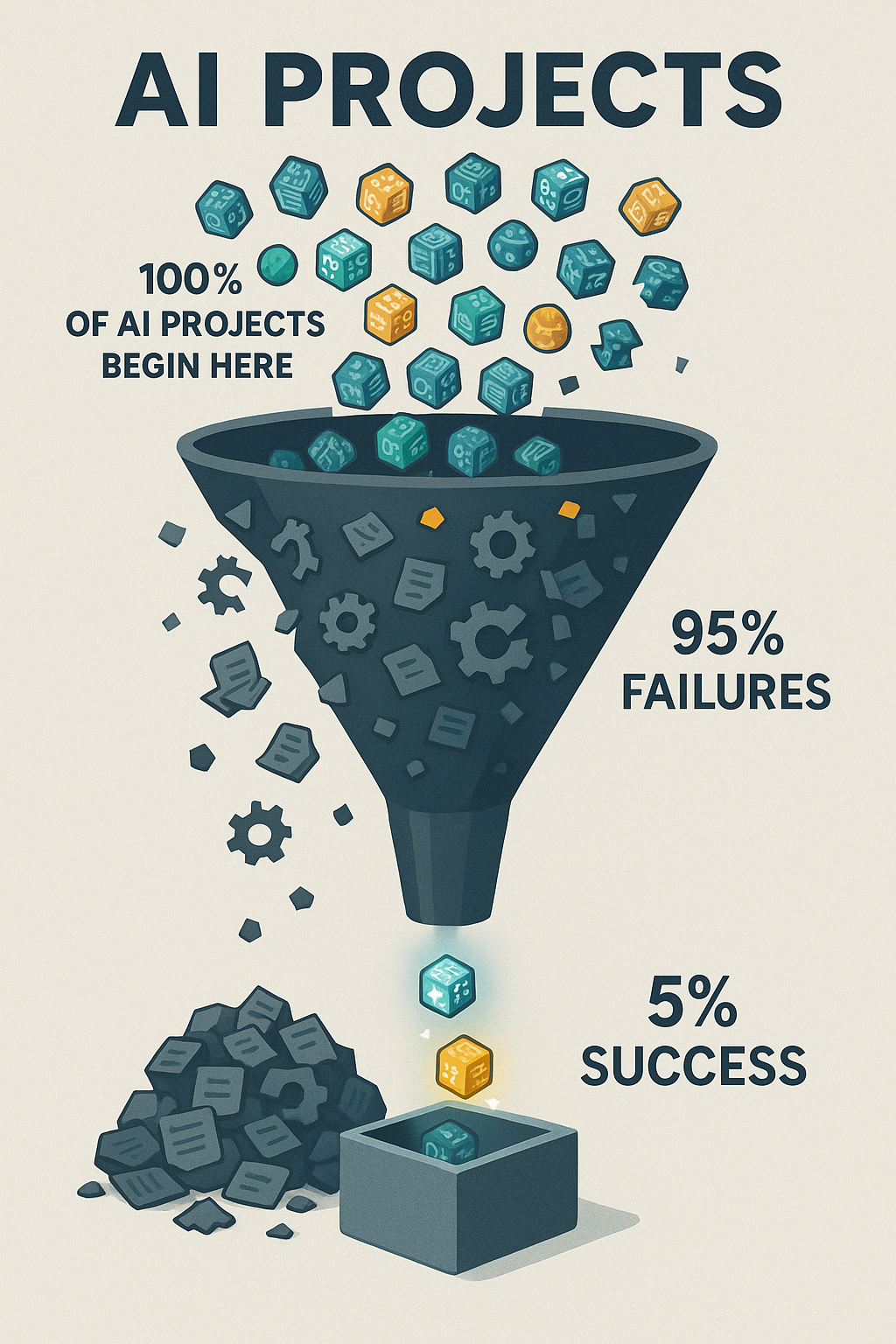
    An infographic showing a large funnel labeled "AI Projects." At the top, 100% of AI projects enter as colorful icons with circuit patterns. Along the funnel, most icons spill out into a pile labeled "95% Failures," while only a few glowing icons reach the bottom into a box labeled "5% Success."
    Only 5% of AI projects make it to success — a reminder of the challenges and discipline required to deliver real value.

    This article will break down why so many call center AI projects fail, and more importantly, what you can do to ensure yours doesn’t.

    The Real Reasons Behind the 95% Failure Rate

    If we peel back the headlines, the real story behind AI’s 95% failure rate is that most projects collapse under the same set of avoidable mistakes. In call centers, the pressure to “do something with AI” often leads to rushed pilots, unclear success metrics, and cultural resistance long before the technology itself has a chance to prove value. To understand how not to become another cautionary tale, it’s worth starting with the most common—and most fatal—mistake: launching without a clear path to ROI.

    1. No Clear ROI

    Executives are under pressure to “do something with AI,” so projects often start for the wrong reasons: to appease a board, to follow competitors, or to run with a vendor’s shiny demo. But without a clear business case—shorter handle times, fewer escalations, lower attrition—pilots rarely connect to the P&L.

    This is why so many projects stall out after the pilot phase. They look impressive in a slide deck, but when budget reviews come around, leaders ask the one question no one wants to answer: what value did this actually create? If the answer isn’t measurable, the project dies.

    2. People and Culture Problems
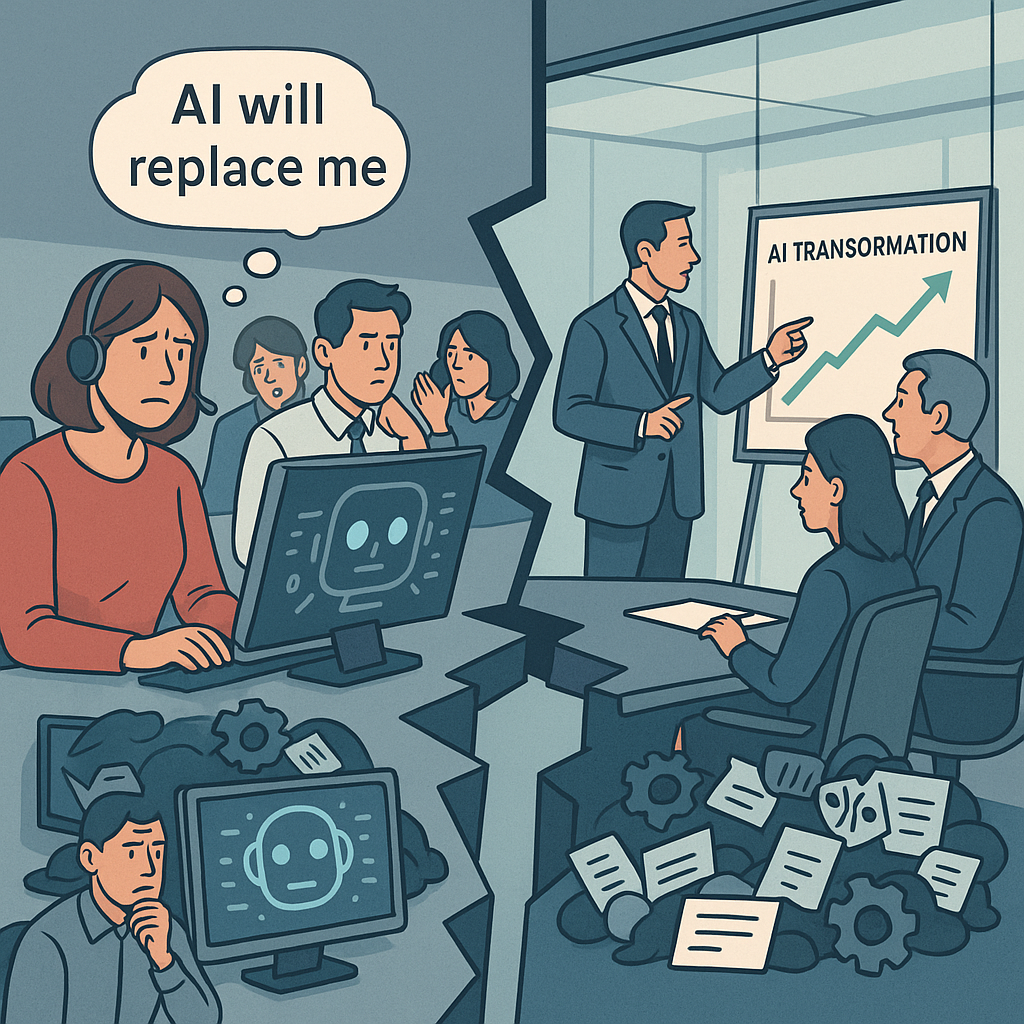
    An office split into two halves: on the left, worried call center employees at computers with thought bubbles like “AI will replace me.” On the right, executives in a glass boardroom discuss an “AI Transformation” chart. A broken gap between them symbolizes disconnect.
    AI adoption isn’t just about technology—it’s about trust. Bridging the gap between leadership’s ambitions and employees’ readiness is the real transformation.

    AI transformation doesn’t happen in a vacuum. It happens through people—and too often, people are an afterthought.

    Agents see AI as a threat to their jobs. Managers see it as a top-down initiative they weren’t consulted on. And executives underestimate how much training, communication, and cultural readiness is required for adoption. The result? Resistance, slow uptake, and even outright sabotage.

    A recent survey by Boston Consulting Group found that less than 20% of frontline employees feel confident using AI in their day-to-day work. If your people don’t understand it, trust it, or see “what’s in it for them,” no amount of investment will make it stick.

    3. Broken Plumbing (Integration + Data)

    AI isn’t magic—it runs on infrastructure. And in call centers, that infrastructure is notoriously complex. CRMs, telephony systems, workforce management tools, QA software… if the AI solution doesn’t plug into them seamlessly, it creates more friction than it solves.

    Then there’s the data problem. Call centers produce mountains of data, but much of it is siloed, messy, or incomplete. “Garbage in, garbage out” isn’t just a cliché—it’s the reality. Poor data hygiene leads to bots giving wrong answers, analytics missing the mark, and employees spending more time cleaning up after AI than doing their actual jobs.

    4. Misplaced Bets

    Finally, there’s the temptation to swing for the fences. Leaders want big, customer-facing wins—chatbots that deflect thousands of calls, or voice AI that handles entire conversations. The problem? These are the riskiest bets. Failures are public, employees lose trust, and customers are quick to share horror stories on social media.

    Meanwhile, the boring stuff—back-office automation like compliance checks, call routing optimization, or transcript QA—quietly delivers reliable ROI. But because it’s less flashy, it often gets overlooked until budgets are burned and credibility is gone.

    The Pattern

    Call center AI projects don’t fail because the technology isn’t ready. They fail because organizations underestimate the cultural lift, overcomplicate the rollout, and bet on the wrong projects.

    Until those fundamentals are addressed, AI will remain a boardroom talking point instead of a bottom-line driver.


    Solutions: How to Avoid Being in the 95%

    1. Reduce Variables: Start Small, Not System-Wide

    Simplify integration—launch where dependencies are low. The biggest AI failures are not due to the technology; they’re due to how organizations deploy it. Pulling off an enterprise-wide automation without ironing out integration and infrastructure first is a high-risk move guaranteed to detonate mid-flight.

    A recent TechRadar Pro analysis labels this the “last-mile problem,” where grand digital transformation plans derail when hitting legacy systems, tangled data governance, and real-world constraints.
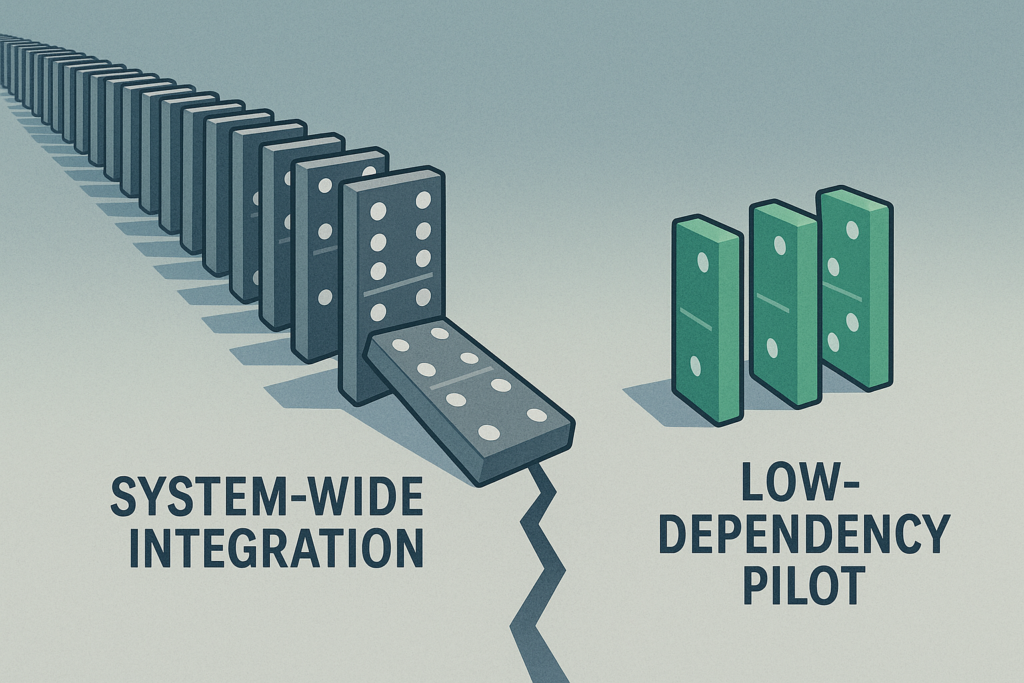
    Two sets of dominos side by side. On the left, a long chain of gray dominos labeled “System-Wide Integration,” precariously lined up with one tipping over, showing fragility. On the right, three neat green dominos labeled “Low-Dependency Pilot,” standing stable and isolated.
    Big transformations carry big risks. Start small: a low-dependency pilot offers safety, control, and confidence before scaling.

    The lesson: “implementation is strategy”—not just choosing the tech, but ensuring it works in practice.

    Similarly, Gartner reports that a whopping 77% of engineering leaders say integrating AI into existing applications remains a major challenge, and advises selecting platforms with cohesive ecosystems rather than patching together disparate tools.

    Where to start: low-dependency, high-ROI projects

    • Call Routing Automation
      Use AI to intelligently pre-route calls based on simple metadata (region, priority, agent skill set), which often requires minimal CRM integration but delivers clear impact on handling times and customer experience.
    • Workforce Scheduling Support
      Implement AI assistants that leverage historical patterns for smarter shift assignments or adherence monitoring—again, typically interacting only with workforce management modules, not full CRM pipelines.
    • Quality Assurance Automation
      Instead of automating agent-facing scripts or customer interactions, choose an internal process—like analyzing call transcripts for compliance or sentiment—that runs independently and delivers immediate insight and ROI.

    Select initial projects with low system coupling—components that can run nearly standalone or work within well-defined scopes. These “minimum viable integrations” reduce complexity while proving value in real business terms.

    2. Build Employee Buy-In Early

    From skepticism to empowerment: Make AI feel like a help, not a threat.

    Set the Stage with Data

    Employee sentiment around AI adoption is fraught with concern. A recent GoTo survey found that 62% of employees believe AI is significantly overhyped, and 86% admit they aren’t using it to its full potential—mainly because they lack confidence in how or where it fits into their day-to-day work.

    Meanwhile, a Pew Research Center study shows that only 16% of workers use AI at all, and a staggering 80% do not—highlighting a gap between access and adoption. 

    These trends reveal a hidden truth: resistance isn’t about stubbornness—it’s about uncertainty.

    Focus: Education Before Automation

    Instead of positioning AI as a replacement, frame it as a tool that makes agents’ lives easier. Provide contextual training tailored to real workflow scenarios, and walk through how AI can reduce mundane tasks—like auto-sorting inbound calls or flagging compliance breaches—not replace human judgment.

    Pilot with Employee Champions

    AI adoption spreads best through peer advocacy, not top-down mandates. Identify a group of motivated agents—trusted individuals who are curious and coachable—and involve them early. They act as localized influencers: shaping adoption norms, providing feedback, and demonstrating AI’s value in their own workflows. This grassroots approach builds momentum from the frontline upward.

    Build Trust Through Communication

    Trust in leadership strongly influences trust in AI. A Harvard Business Review insight underscores that employees are skeptical about AI when they don’t trust the leadership behind it—especially if they feel AI is being used without transparency or benevolent intent.

    Open dialogue about AI’s role, limitations, and safety—tracks not just outcomes, but message clarity—makes adoption feel intentional, not imposed.

    3. Automate the Back Office First

    Minimize risk—let quiet wins build credibility.
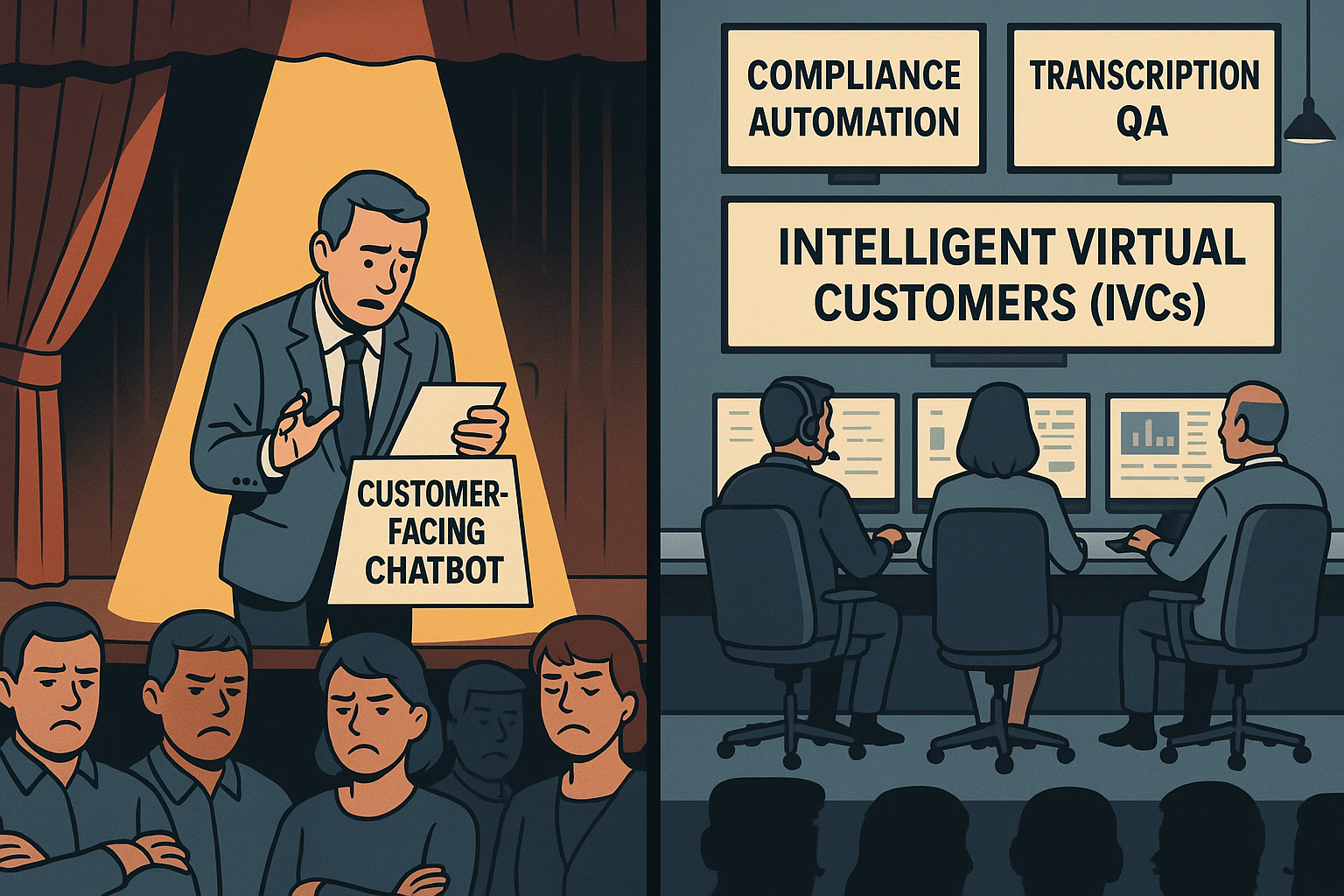
    A split-screen business illustration of a theater. On the left, a nervous man stands under a harsh yellow spotlight on stage, fumbling with cue cards labeled “Customer-Facing Chatbot,” while a frustrated audience crosses their arms and frowns. On the right, a calm, blue-toned control room shows operators at consoles with glowing dashboards labeled “Compliance Automation,” “Transcription QA,” and “Intelligent Virtual Customers (IVCs).”
    While chatbots struggle in the spotlight, behind-the-scenes automation drives efficiency and reliability.

    “Automate the back office first” may sound like an overused mantra, but it’s popular for a reason: starting where AI has fewer customer-facing risks gives organizations the breathing room to prove ROI without the PR nightmare of a failed chatbot rollout.

    Back-office functions—compliance, transcription QA, performance analytics, and Intelligent Virtual Customers (IVCs)—are ideal launchpads. They’re process-heavy, measurable, and less exposed to the customer’s direct line of sight.

    What to Automate First

    • Compliance Checks: Automate auditing call transcripts to flag regulatory or policy issues.
    • Transcription QA: Use AI to analyze recordings for accuracy, sentiment, or script adherence.
    • Performance Analytics: Spot patterns in agent productivity, escalation trends, or customer sentiment shifts.
    • Intelligent Virtual Customers (IVCs): Synthetic customers designed to simulate real conversations. Instead of risking failure with live customers, IVCs let you test, train, and refine AI models against realistic scenarios—quietly, safely, and cost-effectively.

    Case in Point: Commonwealth Bank’s Cautionary Tale

    When Australia’s Commonwealth Bank (CBA) pushed AI voice bots directly into customer service, the outcome was public and painful. Bots failed to resolve issues, call volumes rose, and 45 jobs were cut prematurely before the bank had to backpedal amid backlash.

    It’s a textbook example of chasing a headline instead of proving AI’s value in safer, internal domains first.

    Why It Works

    • Low visibility = low risk: Errors happen behind the scenes, not in front of customers.
    • Proof of value: Automating “boring but critical” processes shows real, measurable ROI.
    • Foundation for scale: Early wins build executive and employee confidence for more ambitious rollouts.

    4. Vendor Strategy: Safe Bet vs. Fast Bet

    Choosing the right partner can make or break your AI project.

    Option 1: Incumbent Vendors — The Safe Bet

    Large, established vendors (think your existing CRM, workforce management, or cloud providers) come with undeniable advantages: scale, security, and the credibility that reassures your board. They’ve delivered before, and they’ll integrate into your existing tech stack with less friction.

    The trade-off? Speed. Big vendors often move slowly, layering AI into their products incrementally. You’ll sacrifice agility for stability—but for some executives, especially those under scrutiny from boards or regulators, that’s the right call.

    Option 2: Startups — The Fast Bet

    Smaller, specialized vendors often innovate faster. They can spin up pilots in weeks, customize deeply for niche workflows, and push the boundaries of what’s possible with AI.

    But there are risks: limited resources, unproven scalability, and the potential for hiccups that frustrate employees or erode credibility with customers. A failed startup partnership can set your AI agenda back years—not because the tech was bad, but because your organization loses confidence.

    Vendor Strategy: Safe Bet vs. Fast Bet

    FactorIncumbent Vendor (Safe Bet)Startup Vendor (Fast Bet)
    Speed to DeploySlower, incremental rolloutFast, agile pilots
    IntegrationStrong alignment with existing stackFlexible, but may require workarounds
    Credibility with BoardHigh — proven track recordMixed — depends on reputation
    Risk of FailureLow technical risk, slower ROIHigher risk of hiccups, potential setbacks
    InnovationSteady, but rarely disruptiveCutting-edge, niche solutions
    ScalabilityEnterprise-grade, reliableMay struggle at large volumes
    Best Fit When…Board/regulators demand stability; credibility matters mostSpeed and differentiation are critical; appetite for risk is higher
    Hybrid StrategyUse for customer-facing or mission-critical AIUse for back-office pilots and innovation sprints

    The Executive Framework: Choosing Your Path

    When deciding between safe and fast, align the choice to your risk appetite and board expectations:

    • If credibility matters most: Stick with incumbents. They provide a defensible, low-risk path to AI adoption.
    • If speed and differentiation are critical: Partner with startups. Be ready to embrace hiccups as the price of innovation.
    • If you want both: Consider a hybrid strategy—pilot with a startup in the back office (low risk, high learning), while aligning your customer-facing roadmap with a trusted incumbent.

    Bottom line: There’s no “right” choice, only the choice that fits your strategic posture. The wrong vendor isn’t just a missed opportunity—it can turn your call center into another 95% statistic.


    Executive Playbook: Making Call Center AI Work

    AI success in call centers isn’t about chasing the flashiest tools. It’s about discipline, focus, and choosing battles you can win. Here’s the checklist every executive should keep in mind before greenlighting the next AI project:

    ✅ Tie Every Pilot to Measurable ROI

    If you can’t connect the project to the P&L, don’t start it. Define success upfront in hard metrics: reduced handle time, lower attrition, higher CSAT, or compliance cost savings. Every pilot should answer the board’s question: “What business value did this create?”

    ✅ Pick “Low Surface Area” Projects First

    Start where integration is simplest and dependencies are minimal. Call routing, workforce scheduling, and QA automation deliver quick wins without touching every system in the stack. Prove value before attempting system-wide transformations.

    ✅ Train Employees and Align Incentives

    AI doesn’t work if people won’t use it. Invest in education that shows employees how AI helps their workflows, not replaces them. Reward early adopters, celebrate quick wins, and use employee champions to spread momentum.

    ✅ Prioritize Back-Office Before Customer-Facing

    Public-facing AI failures destroy credibility fast. Back-office automation—compliance checks, transcription QA, performance analytics, Intelligent Virtual Customers (IVCs)—delivers ROI quietly while giving you space to refine the technology.

    ✅ Match Vendor Choice to Risk Appetite

    Don’t let vendor selection be an afterthought. If stability and credibility matter most, lean on incumbents. If speed and differentiation are critical, partner with startups. Better yet, build a hybrid strategy: use startups for low-risk pilots, then scale with trusted incumbents.

    The Bottom Line

    AI projects succeed when leaders treat them as business initiatives, not tech experiments. Anchor every step in ROI, simplify your first moves, bring employees along for the ride, and choose vendors with your strategic posture in mind. Do this, and your call center won’t just avoid being part of the 95%—it will help define the playbook for the 5%.


    TLDR; The 5% Opportunity

    The numbers may be grim—95% of AI projects fail—but they’re not destiny. For call centers, success isn’t about betting on the flashiest AI or rushing to impress the board with a chatbot demo. It’s about focus, realism, and cultural readiness.

    The difference between the 95% that fail and the 5% that succeed isn’t the technology. It’s leadership. Leaders who demand measurable ROI, start small, bring employees along, and place smart vendor bets are already proving AI can make call centers more efficient, resilient, and customer-centric.

    As an executive, you don’t have the luxury of treating AI as an experiment. Your job, your team, and your customer experience depend on getting it right. The good news: you can get it right—if you build deliberately, not reactively.

    So here’s the call to action: Don’t chase the hype. Build the foundation that makes your call center part of the 5%.
  • 5 Hidden Costs of Not Measuring Training Effectiveness

    5 Hidden Costs of Not Measuring Training Effectiveness

    The 5 Hidden Costs of Not Measuring Contact Center Training Effectiveness (Plus One You’re Probably Overlooking)

    Companies with strong learning cultures experience 30–50% higher employee retention than those without. That’s not a soft stat — it’s a survival one, especially in high-turnover, high-pressure environments like call centers.

    But here’s the problem: Most training programs don’t actually measure whether learning sticks. They roll out onboarding decks, deliver content, issue completion badges — and then hope for the best. Meanwhile, ramp times stretch, CSAT dips, and agents quit before they ever feel confident on the floor.

    It’s not just a training issue. It’s a measurement issue.

    A call center training platform that doesn’t track effectiveness is more than a missed opportunity — it’s a silent cost center. Every time you skip measurement, you’re flying blind while operational inefficiencies quietly pile up.

    This article unpacks six hidden costs — five common, one dangerously overlooked — that teams face when they skip the measurement step. If you’re ready to lead with data, shorten ramp time, and create a high-retention, high-performance floor… this is where it starts.


    1. Longer Ramp Times = Delayed ROI

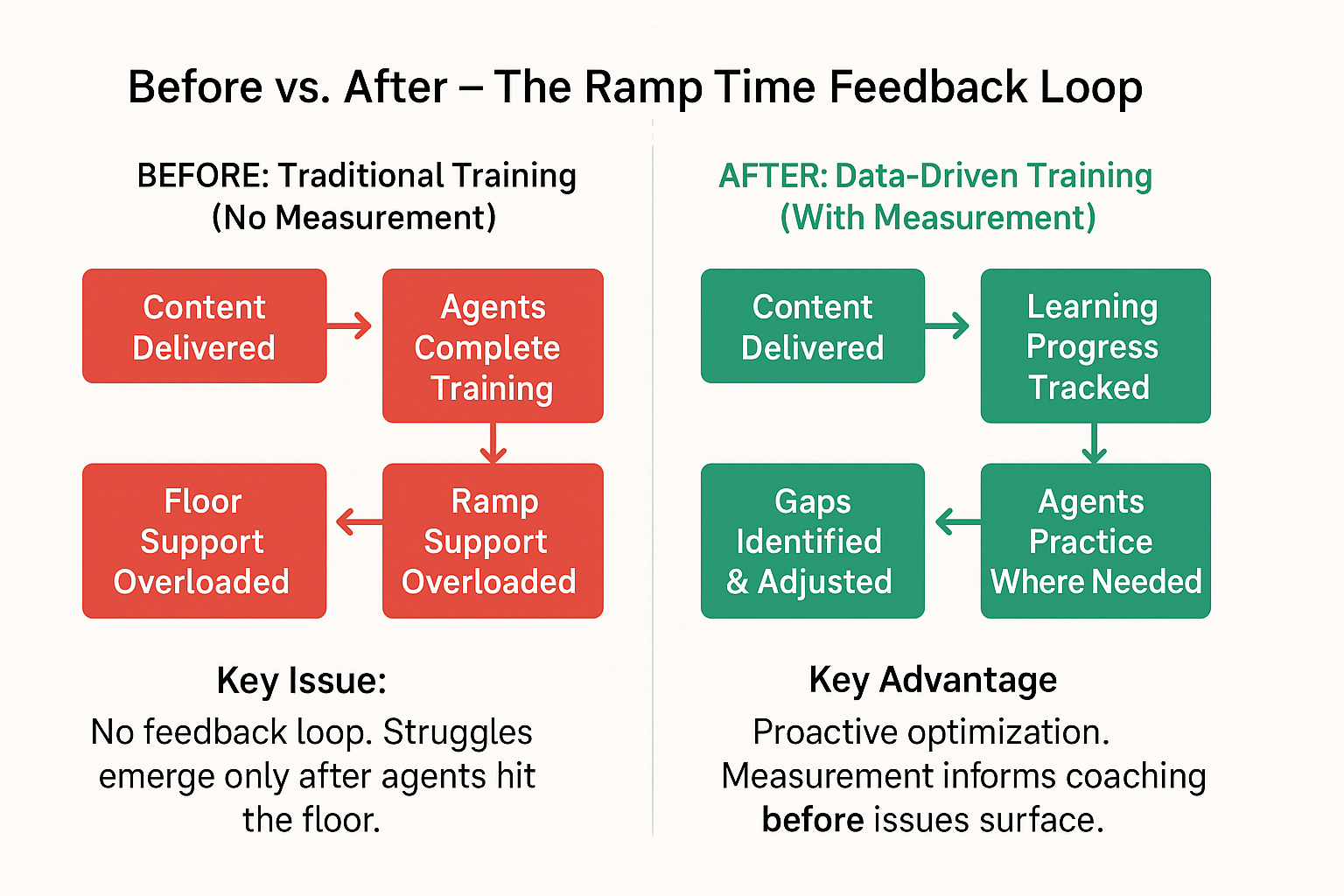
    A two-panel infographic comparing traditional and data-driven call center training workflows. The “Before” panel shows a red flowchart with disconnected steps: content delivered → training completed → progress unclear → floor overload → ramp time drags. The “After” panel uses green tones to show a measured workflow: content delivered → learning tracked → gaps adjusted → targeted practice → ramp time shrinks. The layout is clean and modern, using simple arrows and icons for clarity.
    Training delivered ≠ training completed. See how measurement turns guesswork into growth — and cuts ramp time in the process.

    Ramp time isn’t just a staffing issue — it’s a cost center. Every additional week it takes for a new agent to reach full productivity represents lost revenue, lower service quality, and added strain on the team. Yet many training leaders struggle to shorten this window, not because their content is bad — but because they’re not measuring what works.

    When you can’t see where learners get stuck, you can’t fix it. You end up over-training on some things, under-training on others, and assuming completion equals competence.

    A robust call center training platform should track not only attendance and quiz scores, but real-world readiness: which agents can handle key call types, which scenarios still trip them up, and how quickly they’re improving over time.


    The Data Behind It

    Research by Aberdeen found that organizations using performance-linked training data cut ramp time by 17% compared to those that don’t measure at all [source]. Multiply that across dozens or hundreds of hires, and you’re looking at weeks — or even months — of regained productivity.


    Hidden Impact

    • Supervisors spend more time hand-holding.
    • QA teams flag the same errors repeatedly.
    • Customer experience suffers while agents “learn on the job.”

    And because ramp is hard to quantify without measurement, the true cost hides in plain sight.


    Make It Measurable

    Here’s what high-performing training teams track inside their call center training platform:

    • Time to proficiency on core call types
    • Correlation between training modules and post-training QA scores
    • Retention over time, not just right after a course

    Without these metrics, you’re optimizing blind. With them, you’re driving faster, data-backed outcomes from day one.


    2. Inconsistent Customer Experience

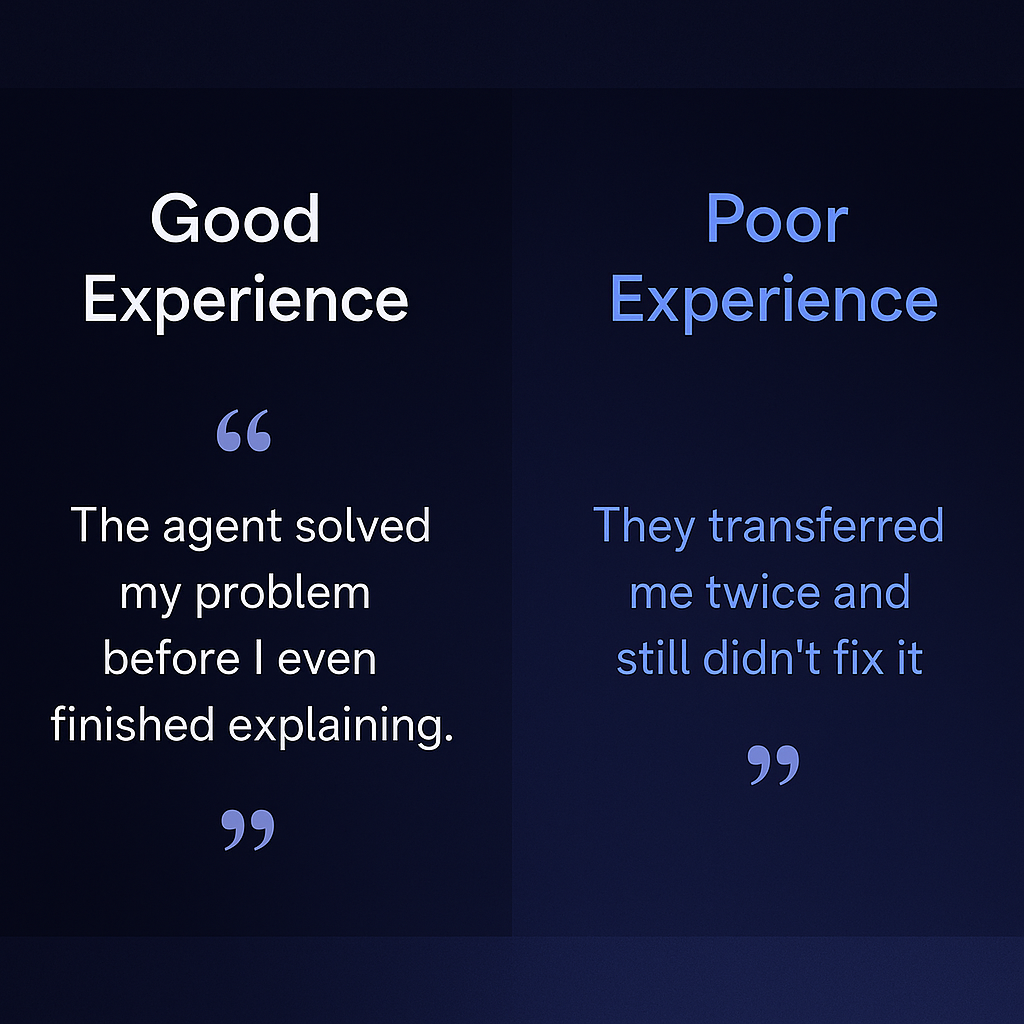
    Side-by-side comparison of customer quotes on a dark blue gradient background. The left panel shows a positive interaction: “The agent solved my problem before I even finished explaining.” The right panel displays a negative interaction: “They transferred me twice and still didn’t fix it.” The design uses WizeCamel brand colors in a clean, modern layout to contrast good and poor agent performance.
    Same script. Same brand. Two completely different outcomes. What happens when you don’t measure how well agents are actually trained?

    No matter how sharp your script or polished your brand promise, a customer’s experience ultimately depends on a single variable: the agent on the other end of the line.

    When your training isn’t measured, you lose visibility into how well individual agents are prepared to deliver that experience. One agent nails it — fast, empathetic, on-brand. The next? Fumbles the issue, asks the wrong questions, or escalates needlessly.

    The result is an inconsistent customer journey that undermines trust, loyalty, and brand equity — and it’s entirely avoidable.


    The Real-World Risk

    Inconsistency isn’t just inconvenient — it’s expensive. Research from PwC shows that 32% of customers will walk away from a brand they love after just one bad experience [source].

    In a high-volume contact center, that margin for error vanishes quickly — and so do your retention goals.


    The Role of Measurement

    A modern call center training platform can do more than deliver content. It should:

    • Track proficiency by call type and scenario
    • Flag agents who struggle with specific customer intents
    • Identify inconsistencies across teams, sites, or BPO partners
    • Link learning outcomes directly to post-call QA and CSAT metrics

    This is where measurement turns reactive coaching into proactive precision. It allows leaders to reinforce behaviors that align with CX standards — and intervene before small problems turn into reputation risks.


    Make It Tangible

    Picture this:

    • Without measurement: One customer gets a confident agent who resolves their billing issue in 3 minutes. The next gets transferred twice and placed on hold for 15.
    • With measurement: Training data highlights that 40% of agents misroute billing calls. A quick content update and targeted coaching closes the gap within days.

    That’s not just good training. That’s operational agility.


    3. Hidden Performance Gaps Drag You Down

    It’s easy to spot top performers. It’s also easy to spot total breakdowns.
    But the real threat to performance? The agents quietly drifting in the middle — just competent enough to avoid red flags, but not consistent enough to hit your targets.

    Without measurement, these gaps stay invisible.

    When supervisors and QA teams don’t have clear, behavior-linked training data, they default to coaching based on instinct, not insight. That might work for one or two agents. At scale, it creates blind spots — and blind spots create drag.


    The Cost of the Unseen

    A few average-performing agents might seem like a low-risk issue — but multiplied across hundreds of calls a day, their inconsistency compounds:

    • More repeat contacts
    • Lower first-call resolution (FCR)
    • Subtle dips in NPS and CSAT
    • Higher escalation rates
    • Burnout in QA and supervisor teams

    And there’s hard evidence to back that up:

    Teams that link training to call behavior see a 21% increase in first-call resolution, according to CXToday.


    What a Call Center Training Platform Should Surface

    A modern call center training platform does more than assign learning paths. It connects the dots between:

    • Specific training content and real-world call behavior
    • Agent performance trends over time
    • Scenario-based competency vs. general completion metrics
    • QA results mapped directly to training gaps

    This makes it easy to pinpoint who needs help and what kind of help they need — before performance KPIs slip and support tickets spike.


    From Reactive to Strategic

    Instead of coaching reactively (“That call didn’t go well”), you shift to surgical interventions (“You’re underperforming on tech support calls — let’s revisit module 3B”).

    That’s how elite CX teams operate — and how training leaders prove their value beyond the onboarding room.


    4. Tenured Agents Become the (Unpaid) Help Desk

    When training misses the mark, your most experienced agents pay the price.

    Instead of focusing on their own queues, coaching new hires, or handling escalations, they spend their shifts answering ping after ping:

    “Where do I find the policy?”
    “How do I log a refund?”
    “What do I say if the customer asks for a supervisor?”

    At first, it feels like teamwork. But over time, it becomes a productivity sink — and a morale killer.


    Why This Happens

    In most contact centers, tenured agents are the informal knowledge base. When training is static or misaligned, new agents fall back on the people they trust — not the LMS. And without real-time visibility into what learners retained (or didn’t), leaders rarely realize the scope of the issue until it’s already dragging the team down.


    The Cost You Didn’t Budget For

    Here’s what you’re actually spending when senior agents are flooded with questions:

    • Double-handling of basic calls
    • Delayed resolution due to interrupted workflows
    • Burnout and disengagement from your top performers
    • Lost coaching opportunities, because tenured staff are stuck firefighting

    It’s not just inefficient. It’s dangerous — because when your most capable people are distracted, your whole floor feels it.


    How a Call Center Training Platform Solves This

    The right call center training platform gives leaders the data to:

    • Identify which new hires are repeatedly asking for help — and on what
    • Link those help requests to specific training modules or missed concepts
    • Push micro-coaching or refreshers in real time
    • Reduce reliance on tribal knowledge by building trust in the system

    This shift doesn’t just reduce noise — it empowers your veterans to do what they do best: lead, coach, and solve complex problems. Not copy-paste FAQ links in Slack.


    What This Looks Like in Practice

    Without measurement: Your top performer fields 20+ low-level questions a day, juggling their own calls in between.

    With measurement: You spot a trend in refund-handling confusion post-training. You push a 5-minute refresher. Questions drop by 80% in three days.


    5. Higher Early Attrition (And the Cost Is Brutal)

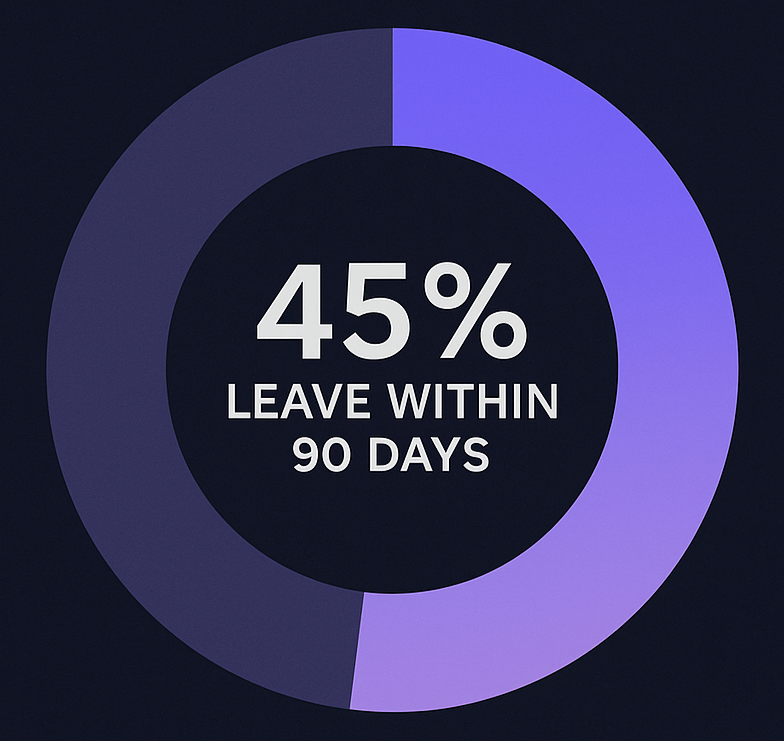
    A donut chart on a dark navy blue background visualizes early call center attrition. The chart highlights that 45% of agents leave within the first 90 days, using a prominent purple arc.
    Most agents don’t quit after a year. They quit before they even find their footing. 45% leave within 90 days — often because their training failed them.

    In many contact centers, attrition is treated like bad weather — expected, unpredictable, and mostly out of your control. But that’s a myth.

    According to QATC, up to 45% of call center attrition happens in the first 60 to 90 days. And one of the top reasons agents leave early?

    They feel overwhelmed, unsupported, or unprepared.

    That’s not a hiring problem. That’s a training measurement problem.


    Training Isn’t Support If It’s Not Measured

    When training ends at “content delivered,” new agents hit the floor with false confidence — until the calls start. Then the cracks show. They hesitate. Fumble. Get flustered. Ask for help. Feel behind.
    And eventually… they leave.

    Without measurement, you can’t see which agents are struggling until they’ve already decided the job isn’t for them. By then, it’s too late — and the hiring treadmill starts again.


    The Hidden Cost of Starting Over

    Every early departure comes with a silent invoice:

    • Wasted recruiting and onboarding spend (estimates range from $4,000 to $7,000 per hire [SHRM])
    • Lost ramp time and floor coverage
    • Stress on teams left behind
    • Brand risk from undertrained interactions

    When churn becomes predictable, but not measurable, you lose more than headcount — you lose momentum.


    Where a Call Center Training Platform Makes the Difference

    The right call center training platform helps prevent early exits by:

    • Surfacing early warning signs (low post-training assessments, help requests, QA issues)
    • Delivering refresher content before performance slips
    • Providing supervisors with targeted insights for 1:1 coaching
    • Giving agents feedback that builds confidence, not just compliance

    In short, measurement turns guesswork into intervention — and training into a true retention tool.


    How It Plays Out

    Without measurement: Three new hires leave before week six. Nobody knows why. Everyone scrambles to cover shifts.

    With measurement: You see early red flags in QA scoring tied to scenario gaps. You intervene with coaching. All three stay — and grow.


    Bonus: Stale Content That Quietly Kills Progress

    If you’re not measuring training effectiveness, you’re not improving it.
    You’re just hitting “play” on the same old deck — even when the process changed last quarter.


    What Goes Wrong:

    • Policies evolve, but the slides don’t.
    • Tools update, but the demos stay outdated.
    • Agents get trained on yesterday’s workflows — and fail today’s calls.

    What to Do Instead:

    • Track performance by module — not just completion.
    • Flag content that correlates with repeat errors or low QA scores.
    • Automate feedback loops from the floor to the curriculum.

    The best call center training platforms treat content like software:
    Constantly versioned. Continuously improved.


    TLDR: If You’re Not Measuring, You’re Paying for It Anyway

    Most training teams don’t fail because of bad content.
    They fail because they can’t prove what’s working — or fix what isn’t.

    The result?
    Slower ramp times. Inconsistent CX. Buried performance gaps. Burnout. Attrition. Stale content.
    Each one comes with a cost — in dollars, morale, and customer trust.

    But it doesn’t have to be this way.

    A modern call center training platform gives you the visibility to move from reactive to precise, from effort-based to outcome-driven.

    You stop guessing. You start improving.

    And your training becomes a real driver of operational performance — not just a checkbox.


    Want more insights like this?

    Subscribe to TrueCX’s newsletter—the #1 resource for contact center trainers—for the latest in AI-powered training, team performance strategies, and real-world tips for building a stronger, smarter contact center, starting with call center training platforms.

  • 3 AI-Powered Tactics to Streamline Recruiting, Onboarding & Training

    3 AI-Powered Tactics to Streamline Recruiting, Onboarding & Training

    From Hire to High-Performer: 3 AI-Powered Tactics to Streamline Recruiting, Onboarding & Training

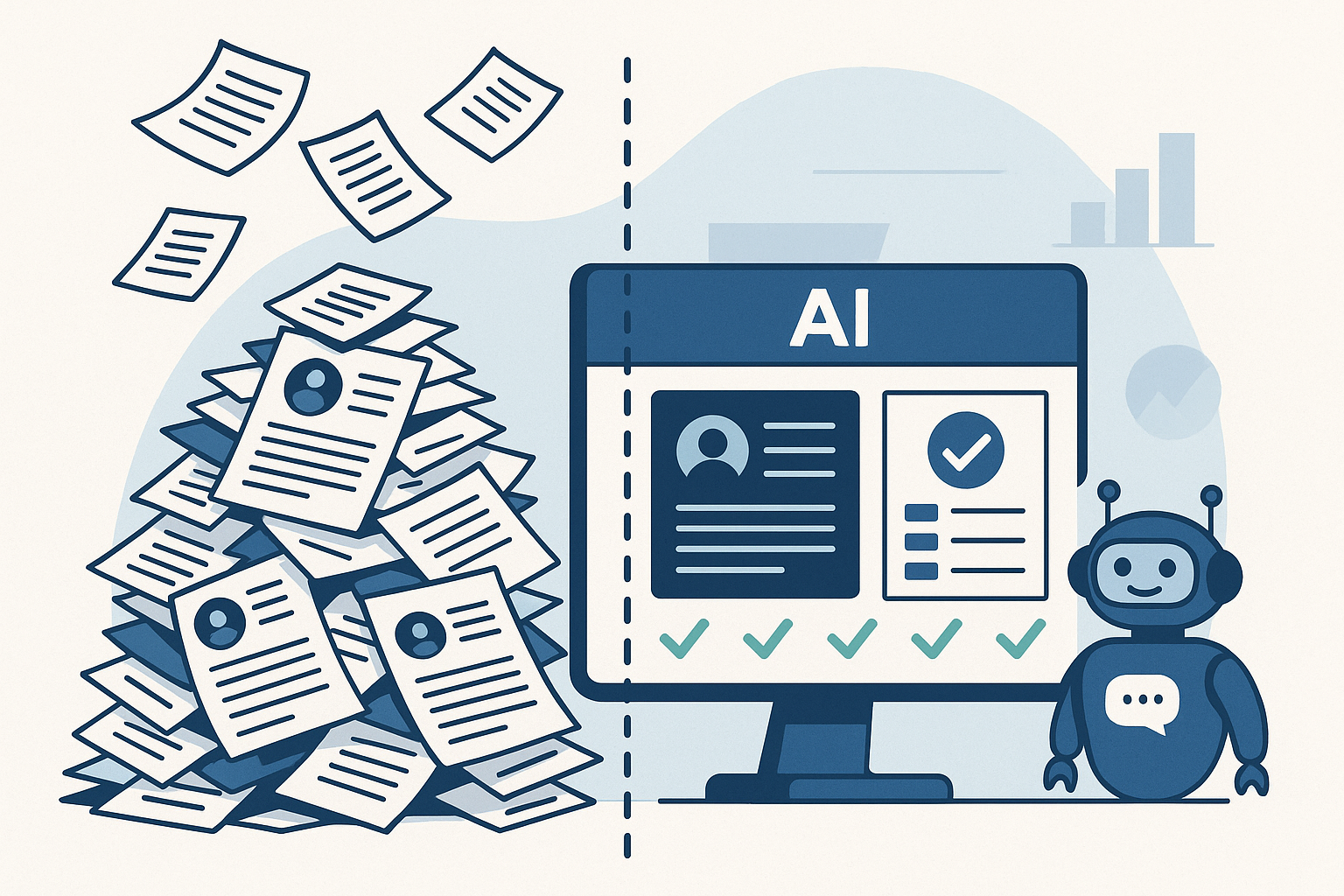
    A flat-style digital illustration showing a chaotic pile of paper resumes on the left and an AI-powered dashboard on the right. A friendly chatbot stands next to the screen, representing streamlined, automated recruiting.
    AI turns hiring chaos into clarity—cutting through the noise to surface the best-fit candidates, fast.

    It starts with a flood.

    You post a job, and hundreds of resumes roll in overnight. But instead of being a dream scenario, it’s a nightmare. Half the applicants are unqualified. The other half blur together in a sea of keyword-stuffed documents. Weeks go by, and your hiring managers are still stuck in interviews—while your top candidates have already accepted offers elsewhere.

    You’re not alone. The average time to hire in tech is now 44 days, up 18% from just two years ago (LinkedIn, Future of Recruiting).

    Meanwhile, AI-powered resume tools have flooded applicant pools with noise, not clarity.

    Then comes onboarding. Or rather, the lack of it.

    Your new hire arrives eager, but hits a wall of fragmented systems, outdated documents, and generic training that fails to reflect their role, region, or readiness. What should feel like a launchpad feels more like a holding pattern. And for many, that friction leads to early disengagement—or even departure. In fact, 28% of new hires quit within the first 90 days (Jobvite, Job Seeker Nation Report).

    And when it comes to training? Most programs are reactive, not proactive. Learning is disconnected from live performance, and managers don’t realize there’s a skill gap until it shows up in a customer call, a missed target, or a costly error. Only 12% of employees say they actually apply what they learn in training to their day-to-day job (HR Dive, Training ROI Study).

    From bloated recruiting cycles to onboarding that doesn’t onboard, and training that’s too little too late—talent systems are stuck in the past.

    It’s time for a smarter approach.

    In this blueprint, we’ll show how AI can transform the journey from hire to high-performer—cutting through the noise, connecting the dots, and delivering measurable impact at every stage.


    1. AI in Recruiting: Speed, Fairness & Fit

    Meet Alex, Head of Talent Operations at a national health tech provider. His challenge wasn’t a lack of applicants—it was keeping the right ones engaged long enough to show up for Day One.

    They were hiring contact center agents—high-turnover, high-pressure roles where time-to-hire wasn’t just a metric—it was the make-or-break variable. Coordinating start dates, managing candidate drop-off, and keeping hiring classes full was a weekly fire drill.

    “We’d lose half our candidates before we could even get them scheduled,” Alex said. “Sometimes we were planning a training class on Monday and still didn’t have confirmations by Friday.”

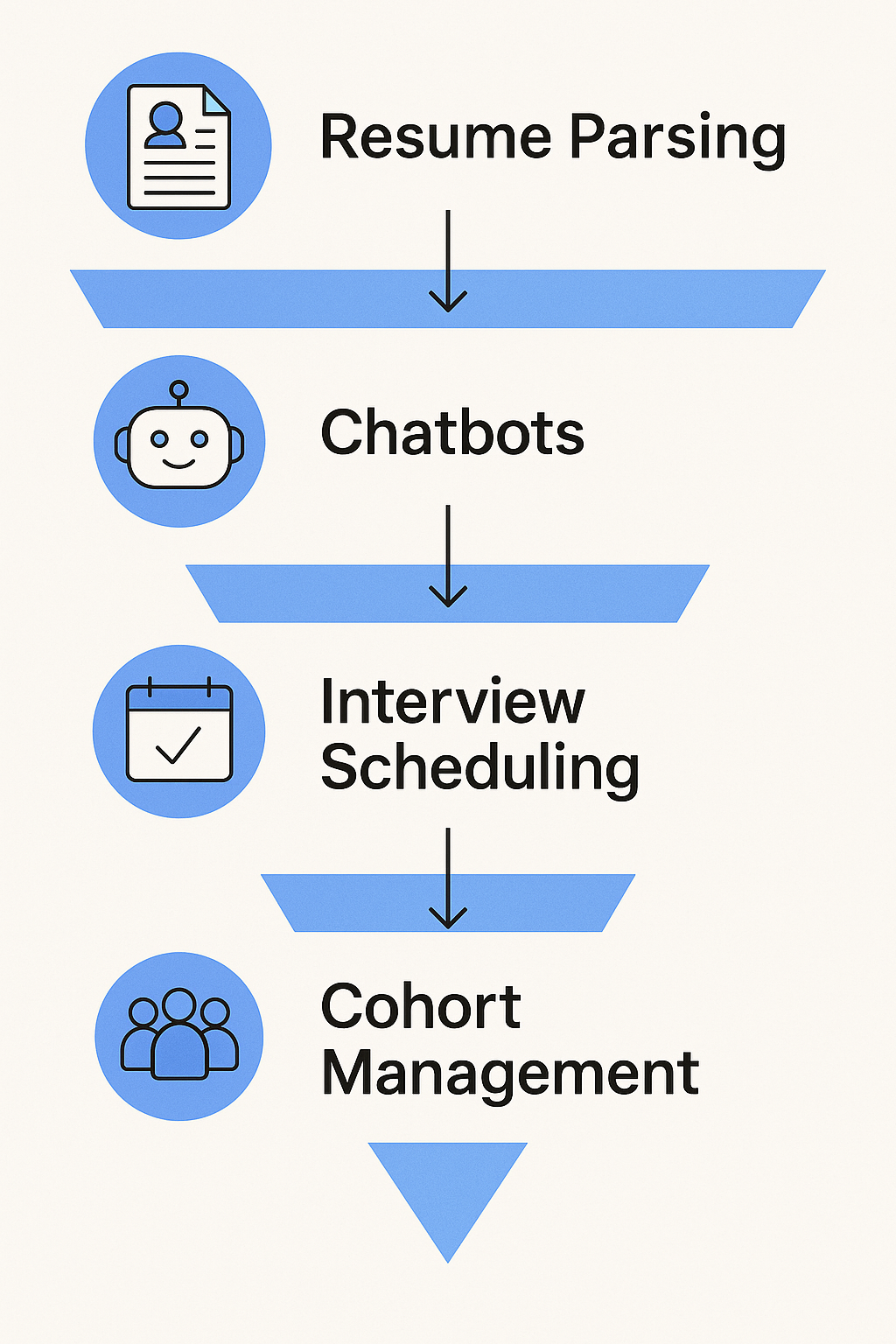
    A vertical infographic showing a four-step AI recruiting funnel: Resume Parsing, Chatbots, Interview Scheduling, and Cohort Management. Each step includes a blue icon and arrow to illustrate flow through the process.
    AI simplifies recruiting—from resume overload to cohort-ready candidates—with automation at every step.

    He’s not alone. According to Reccopilot, 57% of candidates lose interest if they don’t hear back within two weeks. In high-volume roles, that window is often tighter—measured in days, not weeks.

    So, Alex’s team turned to AI—not to automate away the human element, but to remove friction and speed up handoffs:

    • Instant resume screening helped triage hundreds of applicants daily, surfacing candidates who actually met licensing and shift requirements.
    • Automated outreach and SMS nudges kept candidates engaged with next steps, without manual follow-up.
    • Calendar-syncing AI tools allowed candidates to self-schedule interviews within hours of applying.
    • Once a hiring class was full, the system immediately closed the posting and adjusted the funnel for the next cohort—no spreadsheet gymnastics required.

    By layering in AI, Alex’s team didn’t just shave days off the process—they reclaimed control over start date planning. They could fill classes faster, reduce no-shows, and proactively balance capacity with demand.

    And most importantly, recruiters got back to what mattered: building trust, answering real questions, and moving fast on people who were ready to work.

    Summary Table: What AI Handles Today

    AI FeatureWhat It Does
    Resume ScreeningParses files, ranks by role fit
    Chat & Voice BotsEngages, asks questions, delivers interview links
    Interview SchedulingSyncs calendars, sends invites, sends reminders
    Bias MitigationAnonymizes applications, flags biased job wording
    Predictive MatchingRecommends best-fit candidates based on data

    2. AI in Onboarding: Turning Offers into Ready, Reliable Agents

    Continuing Alex’s journey at the health tech provider, the team faced a new challenge after fast hires: getting contact center agents to actually show up—and stay past Day One.

    With hires dropping out during paperwork or losing momentum before their start date, Alex knew onboarding needed a transformation.

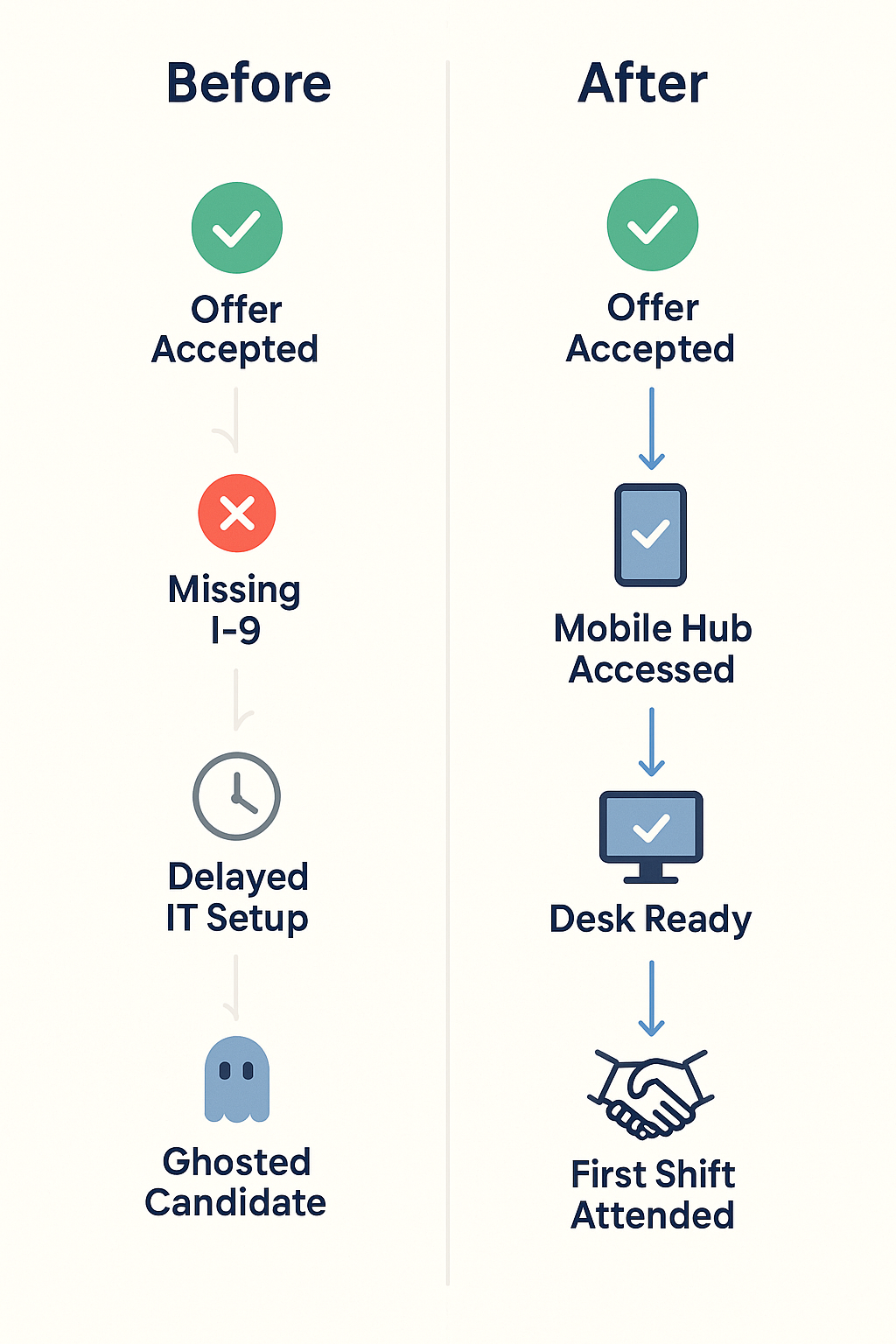
    “We’d get them on the schedule, but then chaos hit—lost forms, late IT access, and stale communication,” he explained. “It wasn’t surprising that candidates ghosted before their first shift.”

    They needed speed, precision, and seamless coordination. Enter AI-powered onboarding.

    How AI reshaped onboarding for contact center heads:

    • Automated workflows triggered IT setup, desk access, and training enrollment instantly once an offer was accepted—no more manual handoffs.
    • Smart reminders for forms like I‑9s and W‑4s meant nothing fell through the cracks before Day One.
    • Personalized onboarding hubs on mobile and desktop gave new agents a clear schedule, video intros, and orientation steps tailored to their role and start date.
    • Proactive engagement analytics flagged inactivity (e.g., no logins, unsigned docs), prompting recruiters to reach out before the candidate slipped away.
    A vertical infographic comparing onboarding steps before and after AI adoption. The "Before" side lists Offer Accepted, Missing I-9, Delayed IT Setup, and Ghosted Candidate. The "After" side shows Offer Accepted, Mobile Hub Accessed, Desk Ready, and First Shift Attended, using icons and checkmarks to show progress.
    From delays to Day One success—AI turns onboarding friction into a reliable, mobile-first experience.

    The data behind the gains:

    • AI onboarding systems reduce paperwork delays, helping employees reach full productivity 40% faster (inFeedo.ai, Employee Onboarding), while improving new-hire retention by 82% (Thirst, Onboarding Statistics 2025).
    • About 22% of job seekers don’t show up on Day One—but mobile-first, automated onboarding experiences dramatically reduce that risk (SafetyCulture Training).
    • 69% of employees are more likely to stay for three years when they experience a strong onboarding program (appical).

    The outcome:

    For Alex’s team, these changes made a measurable impact:

    • Onboarding no-shows dropped by 22%—equivalent to nearly one out of every five new hires now walking through the door.
    • Agents were operational 40% sooner, ready to take calls earlier and with better confidence.
    • HR was freed from tracking systems to coach and support with purpose—not just nag.

    Alex reflected: “AI didn’t just automate tasks—it brought clarity and kept people engaged when it mattered most.”


    3. AI in Training: Personalized, Data-Driven Enablement

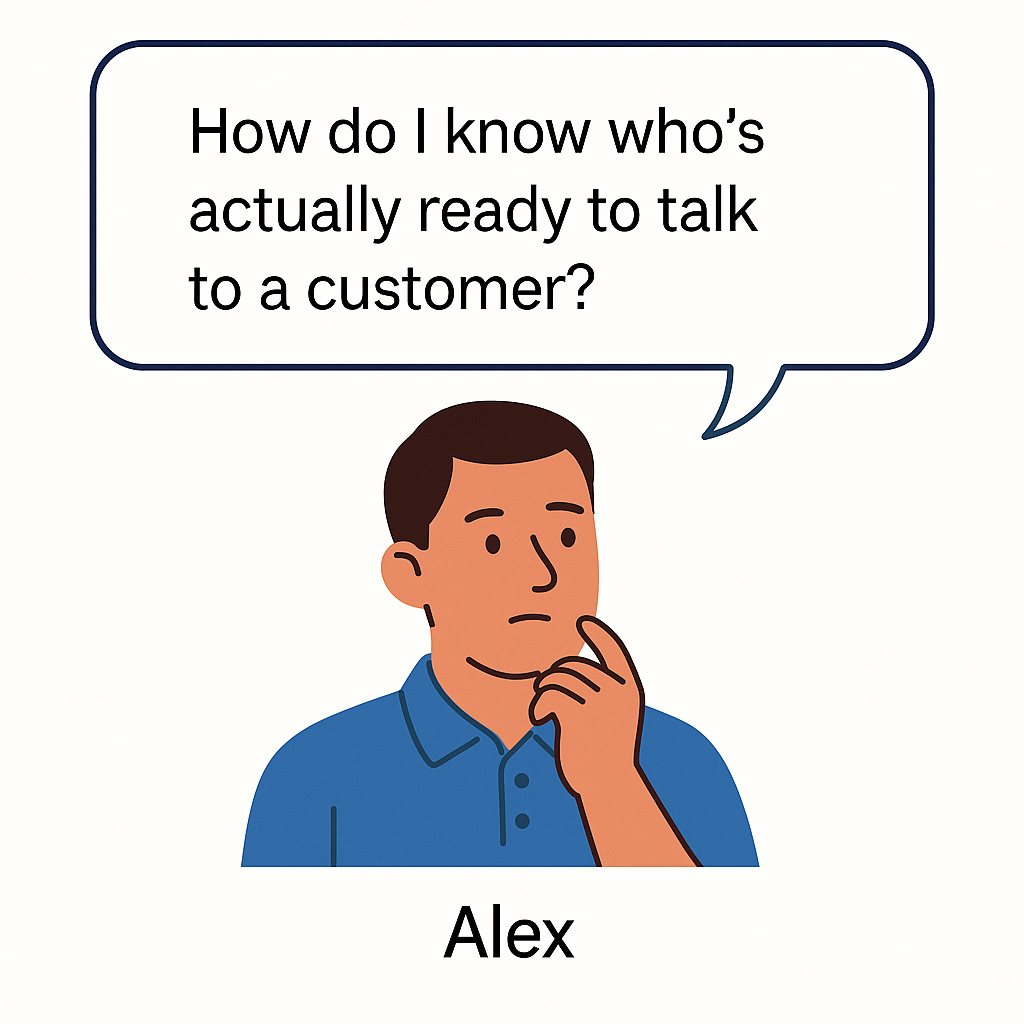
    A flat-style illustration of Alex, a thoughtful man in a blue polo shirt, resting his chin on his hand with a speech bubble that reads, “How do I know who’s actually ready to talk to a customer?”
    Alex’s turning point: bridging the gap between training and real-world readiness.

    By the time new contact center agents wrapped onboarding, Alex finally had momentum. No more no-shows. Fewer early exits. His hiring classes were full and engaged.

    But one question still kept him up at night:

    “How do I know who’s actually ready to talk to a customer?”

    Some agents sounded sharp in training but floundered live. Others passed quizzes but froze under pressure. And when readiness is unclear, every new hire is a gamble—risking CSAT scores, team morale, and customer trust.

    That’s where AI flipped the script—from reactive to predictive.

    Alex partnered with his Enablement and Ops leaders to implement AI-powered training diagnostics—not just to deliver content, but to predict agent performance before go-live.

    How it worked:

    • Simulated call environments gave new reps scenario-based roleplays that mirrored real customer issues. AI analyzed tone, timing, accuracy, and emotional response.
    • Live behavioral scoring surfaced patterns that humans might miss—hesitation on compliance topics, inconsistent empathy language, or procedural missteps.
    • Predictive readiness scores were generated for each rep, combining quiz data, practice call performance, and learning behavior to estimate live call success.
    • Managers received risk indicators before go-live: “Rep A needs more time on de-escalation,” or “Rep B shows high readiness for billing scenarios but missed security steps.”

    The result?

    “We stopped guessing,” Alex said. “We knew who was ready—and who needed coaching—before customers were on the line.”

    Measuring Effectiveness, Not Just Completions

    With traditional LMS systems, success = 100% module completion. But completion isn’t capability.

    With AI-enabled training tools like TrueCX, Alex’s team went beyond checkboxes:

    • Correlating training to outcomes: TrueCX mapped onboarding experiences to early KPIs like call handle time, escalation rate, and QA scores.
    • Identifying curriculum gaps: When reps consistently missed the mark on certain call types, TrueCX flagged the module responsible—turning lagging metrics into coaching opportunities.
    • Delivering precision coaching: Instead of mass refreshers, Alex’s enablement team delivered targeted reinforcement—one micro-module per rep, per skill gap.

    The Impact:

    • Ramp-to-performance time dropped by 30% for new hires with predictive diagnostics (Learning Guild, 2025).
    • Teams using AI to link training with performance saw 15–20% improvements in CSAT and first-call resolution, especially in healthcare, telecom, and finance sectors (McKinsey, 2024).
    • And perhaps most importantly: Alex now had a defensible, data-driven answer when senior leadership asked, “Is our training actually working?”

    Conclusion: Future of Work = AI‑Augmented, Not AI‑Replaced

    Alex’s journey—from chaotic hiring cycles to confident, call-ready agents—wasn’t about replacing people. It was about freeing people up to do what they’re best at.

    AI handled the noise:

    • The resume flood
    • The pre-Day-One paperwork chase
    • The uncertainty around training readiness

    What it gave back was clarity.

    Recruiters focused on conversations—not scheduling. Onboarding teams supported people—not forms. Enablement coached for performance—not just completions. And new hires showed up engaged, prepared, and confident.

    That’s the promise of AI across the talent lifecycle: not a shortcut, but a smarter, more connected way to scale the human side of your operation.

    The teams seeing real transformation aren’t throwing tools at every problem. They’re starting with the pain point that’s costing them most—hiring delays, no-shows, or inconsistent ramp—and solving that with precision. Then expanding from there.

    Start small. Start where it hurts. And build a system that helps people do what they do best—better.

    Because high-performance teams don’t just happen. They’re built—one insight, one system, one teammate at a time.


    You don’t need to overhaul everything overnight—but you do need to start.
    Pick the one place where friction is highest—hiring delays, onboarding chaos, or training that doesn’t translate—and ask:

    Where could AI remove the noise so your people can focus on what matters?

    The teams that win aren’t waiting for perfect.
    They’re starting small, learning fast, and building smarter—one system at a time.

    Ready to explore what that could look like in your org? We’d love to help you think it through.


    TL;DR

    Hiring contact center agents at scale is a race against time—and attrition. Nearly 57% of candidates lose interest if they don’t hear back within two weeks, and 22% of new hires never show up on Day One. For Alex, a Talent Ops leader at a high-growth health tech company, those numbers were more than statistics—they were weekly crises.

    This article follows Alex’s transformation from firefighting to forecasting. By applying AI across recruiting, onboarding, and training, his team slashed hiring delays, dropped no-shows by over 20%, and cut ramp time by 30%—all while improving rep performance and retention.

    Through smart automation, predictive training insights, and connected data, AI helped Alex’s team stop managing chaos and start building a workforce that was truly ready on Day One—and equipped to stay. If you’re scaling high-turnover roles, this is how you build the engine.

  • 5 Ways to Improve Call Center Onboarding Without Slowing Down Ops

    5 Ways to Improve Call Center Onboarding Without Slowing Down Ops

    5 Ways to Improve Call Center Onboarding Without Slowing Down Ops

    New Reality: AI Is Redefining Call Center Onboarding

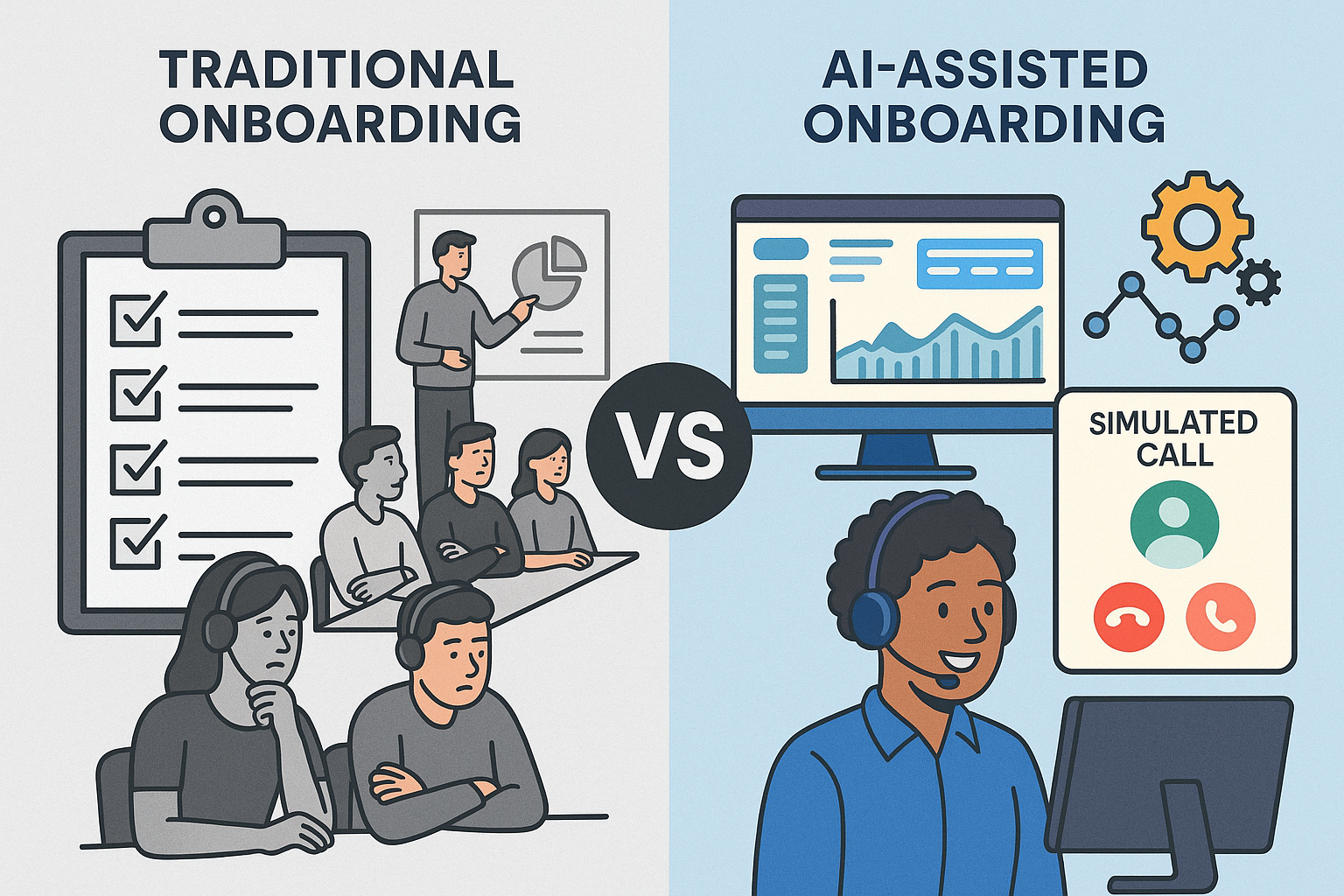
    Side-by-side comparison of traditional and AI-assisted call center onboarding. Left: bored agents in a classroom with checklists and a whiteboard. Right: smiling agent using a headset in front of a dashboard with simulated call and automation icons.
    Contrasting outdated onboarding methods with modern AI-enhanced training in call centers.

    Today’s contact center leaders face a balancing act: ramp agents faster, improve call quality, and avoid disrupting daily operations.

    But traditional onboarding hasn’t kept up. Lengthy classroom sessions, inconsistent roleplay, and slow feedback loops are still common — even though they rarely translate into better performance.

    And that gap is costly. According to McKinsey, high-performing agents are up to 3x more productive than low performers. Meanwhile, ICMI reports that 62% of contact centers take more than two months to fully onboard a new agent. That’s too long.

    The opportunity? AI-powered onboarding that lives in the back office. You can safely optimize training where it won’t affect customers — giving your team faster ramp times, better data, and more control.

    1. Identify High and Low Performers Early

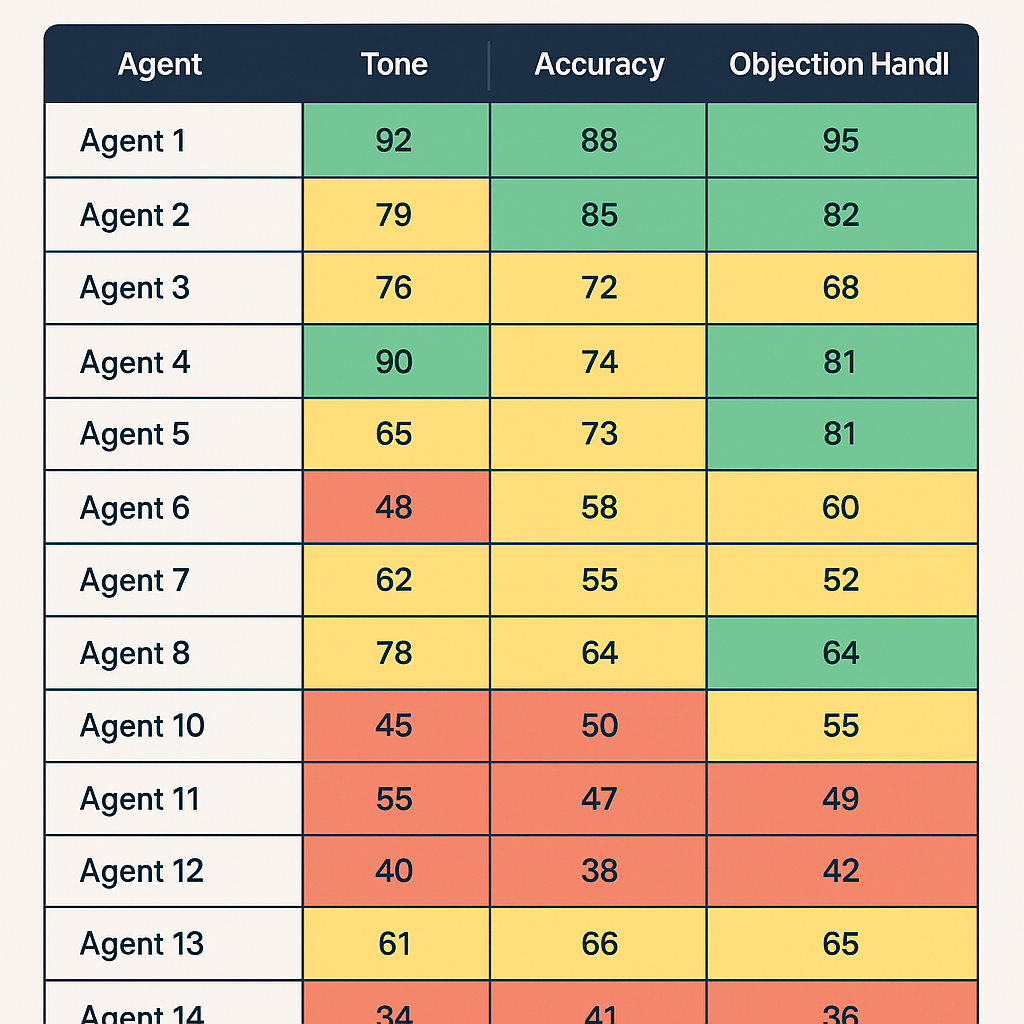
    A training dashboard displaying mock call performance scores for 14 agents across three categories: Tone, Accuracy, and Objection Handling. Each score is color-coded with green (top performers), yellow (average), and red (low performers).

    The earlier you can separate high-potential hires from poor fits, the better. Early training is your chance to assess not just skills, but coachability — a leading indicator of long-term success.

    Many leaders hesitate to cycle out low performers too soon. But dragging them through onboarding can waste thousands in time and wages, while slowing your coaches down.

    Action Tip:

    In the first week, score mock calls using a rubric with clear categories: product accuracy, tone, active listening, and objection handling. Use this data to tag coachable agents for fast-tracking, and move on quickly from those who aren’t progressing.

    2. Track Performance Before the First Real Call

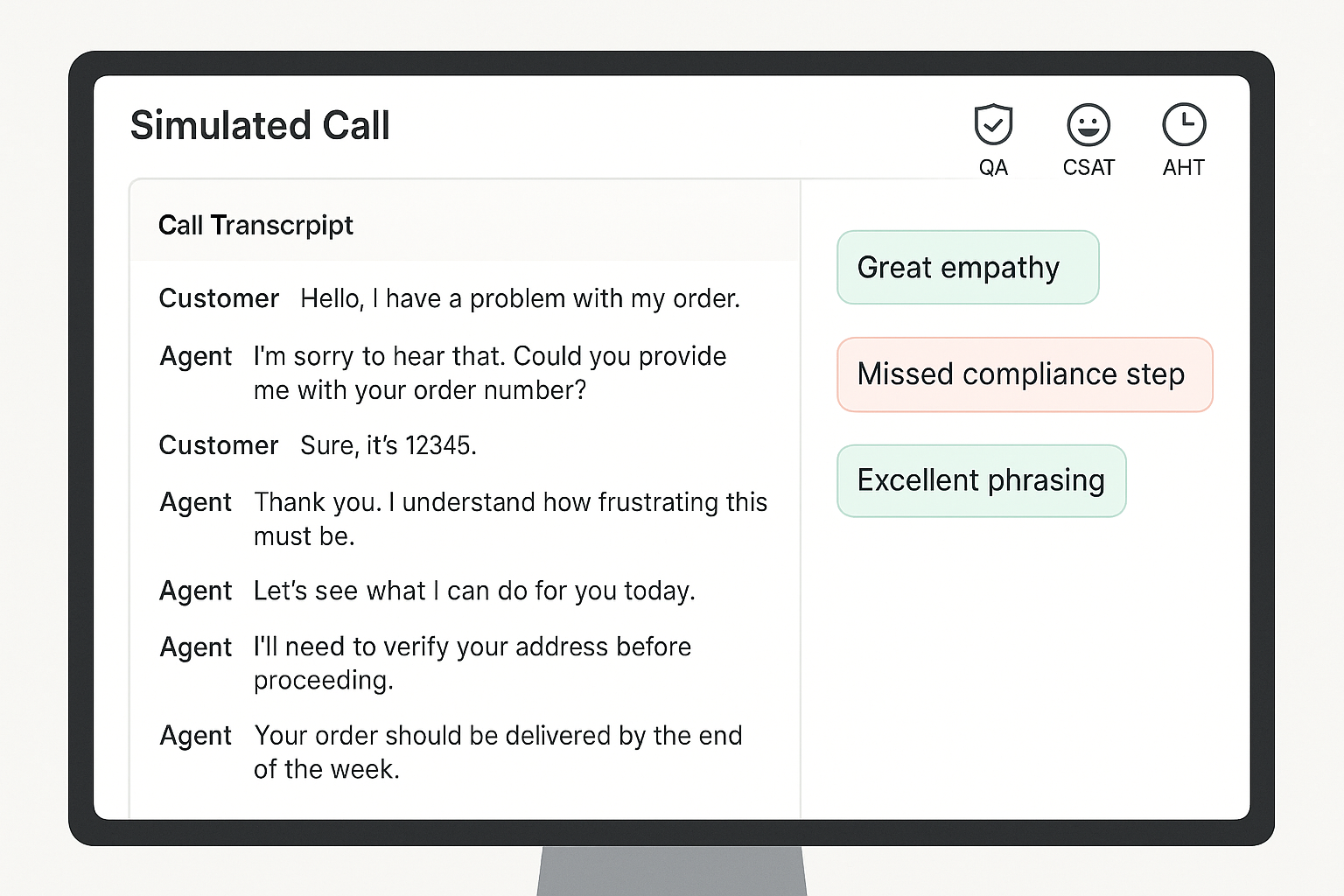
    A computer screen displaying a simulated customer service call interface with a call transcript on the left and feedback annotations like “Great empathy” and “Missed compliance step” on the right, along with QA, CSAT, and AHT icons at the top.

    Your first live call shouldn’t be the first time you assess an agent’s skills.

    Without early benchmarks, it’s impossible to know who’s ready — or what good looks like. That’s why simulated performance tracking is key.

    Leading teams are using AI-powered roleplay and simulation to measure call handling, QA adherence, and even mock CSAT before agents hit the floor. This reduces the chance of bad first impressions with customers.

    Action Tip:

    Use virtual customers to simulate key scenarios during onboarding. Track how each rep performs on scripted calls, objections, compliance, and empathy. Benchmark performance across day 1, week 1, and week 4.

    3. Make Practice Safe, Frequent, and Feedback-Rich

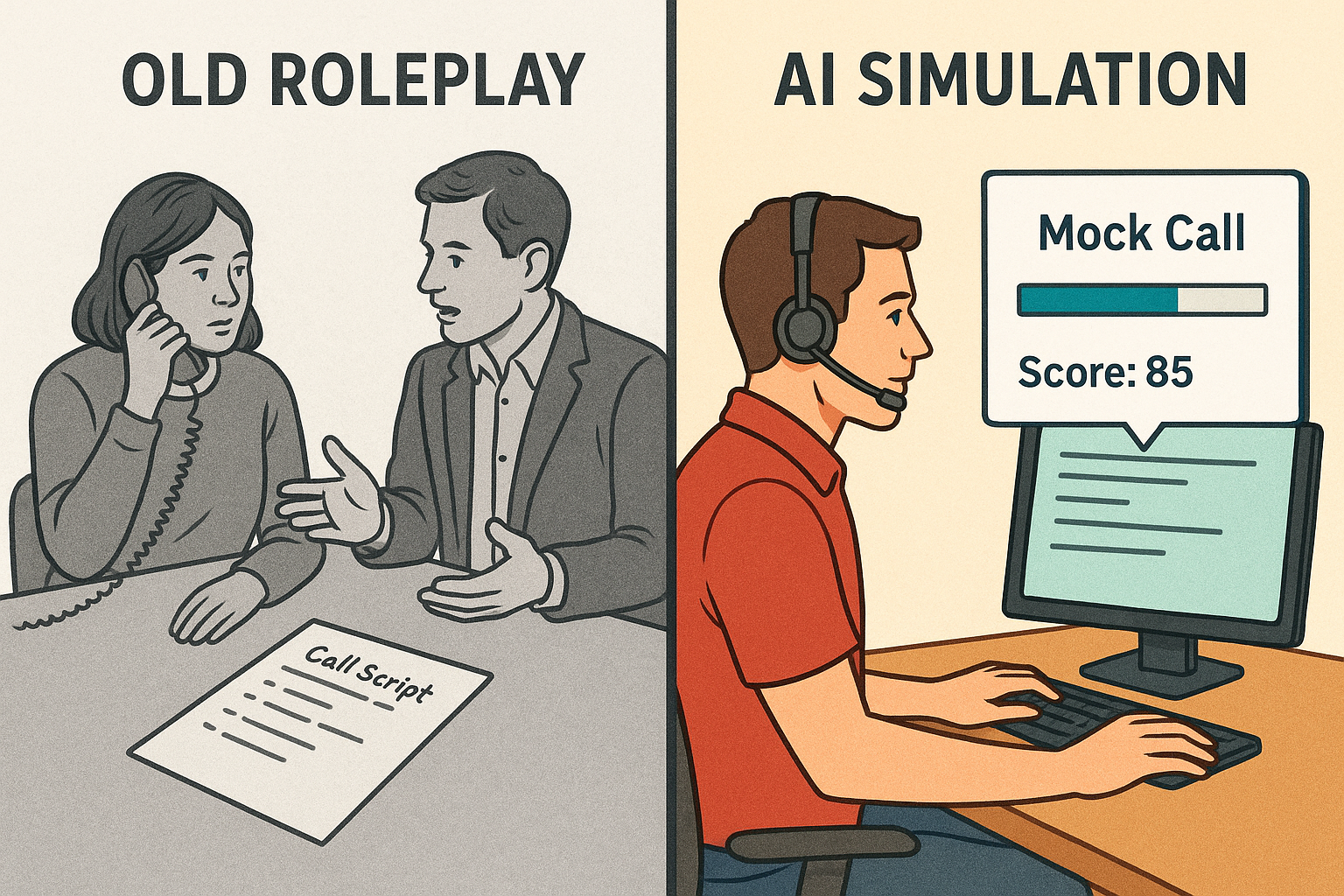
    Split-screen illustration comparing traditional call roleplay and modern AI simulation. Left side shows two people practicing a call with a phone and call script; right side shows a person at a computer with a headset, mock call progress bar, and a score of 85.
    From manual practice to measurable progress: how AI is transforming call training.

    Live roleplays are useful, but they’re often inconsistent. One coach might give thorough feedback while another lets agents skate by. Worse, they’re time-consuming.

    Practice needs to be low-risk, repeatable, and paired with instant feedback. AI makes this possible. Simulated calls can happen anytime, anywhere, and every interaction can be scored against consistent standards.

    Action Tip:

    Replace ad hoc roleplay with structured simulations powered by virtual customers. Layer in automated scoring and feedback, so agents always know what to fix. Aim for 3–5 short simulations per module, with a minimum passing score required to move on.

    4. Optimize for Your Fastest Rampers

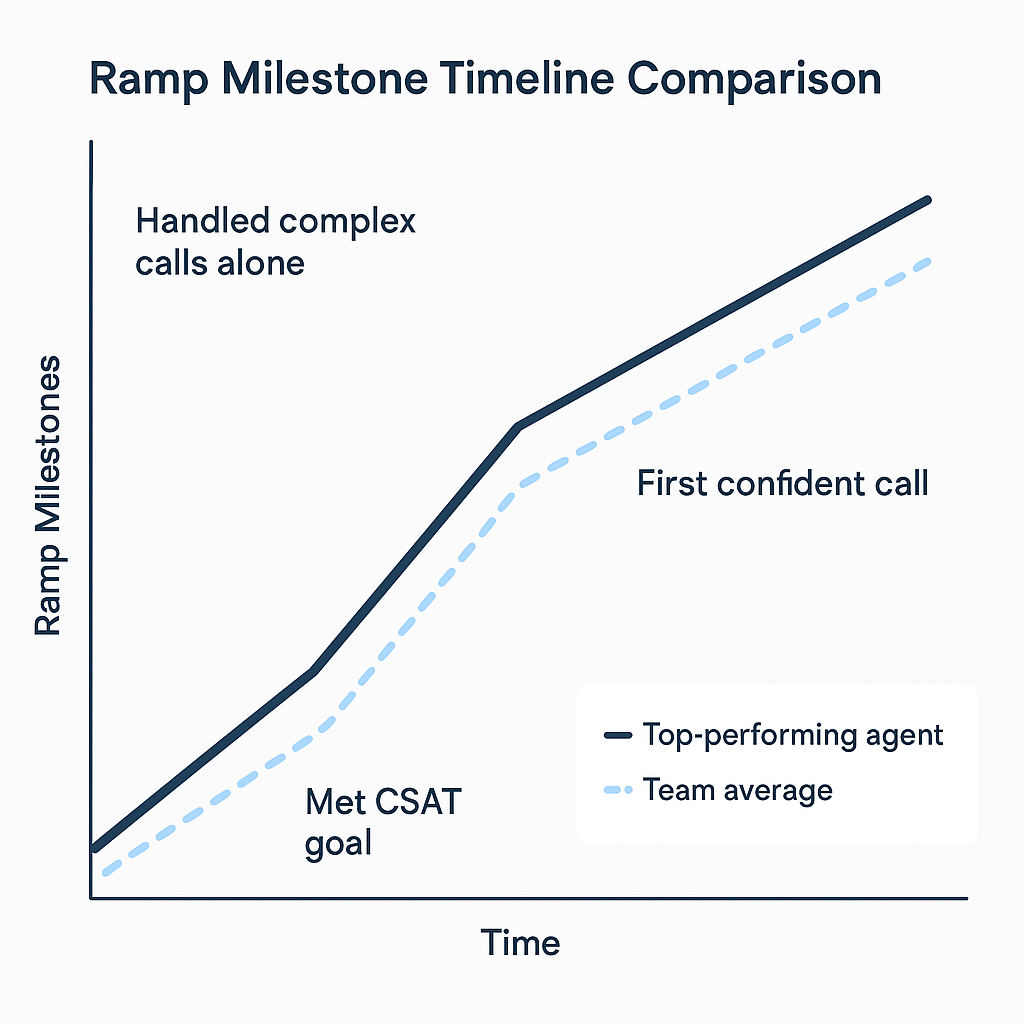
    A 2D digital line graph comparing the ramp-up timeline of a top-performing agent versus the team average. The graph shows three milestones—“Met CSAT goal,” “First confident call,” and “Handled complex calls alone”—with the top performer reaching each milestone earlier than the team average.

    A Salesforce study found that shortening ramp time by just 10% led to a 12% increase in agent productivity. Source

    Most onboarding is designed for the average hire. That drags down your timeline.

    Instead, study your fastest-ramping agents and reverse-engineer their path. When did they become proficient? What practice helped them most? What milestones did they hit and when?

    This approach lets you rebuild onboarding around outcomes — not activities.

    Action Tip:

    Track your top performers’ onboarding journey across three milestones:

    1. Time to confident first call
    2. Time to hit CSAT / QA targets
    3. Time to independent handling of complex scenarios

    Use those patterns to redesign your onboarding flow around results, not just schedules.

    5. Shift from “One and Done” to Ongoing Micro-Coaching

    Most agents regress after onboarding if they don’t get regular coaching. But teams are often too busy to keep supporting new hires beyond week one.

    That’s where micro-coaching comes in. By pushing small, targeted refreshers based on real call data, you can keep agents sharp without adding to your team’s workload.

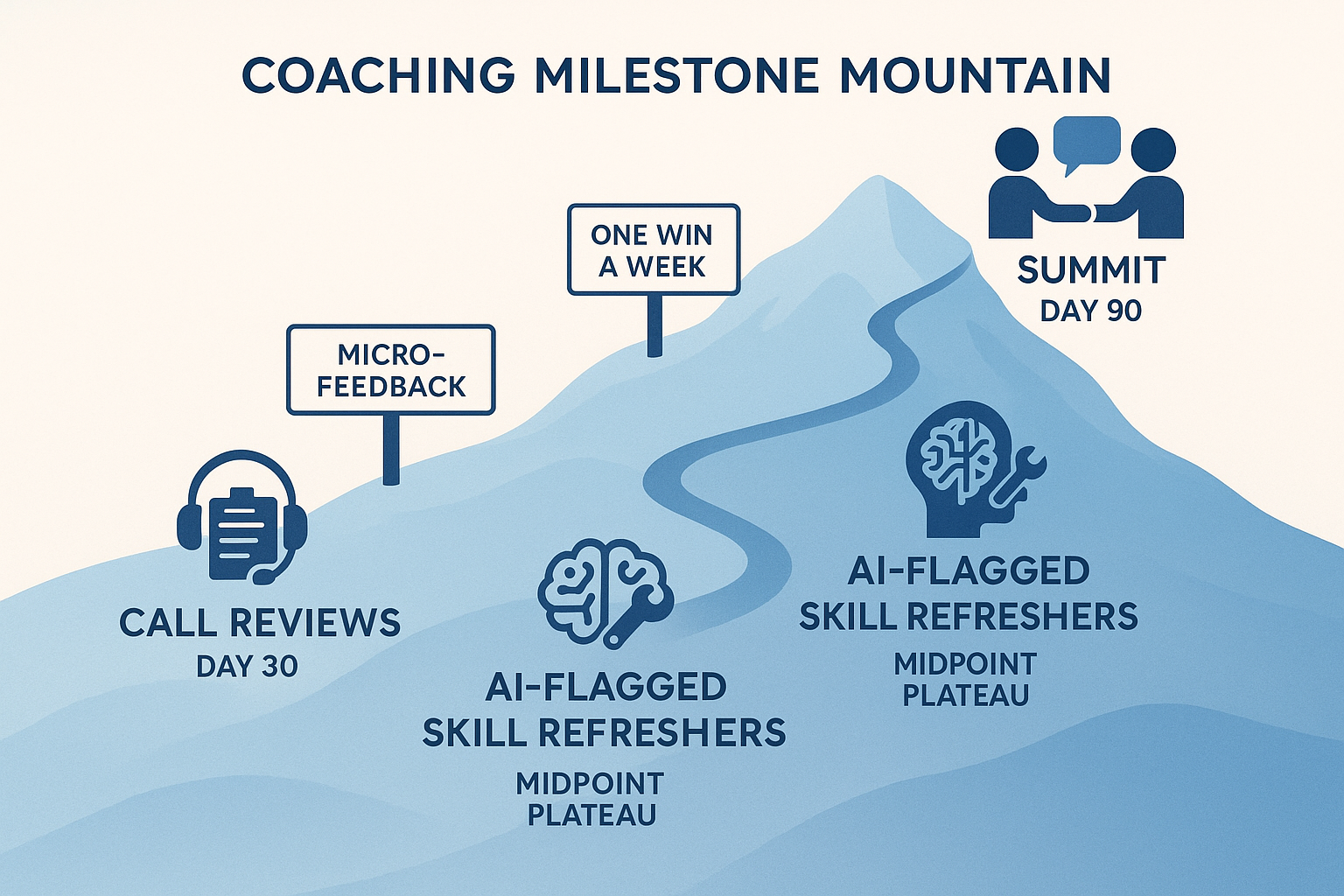
    A stylized mountain trail map showing a 90-day coaching journey with three key milestones: Call Reviews at Day 30, AI-Flagged Skill Refreshers at Day 60, and Peer Coaching at Day 90, along a blue gradient mountain path.
    A visual metaphor for a 90-day coaching journey, with milestones marked along a rising mountain path: Call Reviews (Day 30), AI-Flagged Skill Refreshers (Day 60), and Peer Coaching (Day 90).

    Action Tip:

    Create a 30/60/90 day plan that combines live call reviews with 5–10 minute refreshers. Use AI to flag skill gaps and trigger the right micro-lesson. Consider peer coaching too — it boosts engagement and reinforces best practices.

    Call Center Onboarding Optimization Checklist

    Here’s your quick-start reference for streamlining onboarding without sacrificing quality.

    Agent Evaluation (Week 1)

    Score every agent on coachability using mock or simulated calls
    Use a rubric: tone, product accuracy, objection handling
    Tag high-potential agents for fast-tracking
    Part ways early with non-coachable hires

    Performance Benchmarks

    Set QA, CSAT, and AHT targets for day 1, week 1, and month 1
    Use simulated environments to pre-test before live calls
    Track new-hire performance in a shared dashboard

    Training Program Design

    Focus on practice and feedback over slide-heavy sessions
    Use AI-driven simulations instead of manual roleplays
    End each module with a pass/fail assessment or mock scenario

    AI & Automation Integration

    Deploy Intelligent Virtual Customers for scalable mock calls
    Automate scoring and feedback to free up coaches
    Use performance data to trigger just-in-time coaching

    Ongoing Reinforcement

    Build a 30/60/90 day roadmap with checkpoints and refreshers
    Push short, targeted lessons based on call performance
    Enable peer reviews and shared call feedback

    Final Thoughts: Onboarding Doesn’t Have to Be a Bottleneck

    Modern onboarding doesn’t have to mean slowing down operations or risking the customer experience.

    Training lives in the back office. That’s where innovation can thrive — and where AI can safely support your team.

    If you’re ready to reduce ramp time while giving your agents more practice, more feedback, and a smoother path to proficiency, TrueCX can help.

    Explore how TrueCX’s Intelligent Virtual Customers enable faster, smarter onboarding — without slowing down your floor.

    Keep Reading

  • What Effective Call Center Training Looks Like in 2025

    What Effective Call Center Training Looks Like in 2025

    What Effective Call Center Training Looks Like in 2025

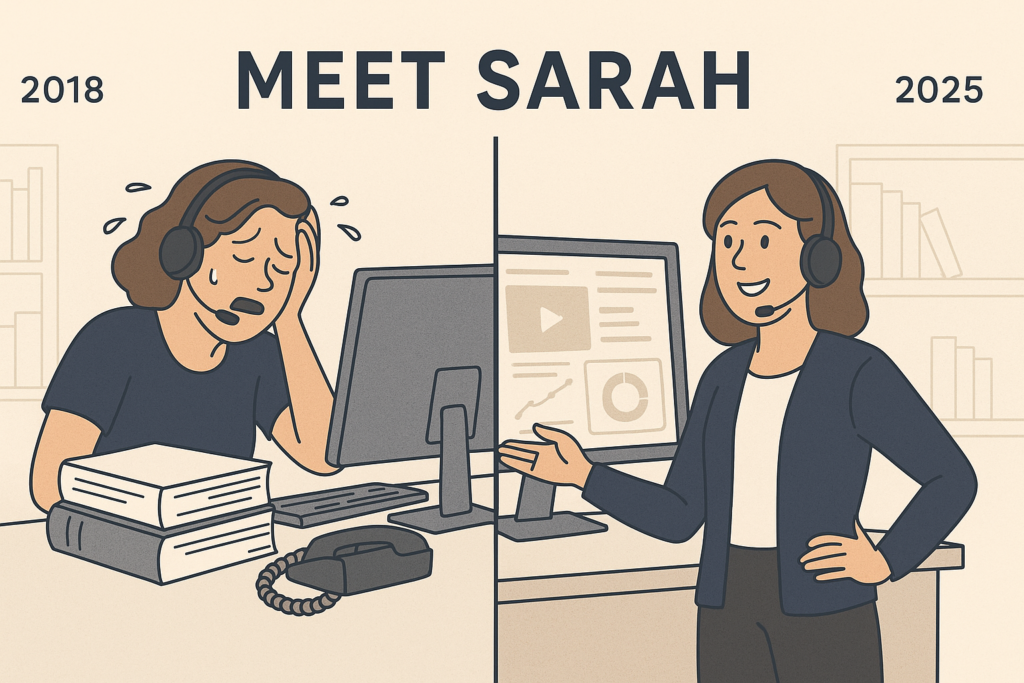
    Side-by-side illustration of Sarah in 2018 overwhelmed during traditional training, and in 2025 confidently using AI tools.

    Sarah used to dread her first week on the job.

    Back in 2018, fresh out of school and eager to prove herself, she joined a call center team for a fast-growing tech company. Day one was eight hours of PowerPoints. Day two was shadowing agents.

    Day three? A role-play that made her stomach churn—pretending to be a furious customer while a coworker stumbled through a mock call. None of it felt real. None of it prepared her for what happened when she finally picked up a call from an actual angry customer.

    Fast forward to 2025: Sarah is now a team lead. And the training she gives her new hires? It’s unrecognizable from what she experienced. Her agents are onboarded in interactive, AI-powered simulations—real-time, emotionally dynamic, customer-like conversations. They practice tough calls on day one, make mistakes without fear, and get feedback instantly. No more stage fright. No more guesswork. Just smart, safe, skill-building from the start.

    So what changed?

    Training in 2025 Is an Entirely Different Game

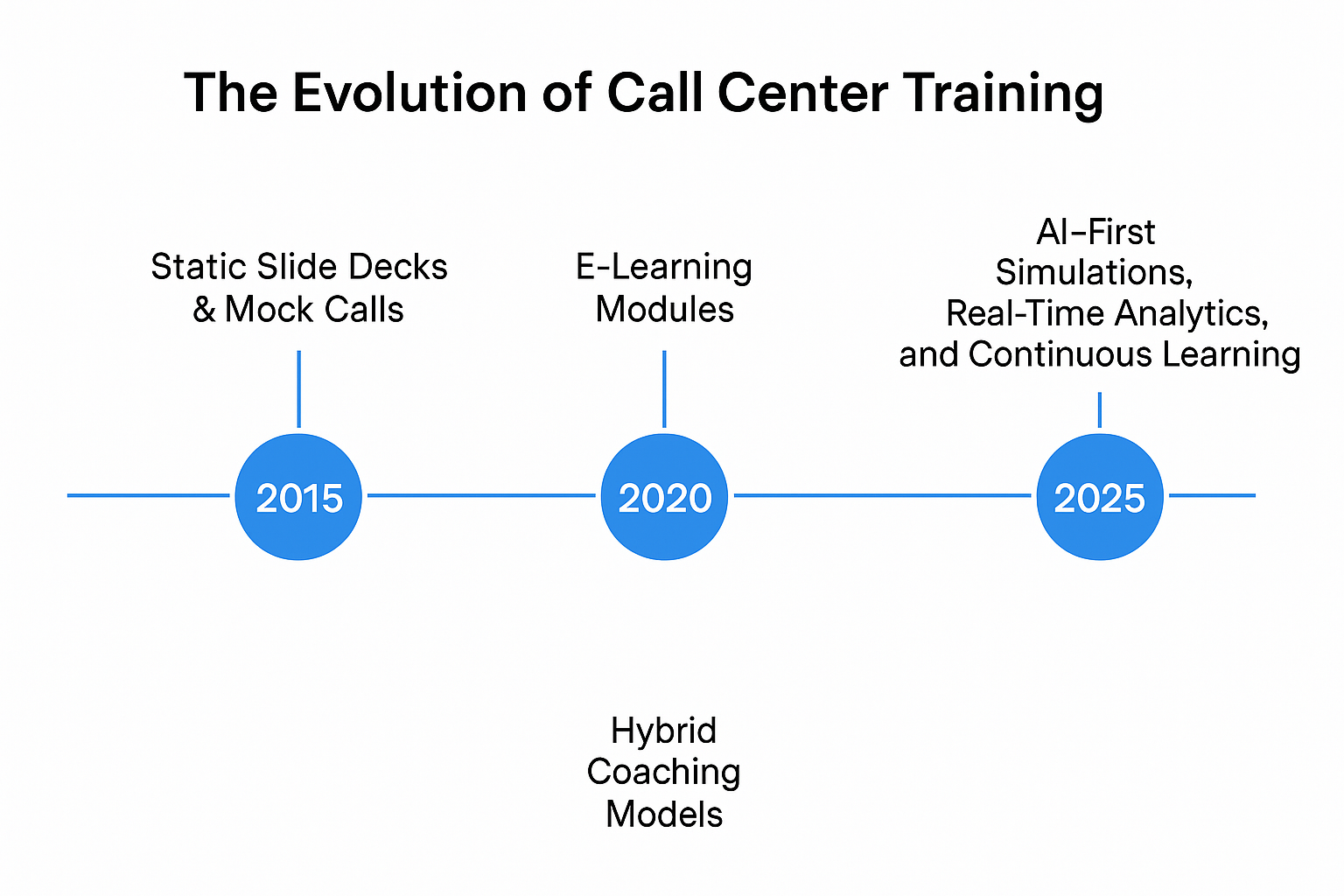
    Horizontal timeline showing key shifts in call center training: 2015’s static slide decks, 2020’s e-learning modules, and 2025’s AI-first tools.
    A decade of transformation in training methodologies.

    Call center training has gone through a transformation—and not a quiet one. Between rising customer expectations, hybrid workforces, and the explosion of AI, training teams have had to throw out the old playbook. The best ones haven’t just adapted; they’ve reimagined.

    Remember the mock calls Sarah had to sit through? In 2025, they’re all but extinct. Top-performing contact centers are investing in AI-first solutions that mimic real conversations with remarkable accuracy. Agents train with virtual customers who interrupt, escalate, ask unpredictable questions—just like a real call. But here’s the difference: they can do it again and again, until they get it right.

    Why the Old Way Stopped Working

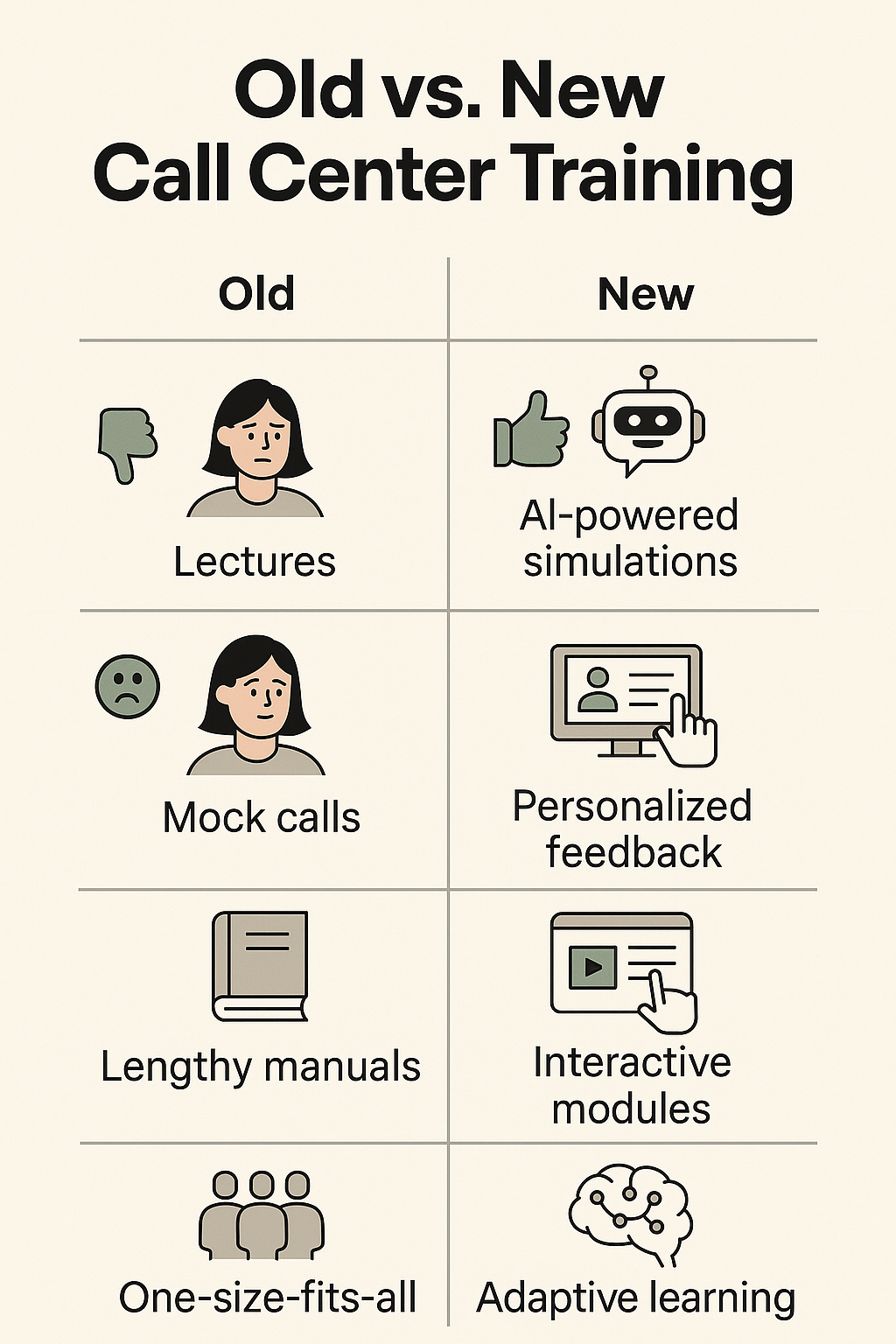
    Side-by-side icons showing old training methods like lectures and mock calls versus new methods like AI simulations and adaptive learning.

    Classroom lectures, static LMS modules, and role-play games weren’t just boring—they were ineffective. They didn’t stick. They didn’t scale. They didn’t support performance after onboarding. In fact, high turnover and low confidence often started in training.

    Sarah still remembers the panic she felt her first week taking live calls. “I knew the script, but I didn’t know how to think on my feet,” she says. “I didn’t know how to de-escalate, or what to do when a customer interrupted me mid-sentence.”

    She wasn’t alone. Research from McKinsey shows that customer care leaders now rank “retaining and developing talent” as a top-three priority. And for good reason: replacing a single agent can cost upwards of $6,500.

    The AI Training Revolution

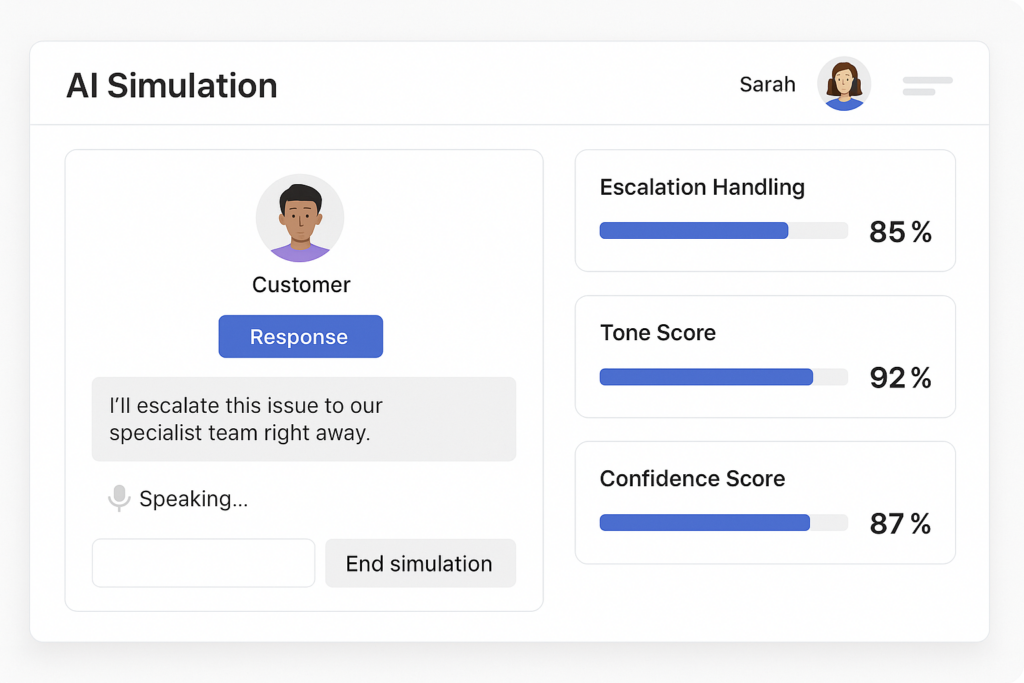
    Today, Sarah’s new hires train inside an AI simulation tool – think of it like a flight simulator, but for customer conversations. The AI listens, reacts, pivots, and escalates. It’s not just “choose-your-own-adventure.” It’s emotionally intelligent, using sentiment analysis to mirror customer moods and throw real-world curveballs.

    Stylized dashboard mockup showing a customer simulation and metrics like escalation handling, tone score, and confidence score.
    Sarah’s agents train with AI simulations before taking a live call.

    And it works. These simulations cut ramp-up time in half. According to Gartner, 80% of support organizations will use generative AI by the end of 2025. Some are already using it to simulate customer conversations, personalize learning paths, and even coach agents in real-time.

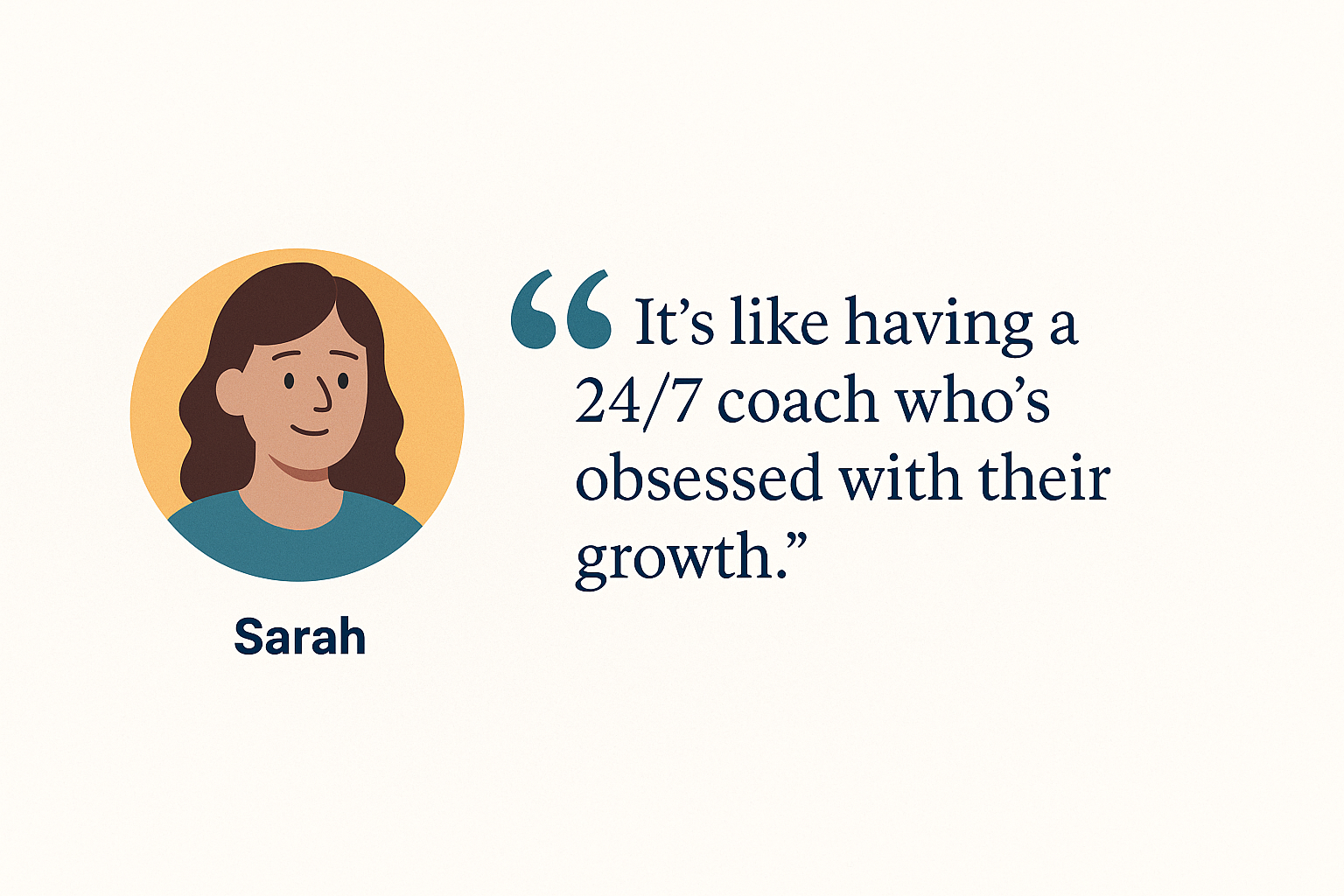
    Illustrated quote card showing Sarah with the quote: “It’s like having a 24/7 coach who’s obsessed with their growth.”

    Sarah’s favorite part? The data.

    “After every simulation, the system shows agents what they did well, what triggered a negative response, and what they could say differently. It’s like having a 24/7 coach who’s obsessed with their growth.”

    ROI That Talks to the C-Suite

    This isn’t just about cool tech. It’s about results. According to Accenture, organizations that invest in strong training programs see an average of 353% ROI. And companies using AI-powered training tools are reporting 20% faster handle times and 15% boosts in CSAT.

    Sarah’s own center has seen a double-digit drop in first-year turnover since switching to AI-first training. Customers are happier. Agents are sticking around. And when the CFO asks for numbers, Sarah doesn’t blink—because they’re all moving in the right direction.

    Old vs. New: A Quick Look

    Old Training
    Modern Training
    One-size-fits-all lectures
    Personalized, adaptive learning
    Awkward mock calls
    AI-powered simulations
    Training ends at onboarding
    Continuous skill development
    No feedback until mistakes made
    Real-time coaching & analytics
    High turnover, slow ramp-up
    Faster proficiency, happier agents

    Bringing It All Together

    Training is no longer something you “get through” before the real work begins. For Sarah—and thousands of leaders like her—it’s a strategic differentiator. Her agents are better prepared. Her customers are better served. Her KPIs are better than ever.

    And the irony? It all started by replacing the very thing she hated most: awkward mock calls.

    Sarah doesn’t dread training anymore. She leads it. And she loves watching her new agents grow faster, perform stronger, and stay longer—because their training works.

    Want more insights like this? Subscribe to our newsletter for the latest in AI-powered contact center training, team performance strategies, and customer experience trends.

    Three contact center reps cheerfully celebrating next to a screen with a glowing headset icon and a “Subscribe” button.
    Stay ahead with fresh insights on call center training and performance.