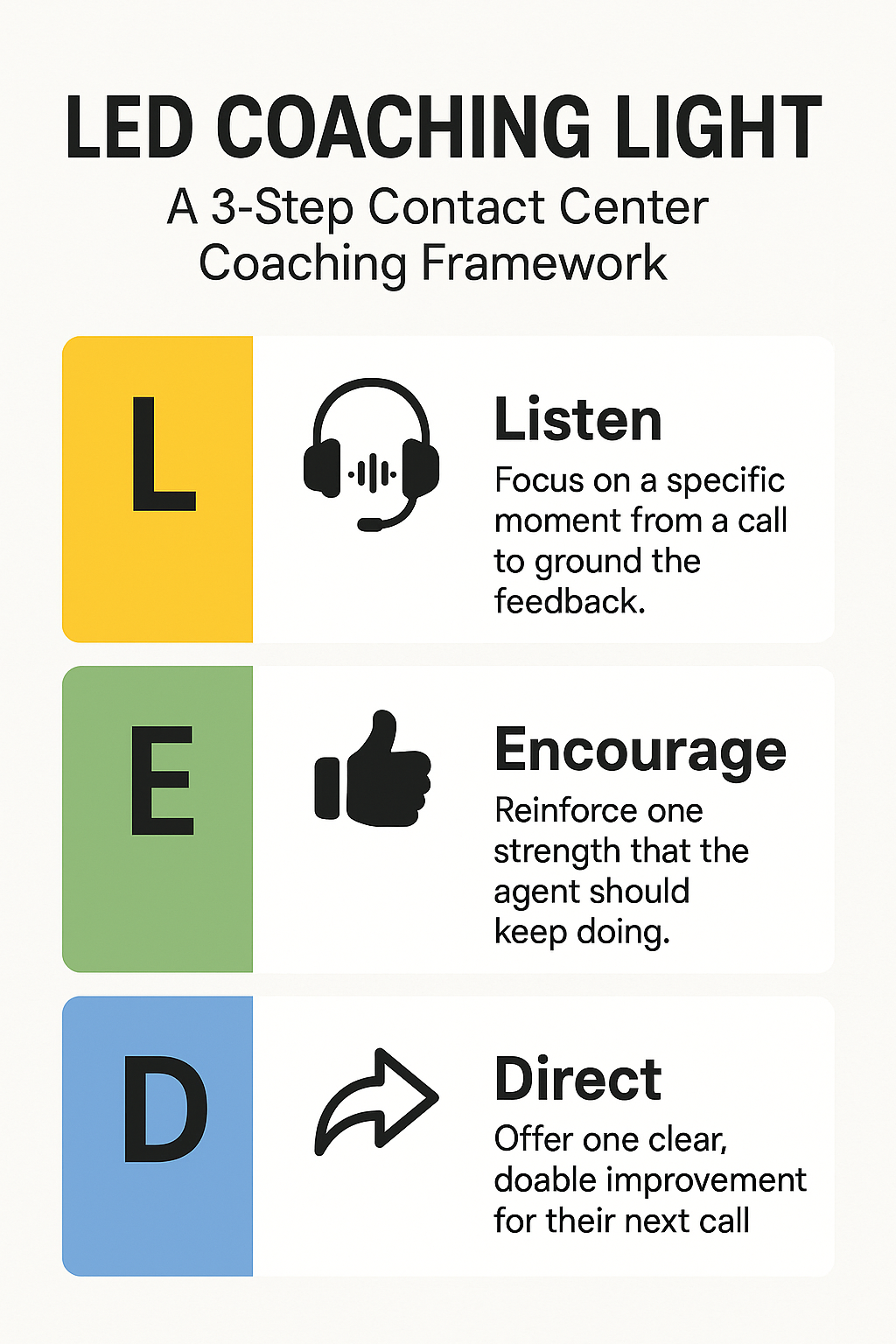
Most contact centers believe their training is effective, but how many actually measure it?
We might evaluate completion—agents complete onboarding, pass quizzes, get certified—but are we measuring true readiness? Once agents hit the floor, are they confident and ready to take difficult calls?
This gap isn’t solved by more training, but rather with an understanding of what kind of training (and what kind of measurement) actually translates into real performance improvement and readiness.
When used intelligently, that’s what the Kirkpatrick Model is designed to do.
What Is the Kirkpatrick Model?
The Kirkpatrick Model has been around since the 1950s and is one of the most widely-used frameworks for evaluating the effectiveness of training programs.
It breaks down learning into four levels:
Reaction: Did agents enjoy the training?
Learning: Did they understand the material?
Behavior: Did they apply the training on the job?
Results: Did the training drive business outcomes?
It’s a simple and intuitive model, but easy to misapply, especially in fast-paced environments like contact centers.
How the Kirkpatrick Model is Applied in Contact Centers
Level 1: Reaction
In a contact center, Level 1 of the Kirkpatrick Model is usually evaluated through post-training surveys that ask agents to report their experience of a given training program. Questions like “Was this helpful?” or “Do you feel confident with your knowledge of this subject?” help evaluate whether or not agents were engaged during training.
But positive feedback doesn’t always predict performance. An agent can enjoy and actively participate during training and still struggle tremendously on live calls.
Level 2: Learning
Level 2 evaluates whether or not agents understand the material provided during a training session. Most contact centers evaluate Level 2 through knowledge checks, certifications, exams, and role plays.
At this stage, most agents can repeat and regurgitate the right information—but knowing what to do isn’t the same as doing it when the situation strikes. Level 2 is where most training programs begin to break down.
Level 3: Behavior
Level 3 of the Kirkpatrick Model assesses whether agents are applying what they learned during real interactions. In a contact center, this includes behaviors like proper objection handling, tool navigation, and soft skill demonstration.
Have you ever had an agent ace training but struggle and lose their cool on the floor? If training isn’t converting to real behavior change, that is a symptom that something has gone wrong between Level 2 and Level 3.
Level 4: Results
Level 4 asks whether agent behavior is actually driving business outcomes. This level is what operational leadership ultimately cares about because it encompasses core business metrics like:
Average handle time (AHT)
First call resolution (FCR)
Conversion rate and revenue
Customer satisfaction (CSAT/NPS)
Renewals and churn
These results are downstream from Behavior (Level 3), which needs to be led by strong and well-proven Reaction (Level 1) and Learning (Level 2) results.
If you can’t clearly see or influence your Level 3 behaviors, then Level 4 becomes highly difficult to diagnose or fix.
Where Most Contact Centers Get Stuck
Here’s what the gap between Level 2 and Level 3 of the Kirkpatrick Model looks like:
An agent knows their script but forgets it during an intense call
An agent passes onboarding with flying colors but escalates too many calls
An agent knows your product inside and out but struggles with objections
An agent sounds confident during roleplays but freezes under pressure
By the time this gap is identified, underperformance has already impacted the customer experience—and the agent experience, too.
A Better Way to Think About the Kirkpatrick Model
The Kirkpatrick Model is often treated as an evaluation framework, when it’s really a design framework. The best training programs don’t start from content, but rather with Level 4: the business outcomes they want to drive. Then trainers work backward to understand how each Level has to operate in order to support those outcomes.
Ask yourself:
Level 4: What business outcomes are we trying to drive?
Level 3: Which agent behaviors lead to those outcomes?
Level 2: What do agents need to know and practice in order to confidently and consistently perform those behaviors?
Level 1: How should agents best learn that material?
Let’s stop assuming that training completion means agents are ready, and start looking at the downstream performance metrics that matter.
Why Effective Training Matters More Than Ever
AI and automation have not just raised the bar for human agents, but built an entirely new ladder. When routine interactions are increasingly handled by AI tools and self service, the conversations left for human agents become the hardest and most nuanced.
There’s less room for error, and training matters more than ever. Learning design has to adapt alongside this new call mix; static certifications and scripted roleplays simply won’t prepare agents for the reality of being on the floor, and that gap between Levels 2 and 3 risks eating away at your bottom line.
Tools like TrueCX enable your agents to practice common scenarios and edge cases alike with Intelligent Virtual Customers (IVCs) that sound, respond, and object like your real customers. This not only lets agents get their sea legs on the phone, but lets you measure behavior change (Level 3) before real customers are at risk.
The Kirkpatrick Model has been around for decades, and its core tenets remain highly relevant and practical. The challenge is applying it consistently, thoughtfully, and with an attention to failures between Levels.
Those gaps may be your greatest training obstacles, but they’re also your greatest opportunities for growth and real results.
It’s Vivian’s first live shift at her contact center job. Her company’s IVR and AI tools have already absorbed the easy calls, leaving her with escalations, edge cases, and emotionally charged situations.
Frustrated customer after frustrated customer calls in: one customer had their power shut off; one had a billing dispute that already failed twice; and another has already had to repeat their story three times before reaching a human.
Vivian isn’t expected to perform well on her first day. And she isn’t set up to do so, either. The unspoken message is clear: let’s see if she makes it.
We call this “ramp,” but it’s more like throwing someone in the deep end and seeing if they sink or swim.
“On the first day of my first call, I had everything ready 30 minutes beforehand: connection, cubicle, headset, paper for notes… but I was so nervous about not knowing what would happen that just five minutes after logging in, I threw up all over the place.”
— r/CallCenterWorkers on Reddit
When we design the first 90 days on the job as a probation period instead of a support and incubation period, churn risks becoming a self-fulfilling prophecy.
The Signal We Send Agents on Day One
At most contact centers, new agents have lower performance expectations, and aren’t eligible for bonuses during their first 90 days.
With no incentive to succeed, a powerful narrative is created: you’re not part of the team yet. We expect you to fail.
When bonus incentives are delayed, one of your most powerful incentives is removed during the most high-efforts and stressful periods of the job.
Why should Vivian go above and beyond if she’s not going to be rewarded? Why shouldn’t she just quit, if her company doesn’t believe in her anyway?
How the Prophecy Becomes Reality
Here’s how Vivian’s first 90 days goes:
She struggles on some of her harder calls
Her mistakes are public and impact the company’s bottom line
Her confidence is eroded and her stress level is higher
She doesn’t feel like her company cares about her development, performance, or whether she stays or goes
So she quits before the 90 day mark
The first 90 days on the floor are when habits form; they determine whether an agent sees their job as a career path or a temporary stopover.
And once churn becomes normalized during an agent’s first 90 days, it reshapes a contact center’s entire culture. Supervisors expect attrition; operations teams bake it into their forecasts; and hiring plans are built up to account for it. Performance ceilings lower, and failure becomes the norm.
“I remember that I started half an hour earlier than the rest of my team and my manager didn’t get in until 1 1/2 hours into my shift. We had a support line but they too weren’t open right away. It was frustrating, being new on the phone and not having any support. I ended up absorbing info on the job like crazy because otherwise I wouldn’t get any help.”
— r/CallCenterWorkers on Reddit
Given the outsized cost of churn, contact centers need to question those norms more critically. Consider:
Recruiting and training costs
Lost productivity during ramp
Supervisor time spent on coaching and training
Forecast instability during high-volume periods
Ramp time and churn are not just HR metrics – they’re operational efficiency metrics.
Calculate The Cost of Treating Ramp Like a Trial Period
Use this simple calculator to estimate the financial impact of early churn during an agent’s ramp period:
Ramp Cost Calculator
Estimate the annual cost of treating ramp like a trial period.
Estimated annual cost
Early churn count
0
Direct replacement cost
$0
Lost productivity cost
$0
Total annual ramp failure cost
$0
This calculator provides directional estimates only. It does not include secondary costs like QA volatility, supervisor bandwidth, lower CSAT, or scheduling disruption.
How to Stop the Cycle
Breaking the self-fulfilling prophecy of contact center churn doesn’t require a complete overhaul. Consider these four steps:
1. Align Incentives from Day One
Think about extending bonus eligibility to new agents during ramp. This signals belief and trust, and early financial wins in this regard can reinforce effort and resilience.
2. Redesign Call Exposure
A new agent shouldn’t experience their first difficult call or escalation live and unprepared. Structured simulations like Intelligent Virtual Customers (IVCs) allow agents to practice calls in true-to-life environments without the pressure of real metrics and customers.
3. Measure Readiness, Not Just Completion
Typical contact center metrics like AHT, FCR, and QA scores are lagging indicators. You need a way to make sure an agent is ready to hit the phones proactively, not reactively.
Some leading indicators to consider measuring include:
Objection-handling confidence
Comfort with policy and tool navigation
Success rate when a call simulation goes off-script
Rate of improvement over time, especially on complex calls
4. Redefine Ramp
Shift from viewing an agent’s first 90 days as a trial period into viewing them as an incubation period. Instead of “let’s see if they make it,” let’s switch to “how do I make sure they succeed?”
Agents feel the difference when they are believed in and supported, and they will be more likely to achieve early wins and stay resilient through early losses.
The First 90 Days Predict The Next 900
Contact centers don’t inherently have a churn problem. They have a ramp design problem.
When we expect churn, and design policies and cultures that reinforce it, we are creating a self-fulfilling prophecy that leads to heavy operational costs.
But when we design for support, readiness, and proficiency, we can achieve the opposite: stability, confidence, and real performance improvement.
AI is quietly reshaping many contact centers. With IVR handling balance checks, bots resetting passwords, and voice agents resolving simple billing questions, what’s left for your agents?
The answer: the most complex, emotionally charged edge cases that automation and AI simply can’t handle.
And while the call mix has changed, agent training hasn’t – or hasn’t changed enough.
Your agents know your policies, they’ve completed your onboarding modules, and they’ve shadowed a few calls. But they haven’t practiced in realistic, high-pressure environments.
The result is not just a slower learning curve or more escalations – its true operational losses.
Let’s break down where that cost shows up.
Cost Per Lead
In many industries like utilities, home services, and insurance, calls are revenue opportunities. Marketing and sales teams have spent real time and resources to generate inbound and outbound leads.
Here’s what could happen if a new agent mishandles these calls:
The potential customer hangs up
The potential customer doesn’t call back
The potential customer delays a purchase by several more touches
The potential customer chooses one of your competitors
The lost revenue opportunity and increase in cost per lead digs away at your bottom line; each additional minute on the phone or additional touchpoint to re-activate a potential customer adds up fast.
Customer Satisfaction Score (CSAT) and Loyalty
Consider a customer calling into your contact center with a highly emotional issue. Maybe their power was shut off, or their insurance claim was rejected, or they are stranded after a flight cancellation.
When a new agent hesitates, provides unclear information, puts that customer on hold for too long, or transfers them multiple times, the customer experience degrades fast, and their sentiment dips from bad to worse.
This affects more than just customer satisfaction and CSAT surveys. It affects renewal, churn, revenue, and trust. A single bad interaction during a critical moment can undo years of positive service and brand loyalty.
Average Handle Time (AHT)
Without proper preparation in true-to-life circumstances, new agents will simply take longer to do their jobs. They’ll put customers on hold more frequently and for longer periods of time, re-read scripts before speaking, search for answers across multiple systems, and escalate when they’re not 100% sure of a solution.
Even a one-minute increase in AHT per call compounds quickly. Multiply this by your calls per month and see the costs start to add up in:
Longer queues
Higher call abandonment
Higher staffing requirements
Overtime
Each extra minute of AHT chips away at your bottom line metrics and overall efficiency. But there is a cascade effect, too:
More compliance risk, as agents rush to recover time later on other calls
More fatigue for agents, as longer calls signal complexity and strain
Less time for coaching, because supervisors are covering escalations
Lower customer satisfaction, as customers spend longer on the phone for issues that should have been resolved quickly
Operational Dispatches
In companies with an element of field work, like property management, home services, and utilities, agents may default to dispatching a team member on-site as a safe way to de-escalate and end a conversation.
But if an issue could have been resolved remotely, this creates a serious operational burden. Consider the hours a member of your team spends traveling, the money spent on gas, and the potential, worthy on-site visits they could have been doing in the meantime.
And if the onsite visit wasn’t necessary to begin with? You risk eroding customer trust, too.
Now multiply that by tens or hundreds of avoidable dispatches per month.
Escalations
When new agents struggle, the issues don’t stay with them. Experienced agents or supervisors step in to provide additional training, QA, coaching, and escalation support. This all adds up to minutes or hours where your MVPs are off the phones.
Your best performers should be on the front lines, not cleaning up training gaps or doing reactive firefighting.
Ask yourself:
For top agents: Who is now taking calls instead of your top performers? If your highest-converting, highest-performing agents are pulled into support or escalations, your calls will shift to mid-tier or new agents. This redistribution quietly lowers conversion and CSAT and raises AHT and risk.
For supervisors: Where could that leadership capacity be going instead of doing reactive coaching? What broader improvement initiatives are being put on the backburner? Every minute spent resolving preventable issues is time not spent analyzing trends, reigning workflows, improving systems, or coaching. Over time, this resource scarcity puts your supervisors in reactive mode instead of proactive mode.
Attrition
It’s no secret that early performance is directly correlated to churn in an agent’s first 90 days. In a COPC study, only 71% of agents felt that their onboarding adequately prepared them for success, down 3% from previous years.
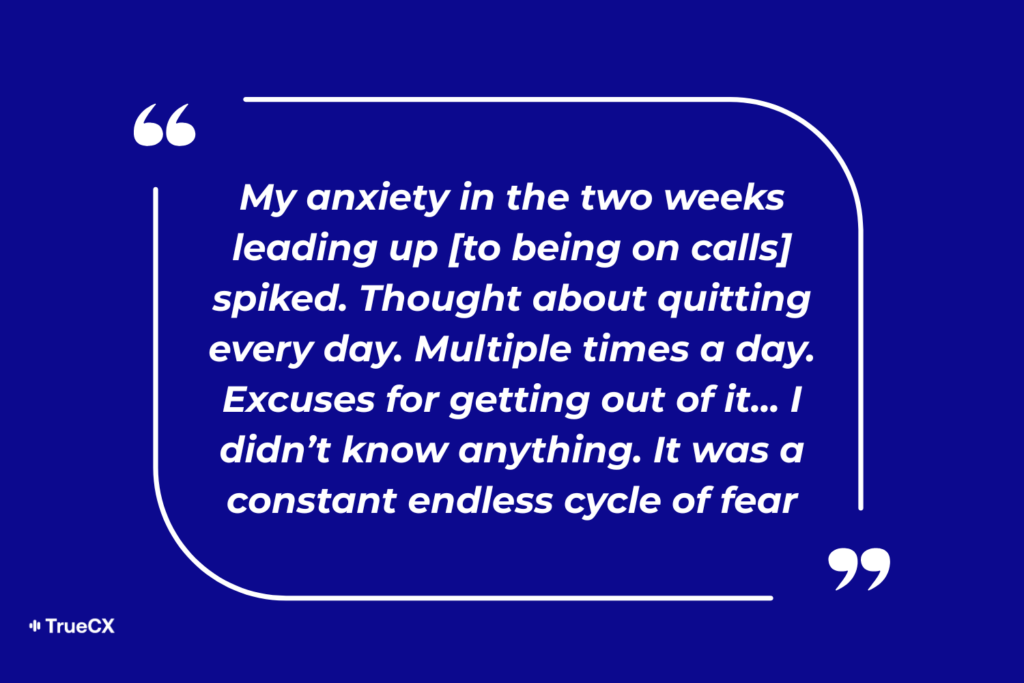
When agents are thrown into emotionally intense situations without realistic practice, confidence plummets fast. And low confidence leads to stress, burnout, and voluntary exits.
Imagine that a new agent logs in for their first live shift on day one. The low-hanging fruit of password resets and balance checks are automated, and the first call routed to them is a customer whose power has been shut off and is worried about losing refrigeration for their grandmother’s medication.
The agent knows your policies in theory – they covered them in training – but now the customer is audibly upset. There are compliance implications to consider, system notes to catch up on, and customer satisfaction to consider all at the same time.
So the agent hesitates. They put the customer on hold. They escalate. This happens over and over again, and by the end of their first week, the agent is dreading each and every call. By the end of their first month, they’re questioning whether this is the right job for them.
Replacing that agent, who could have been a top performer if properly set up for success, costs thousands in recruiting, training, and lost productivity.
And if the reasons behind churn haven’t changed, this becomes a self-fulfilling prophecy.
A cultural expectation that new agents won’t be here long leads to lower overall expectations, failure as a status quo, and the perception of your contact center as a cost center – also a self-fulfilling prophecy.
But there are real ways to stop the cycle.
Don’t Turn Your Customers Into Coaches
In many contact centers, live calls still function as one of the primary classrooms for new agents. But your customers are the most expensive coaches imaginable.
The alternative? Improved training and coaching that leads to real agent readiness.
Tools like Intelligent Virtual Customers (IVCs) allow your agents to build confidence and readiness with realistic AI customers who talk, respond, and react like your actual customers.
Compare the cost of improving your training to the math of what unprepared agents really cost you, and ending the cycle of churn and burn becomes a no-brainer.
Contact center agent onboarding has followed the same arc for decades: start new hires on simple calls and build confidence through repetition and gradual complexity. But with the introduction of AI, that arc is starting to feel unreliable.
This shift isn’t happening everywhere, and it’s not happening all at once, but it’s happening often enough that onboarding feels harder than it used to for agents and contact center leaders alike.
The opportunity to warm up on low risk, simple calls is lower, and new agents are facing complex, emotionally-charged conversations and edge cases early and often. This is the time to question long-held assumptions about what onboarding should look like.
This post breaks down five ways AI is reshaping contact center onboarding, and what teams can do to adapt without sacrificing confidence, performance, or retention.
Challenge #1: “Easy” Calls Are Disappearing First
AI and self-service usually absorb the simplest customer interactions first.
Balance checks, password resets, shipping status, basic account updates. These were once the lowest rung of the onboarding ladder. They gave new hires repetition, rhythm, and a low-risk way to build confidence before handling more complex situations.
Although AI adoption isn’t equal across all industries, these entry-level questions are slowly disappearing as AI quietly redirects simple issues away from human agents.
This means that agents have fewer low-stakes interactions to practice with, and they reach nuanced or complicated conversations sooner – before they feel fully settled into their roles.
Industry example
The first call Ryan receives during his first day on the phones is from a customer whose power was shut off and is worried about losing refrigeration for his insulin.
The routine questions Ryan practiced during onboarding are now automatically answered by IVR. The calls that reach him are edge cases, escalations, and emotional situations. He technically knows the utility company’s policies, but he hasn’t been able to practice in a low-risk environment and build confidence before things get personal.
Challenge #2: Early Mistakes Carry More Risk
When “easy” calls disappear, so does the margin for error. Trust, compliance, and revenue are impacted – among other key metrics – when avoidable mistakes happen during high-stakes customer conversations.
Onboarding completion, at face value, doesn’t say much about how an agent will actually perform under real stakes. Now that early performance matters more, teams need better ways to observe, assess, and support agents during onboarding itself.
Intelligent Virtual Customers (IVCs) allow this by allowing teams to evaluate real performance, behavior, and training gaps before agents ever get on the phone with a live customer.
Industry example
Sam finishes his onboarding and passes all of his required knowledge checks. During his first week talking to real customers, he gets overwhelmed and misses an important compliance step. This leads to escalation, manager intervention, and a big confidence hit for Sam.
In industries like finance and healthcare that are highly regulated, early mistakes often carry outsized consequences. The goal shouldn’t be to speed up agent time-to-floor, but to ensure that true readiness will actually translate into compliance.
Challenge #3: Confidence Falters Early
When new agents struggle, it is easy to assume they lack knowledge, skill, or motivation. More often, the issue is overwhelm and cognitive load.
As first-call complexity increases, agents have to listen, interpret, decide, and respond under emotional pressure, all while navigating brand new tools, policies, and time constraints.
This pressure shows up quickly: agents hesitate mid-call, second-guess themselves, or over-rely on escalation. Stress rises, confidence drops, and what might have been a temporary wobble becomes a pattern. Over time, this can be one of the strongest predictors of early churn.
Industry example
Leia is on back-to-back calls from stranded passengers during a severe storm. She knows her company’s policies, but the emotional pressure, time constraints, and sheer amount of calls slows her down.
After several highly-emotional conversations, she begins hesitating, putting customers on hold, and escalating issues she knows she could normally resolve on her own – though she isn’t so sure anymore.
Without regular reinforcement and training, even the most capable agents can start doubting themselves and making avoidable missteps.
Challenge #4: The Training Ladder Doesn’t Match Reality
Contact center onboarding programs have traditionally involved learning the basics before progressing towards more complex scenarios. That approach is less relevant now that basic calls are gradually being replaced with AI at many contact centers, and complexity is the new status quo.
This is not a training failure, it’s an opportunity to introduce new approaches, tools, and processes and train a new generation of flexible, prepared, and confident agents.
Industry example
Ray, a new agent, did great on his training scenarios during onboarding. Once on the floor, however, he was met with a mix of edge cases and emotional calls from day one. His reality didn’t match what the training ladder taught him to expect, and his confidence – and the customer experience – suffered as a result.
Challenge #5: Readiness Signals Haven’t Kept Up
Even as customer conversations grow more complex, many onboarding metrics remain designed for a simpler era: completion rates and time-to-floor remain the main indicators of success.
While these metrics are easy to track, they don’t actually reflect how prepared an agent is for the calls they’ll face.
This gap affects culture, morale, and decision-making:
Leaders and tenured agents hesitate to trust new agents
Supervisors and managers are asked to make training longer without evidence it will help – or worse, they’re asked to accept a “churn and burn” norm
Agents can feel judged by outcomes that don’t reflect their learning curve.
Industry example
Priya finishes her onboarding on schedule, but during her first week, she struggles to manage troubleshooting, compliance checks, and distressed customers.
Her performance begins to slip, and escalations increase. Priya is taken off the phones and put back in training, slashing her motivation and morale because readiness was declared too early, using signals that measure completion rather than performance under real conditions.
AI Can Make Contact Center Onboarding Easier, Too
The same technologies that have changed the status quo and made onboarding feel harder also have the potential to make it more effective, predictable, and cost effective.
Used intentionally, AI can reduce risk on the floor, and ensure agents are set up for success on day one.
The key is redefining readiness. When we have the right tools to adequately assess performance before agents get on calls, AI can become a way to move learning out of live queues and into lower-cost, lower-risk environments.
Intelligent Virtual Customers (IVCs), for example, allow agents to simulate real calls with an AI customer to see how they handle pressure, volume, objections, and edge cases before real metrics like CSAT and retention are at stake.
The payoff is real: fewer escalations, less agent churn, and a better customer and agent experience. AI gives operations leads a way to teach, measure, and improve readiness without paying for it in real time, with real customers.
An agent’s first day on the phones sets the tone for everything that follows. Confidence. Performance. And even retention.
Many companies struggle with the same issue: they confuse contact center agent training completion for true readiness. After completing training, agents may have memorized the material, but they still have no experience handling real conversations in real conditions.
That gap between contact center agent training and readiness is where Day One one often breaks down.
From Trained to Ready
Teams that incorporate realistic, repeatable call practice with Intelligent Virtual Customers (IVCs) tend to see stronger Day One outcomes.
When agents can practice realistic conversations in a true-to-life environment without pressure from live customers, they build confidence faster and make fewer avoidable mistakes once they hit the floor.
Day One Readiness Checklist
To help learning and development teams assess readiness before agents go live, we put together a short and simple Day One Readiness Checklist.
It focuses on four areas that help predict early success:
Agent Fundamentals: Systems, audio, documentation, and coaching plans are ready before Day One begins. (check out this best ANC headphones guide.)
Call Readiness: Agents have practiced and aced real conversations, not just reviewed scripts or completed mock calls.
Floor Readiness: Agents know how to put calls on hold, handle escalations, and solve inevitable technical issues.
Support in the First 24 Hours: Call center agent training, coaching, feedback, and check-ins are clearly defined.
The checklist is designed to be saved, shared, and used as a final readiness check. Before agents take their first live call, count how many boxes you can confidently check off:
Few boxes checked means high risk.Agents are likely to feel overwhelmed or stressed.
A moderate score means agents may survive Day One, but confidence will lag.
A strong score means agents are set up to perform and recover, even when things go wrong.
Most contact centers wait until agents are live on the phones in order to measure performance, but by that point, the stakes are already sky-high. Mistakes affect real customers, escalations pile up, supervisors are pulled in, and new agents feel under immense pressure to perform immediately.
When performance issues show up after an agent hits the floor, training teams are forced to be reactive instead of proactive. Tracking the right metrics allows for intervention at the contact center agent training stage, shortening ramp time and protecting both agents and customers when it matters.
This guide covers the metrics to track during agent onboarding and training so you can prevent problems and set agents up for success before they take a real call.
Here are the key metrics to track before an agent takes their first call:
Readiness and Confidence Metrics
If an agent doesn’t feel prepared to take live calls, they are far more likely to struggle the moment a conversation goes off-plan. In this way, readiness and confidence metrics are early predictors of churn.
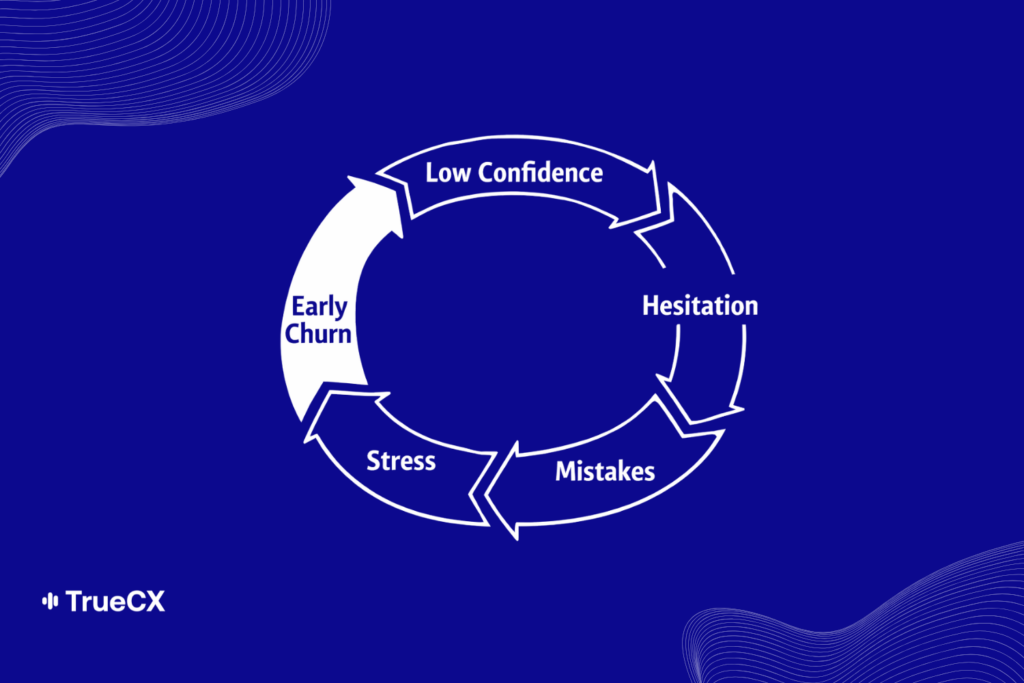
Low confidence leads to hesitation, hesitation leads to mistakes, and mistakes create stress and early exits.
By tracking readiness and confidence alongside call center agent training completion, L&D teams can keep their finger on the pulse of which agents are ready, which need a little more practice, and which need targeted support.
Readiness and confidence metrics include:
Success Rate
Number of “Reps” to Reach Competence
Improvement Over Time
Self-Reported Confidence
Call Handling Quality Metrics
Keeping an eye on call handling quality metrics during training helps avoid QA issues down the line. But with traditional contact center agent training, it’s hard to simulate the real-world scenarios that could lead to sup-bar QA scores in the real world.
With Intelligent Virtual Customers (IVCs), agents can have true-to-life conversations with AI customers who sound, respond, and react like real customers. IVCs make call handling quality metrics trackable on day zero, far before real customers are on the line.
Call handling quality metrics include:
Script Adherence
Information Accuracy
Objection Handling
Compliance Adherence
Escalation and Recovery Metrics
Agents who escalate frequency or struggle to recover from escalations will experience higher stress and burnout once they’re live on calls. Frequent escalations also put an additional burden on supervisors and top agents who will likely be called in for support.
When agents aren’t exposed to realistic, challenging scenarios in their training, those first few difficult calls can feel entirely overwhelming. Evaluating escalation and recovery skills before agents go live, and training them with IVCs, makes it possible to improve agent performance without risking the real customer experience.
Example metrics include:
Escalation Frequency
Time to De-escalation
Successful De-escalation Rate
Why Contact Center Agent Onboarding & Training Metrics Matter
Tracking these key metrics before agents ever talk to a real customer means your training organization can move from reactive correction to proactive readiness, putting in place best practices before bad habits have the opportunity to take hold.
These early indicators help teams:
Reduce churn
Improve QA scores
Strengthen compliance scores
Lower escalation rate
Reduce average handle time
Protect CSAT and NPS
Taken together, these metrics lead to a more consistent customer experience, higher-achieving agents, and a stronger bottom line.
But measuring these core metrics requires realistic practice, and classroom training and traditional roleplay cannot replicate the actual experience of being on a call with a customer. By creating lifelike practice environments for your agents, IVCs can help you measure readiness metrics and ensure your agents hit the floor running on day one.
Turn Early Signals Into Better Results
Doing fundamental training when agents are already on calls is a quick way to negatively impact your contact center’s bottom line. The risk to customers and agents alike is too high to ignore; the earlier your learning and development team can measure, monitor, and train these foundational metrics, the better.
Readiness, quality, and escalation issues appear during onboarding, and they can be stopped during onboarding, too. When these signals are tracked in advance, trainers can intervene sooner and reduce the downstream operational impact that shows up once live customers are in the mix
For operations leaders, this means fewer surprises and more predictable performance. For learning and development leaders, it means clearer proof that call center agent training directly influences business outcomes.
Get in touch if you want to learn more about TrueCX and how Intelligent Virtual Customers (IVCs) can help you measure business-critical metrics as early as their first day of onboarding.
Want more insights like this?
Subscribe to WizeCamel’s newsletter—the #1 resource for contact center trainers—for the latest in AI-powered training, team performance strategies, and real-world tips for building a stronger, smarter contact center, starting with contact center coaching.
For the past few years, conversations about AI in contact centers have brought with them a lot of anxiety. Will AI replace jobs? De-skill teams? Will it turn L&D into something cold or automated?
The short answer? No.
At TrueCX, our opinion is that AI will enable contact center teams to do more. And for L&D, that change can mean clearer impact, more compelling data, and a better seat at the table.
Here are the top five ways that AI is turning L&D into a business-critical function in 2026:
1. AI Has Transitioned From Experiment to Infrastructure
For a lot of contact centers, AI is no longer something to pilot or try out: it’s part of how work gets done each and every day.
Teams are using AI to move faster, do more with less, and extract insights, patterns, and actions from mountains of call data.
The conversation, in turn, is shifting from “AI hype” to grounded practicalities. Leaders aren’t chasing the next big thing; they’re looking for tools that help their teams do better work without burning out.
Among the L&D leaders I speak to, AI is being viewed more and more as a potential support system rather than a threat.
2. As AI Automates Routine Tasks, Soft Skills Become a Major Differentiator
One of the clearest themes I’ve picked up on in conversation with L&D leaders is that AI has definitively not made human skills any less important.
In fact, it’s made them more important. And more visible.
When routine and straightforward tasks are automated, what remains are the high-stakes moments that are harder to script: handling a frustrated customer, navigating an emotional call, or de-escalating a bad experience.
Empathy, active listening, creativity. These are the skills that separate average performers from top agents, and they can’t be automated.
L&D is the key here. The table stakes conversations will be automated by AI, and L&D will have the critical task of making sure the conversations that remain are handled by excellent agents with a strong grasp of strong skills. Training is more important than ever.
3. Traditional Training Doesn’t Work
The other side of the token in #2 is that traditional training will no longer cut it.
Onboarding that teaches agents the answers to frequently asked questions and then sends them to the call center floor doesn’t match the reality of what they’ll actually face on the phones.
In a contact center environment increasingly shaped by AI, training has to invest in agent confidence and soft skills just as much, or even more, than the product and compliance information they’ll need to know.
TrueCX can help with that by providing Intelligent Virtual Customers (IVCs) so your agents can refine their soft skills in a failure-free, true-to-life environment.
4. Readiness is the Metric That Matters
As a result of this shifting landscape, many L&D leaders are rethinking what they measure.
Instead of checking for completion (who finished a program or course), leaders are looking for readiness (can this agent actually handle the moments that matter?).
This shift changes everything about how learning programs are designed and evaluated.
Measuring readiness requires visibility: knowing which skills are strong, which need work, and how agents are progressing over time. AI makes this possible at a scale that wasn’t realistic before, turning onboarding data into a business-critical metric.
5. AI Turns Training Into a Dynamic, Scalable System
One of the most powerful changes I’ve discussed with L&D leaders is the ability for AI to turn training into something continuous, personalized, and measurable.
Instead of one-size-fits-all programs, AI makes customized training scalable and lets agents practice real scenarios that mirror their day-to-day and suit their particular skill gap. Agents receive timely and tailored feedback, and L&D leaders can see patterns and address gaps with relevant data about performance.
With AI, L&D teams no longer have to choose between resource-intensive, bespoke training or ineffective blanket programs. Personalized training can scale with your team and meet every agent where they are to help them build readiness and confidence.
And with trustworthy measurement, L&D teams can easily spot high performers, agents in need, and major skill gaps early in the training cycle. This allows for better segmentation and a more informed approach, as well as the ability to better track and show improvement over time.
L&D as a Strategic Partner
All of these AI trends are reshaping the role of L&D. When learning teams can draw a clearer line between training, readiness, and performance, their work becomes visible in new ways, and they can actively influence business outcomes.
AI doesn’t replace L&D teams; it gives them a seat at the table.
Want more insights like this?
Subscribe to WizeCamel’s newsletter—the #1 resource for contact center trainers—for the latest in AI-powered training, team performance strategies, and real-world tips for building a stronger, smarter contact center, starting with contact center coaching.
95% of AI Projects Fail. Don’t Let Your Call Center Be One of Them.
By now, you’ve probably heard the stat: 95% of AI projects fail. It’s been splashed across headlines and whispered in boardrooms ever since MIT’s 2024 study on enterprise AI adoption found that the vast majority of pilots fizzle before delivering measurable business value (MIT Sloan, Windows Central, The AI Navigator).
That failure rate isn’t just academic. It’s a warning sign for executives under pressure to “do something with AI.” Boards are demanding results, employees are skeptical, and customers are unforgiving when half-baked solutions make their experience worse. Nowhere is this pressure more acute than in call centers, where AI has been sold as the silver bullet to reduce costs and transform customer experience.
The problem? Most call center AI projects don’t even make it out of the pilot phase. The technology may be powerful, but when the rollout is rushed, misaligned, or poorly integrated, the results are predictable: frustrated employees, wasted budgets, and a public failure that makes the next project even harder to sell.
But here’s the thing—failure isn’t inevitable. A small percentage of organizations are already proving AI can make call centers faster, smarter, and more resilient. The difference isn’t the tools they buy. It’s how they implement them.
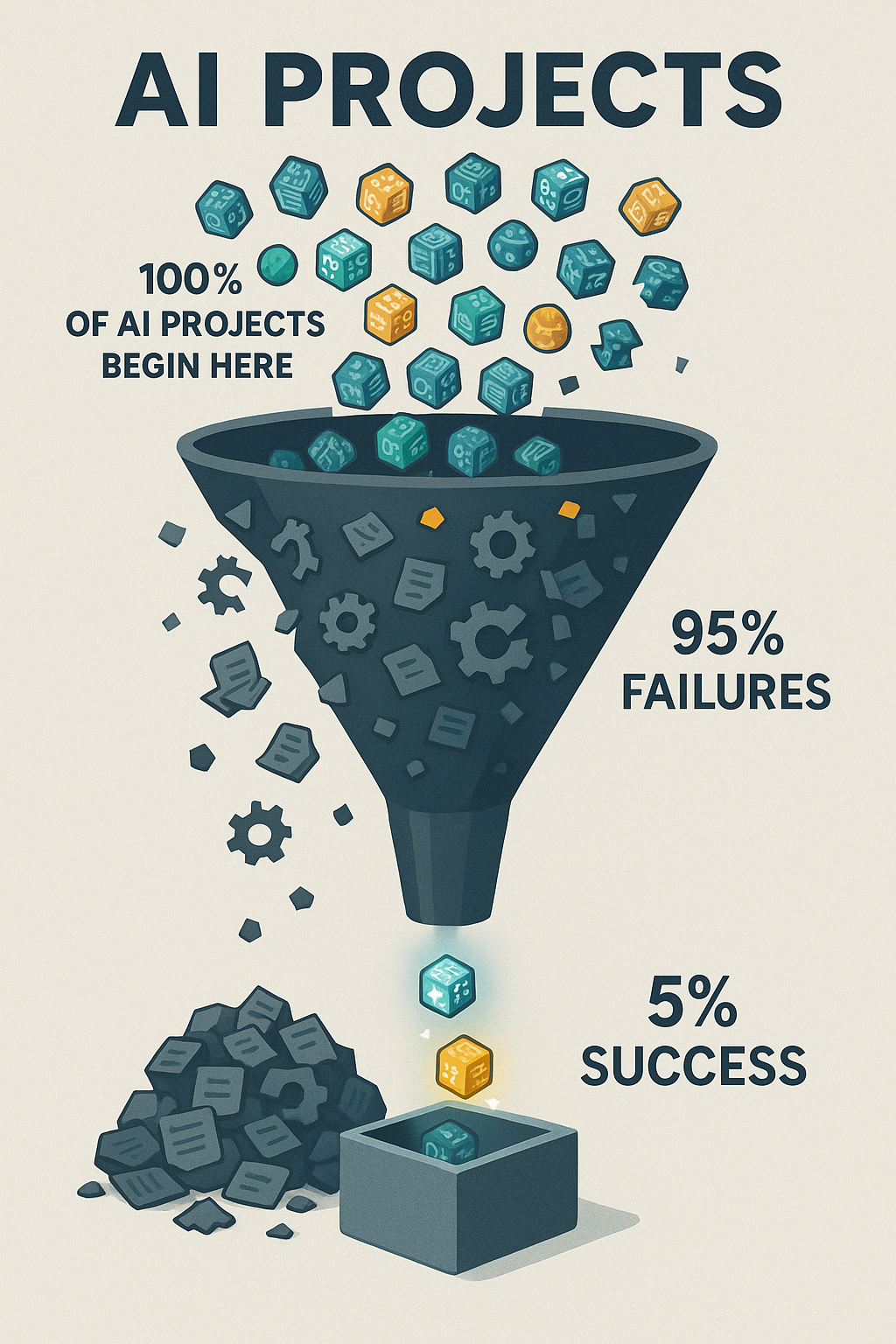
Only 5% of AI projects make it to success — a reminder of the challenges and discipline required to deliver real value.
This article will break down why so many call center AI projects fail, and more importantly, what you can do to ensure yours doesn’t.
The Real Reasons Behind the 95% Failure Rate
If we peel back the headlines, the real story behind AI’s 95% failure rate is that most projects collapse under the same set of avoidable mistakes. In call centers, the pressure to “do something with AI” often leads to rushed pilots, unclear success metrics, and cultural resistance long before the technology itself has a chance to prove value. To understand how not to become another cautionary tale, it’s worth starting with the most common—and most fatal—mistake: launching without a clear path to ROI.
1. No Clear ROI
Executives are under pressure to “do something with AI,” so projects often start for the wrong reasons: to appease a board, to follow competitors, or to run with a vendor’s shiny demo. But without a clear business case—shorter handle times, fewer escalations, lower attrition—pilots rarely connect to the P&L.
This is why so many projects stall out after the pilot phase. They look impressive in a slide deck, but when budget reviews come around, leaders ask the one question no one wants to answer: what value did this actually create? If the answer isn’t measurable, the project dies.
2. People and Culture Problems
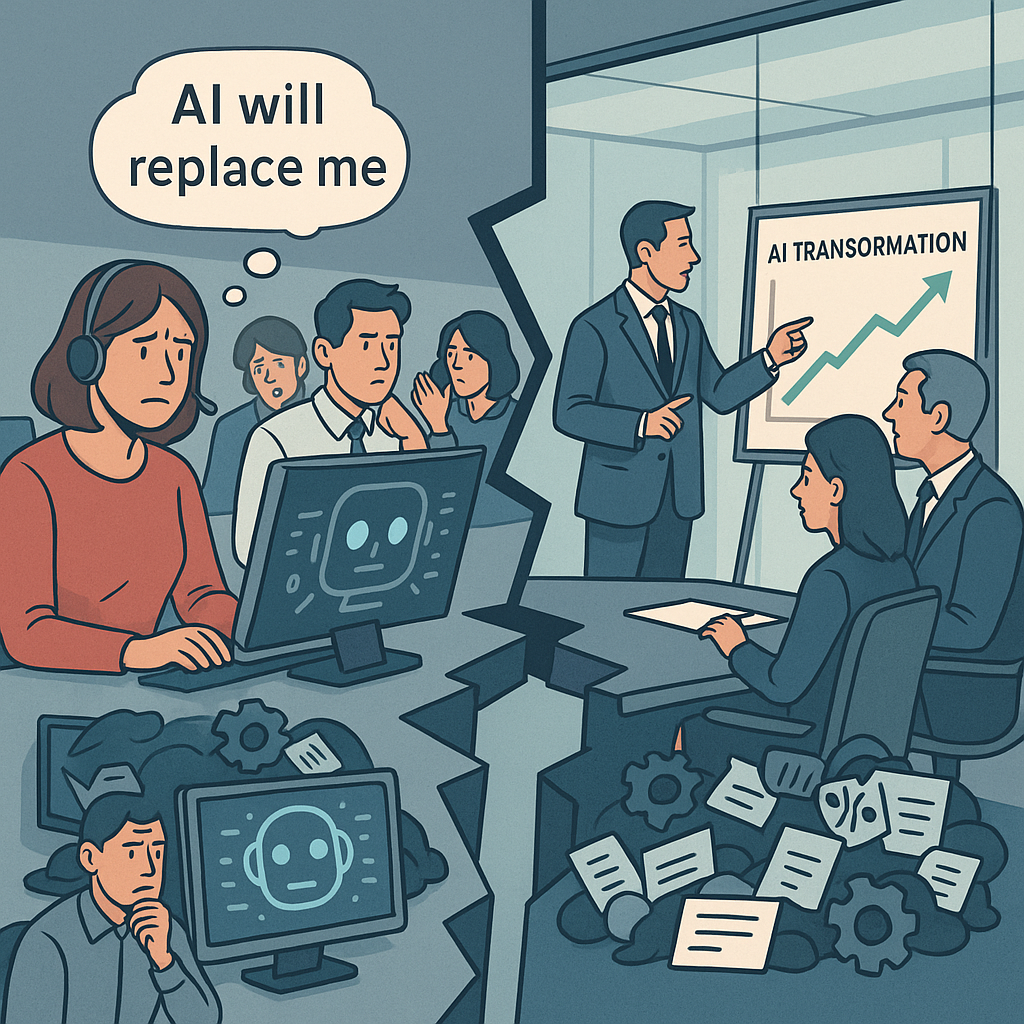
AI adoption isn’t just about technology—it’s about trust. Bridging the gap between leadership’s ambitions and employees’ readiness is the real transformation.
AI transformation doesn’t happen in a vacuum. It happens through people—and too often, people are an afterthought.
Agents see AI as a threat to their jobs. Managers see it as a top-down initiative they weren’t consulted on. And executives underestimate how much training, communication, and cultural readiness is required for adoption. The result? Resistance, slow uptake, and even outright sabotage.
A recent survey by Boston Consulting Group found that less than 20% of frontline employees feel confident using AI in their day-to-day work. If your people don’t understand it, trust it, or see “what’s in it for them,” no amount of investment will make it stick.
3. Broken Plumbing (Integration + Data)
AI isn’t magic—it runs on infrastructure. And in call centers, that infrastructure is notoriously complex. CRMs, telephony systems, workforce management tools, QA software… if the AI solution doesn’t plug into them seamlessly, it creates more friction than it solves.
Then there’s the data problem. Call centers produce mountains of data, but much of it is siloed, messy, or incomplete. “Garbage in, garbage out” isn’t just a cliché—it’s the reality. Poor data hygiene leads to bots giving wrong answers, analytics missing the mark, and employees spending more time cleaning up after AI than doing their actual jobs.
4. Misplaced Bets
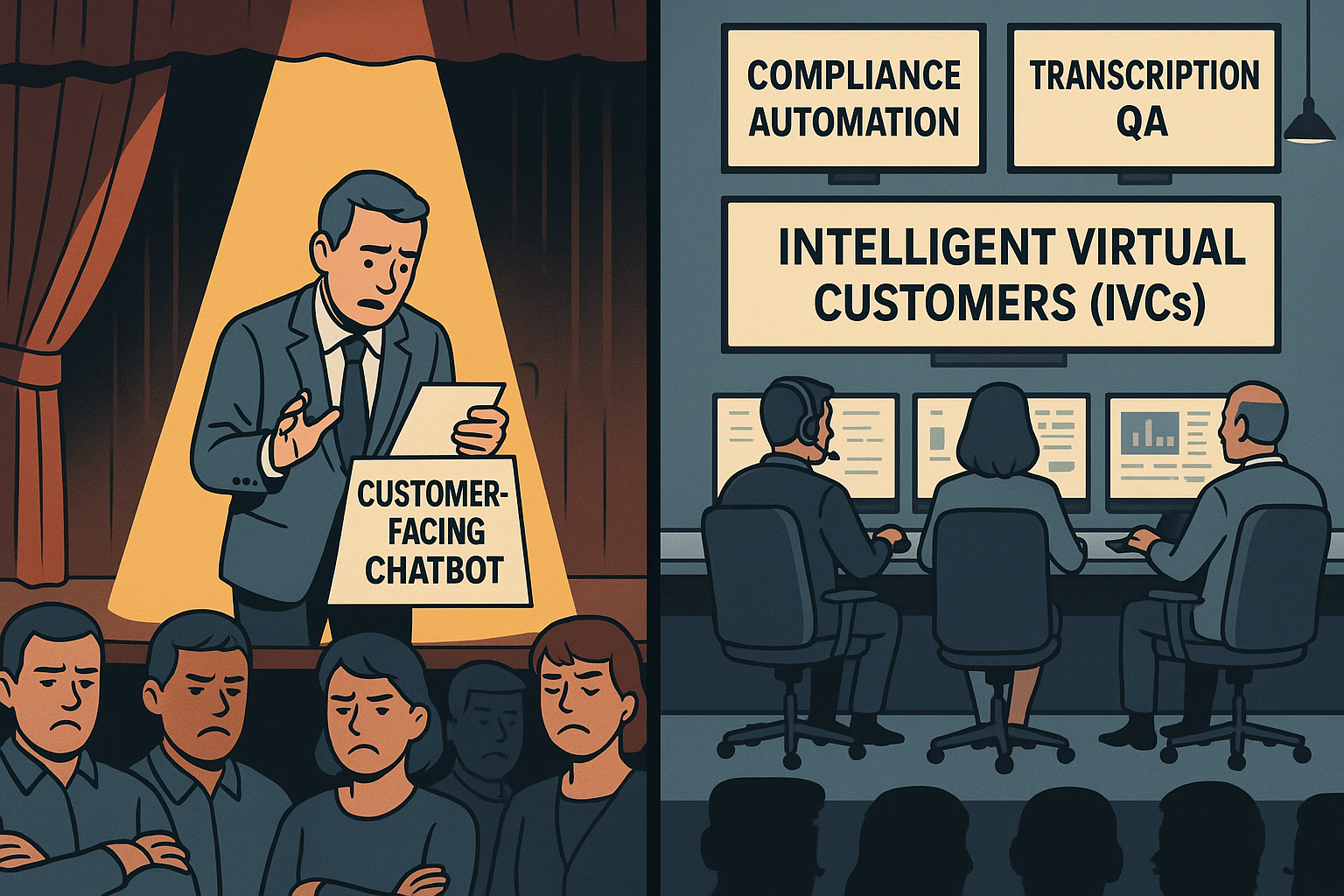
Finally, there’s the temptation to swing for the fences. Leaders want big, customer-facing wins—chatbots that deflect thousands of calls, or voice AI that handles entire conversations. The problem? These are the riskiest bets. Failures are public, employees lose trust, and customers are quick to share horror stories on social media.
Meanwhile, the boring stuff—back-office automation like compliance checks, call routing optimization, or transcript QA—quietly delivers reliable ROI. But because it’s less flashy, it often gets overlooked until budgets are burned and credibility is gone.
The Pattern
Call center AI projects don’t fail because the technology isn’t ready. They fail because organizations underestimate the cultural lift, overcomplicate the rollout, and bet on the wrong projects.
Until those fundamentals are addressed, AI will remain a boardroom talking point instead of a bottom-line driver.
Solutions: How to Avoid Being in the 95%
1. Reduce Variables: Start Small, Not System-Wide
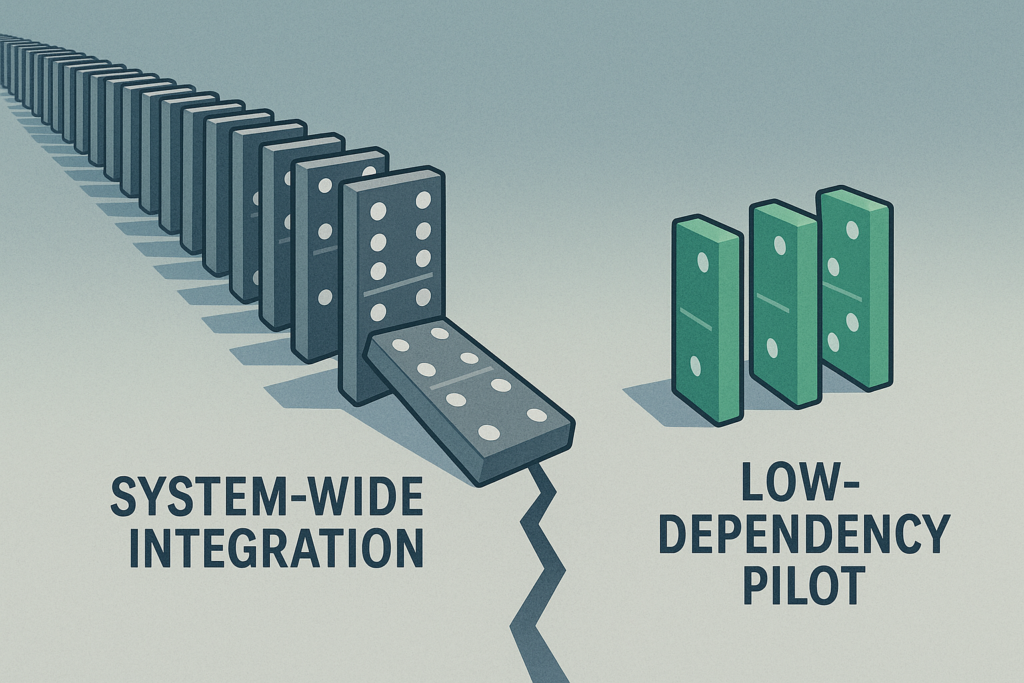
Simplify integration—launch where dependencies are low. The biggest AI failures are not due to the technology; they’re due to how organizations deploy it. Pulling off an enterprise-wide automation without ironing out integration and infrastructure first is a high-risk move guaranteed to detonate mid-flight.
A recent TechRadar Pro analysis labels this the “last-mile problem,” where grand digital transformation plans derail when hitting legacy systems, tangled data governance, and real-world constraints.
Big transformations carry big risks. Start small: a low-dependency pilot offers safety, control, and confidence before scaling.
The lesson: “implementation is strategy”—not just choosing the tech, but ensuring it works in practice.
Similarly, Gartner reports that a whopping 77% of engineering leaders say integrating AI into existing applications remains a major challenge, and advises selecting platforms with cohesive ecosystems rather than patching together disparate tools.
Where to start: low-dependency, high-ROI projects
Call Routing Automation Use AI to intelligently pre-route calls based on simple metadata (region, priority, agent skill set), which often requires minimal CRM integration but delivers clear impact on handling times and customer experience.
Workforce Scheduling Support Implement AI assistants that leverage historical patterns for smarter shift assignments or adherence monitoring—again, typically interacting only with workforce management modules, not full CRM pipelines.
Quality Assurance Automation Instead of automating agent-facing scripts or customer interactions, choose an internal process—like analyzing call transcripts for compliance or sentiment—that runs independently and delivers immediate insight and ROI.
Select initial projects with low system coupling—components that can run nearly standalone or work within well-defined scopes. These “minimum viable integrations” reduce complexity while proving value in real business terms.
2. Build Employee Buy-In Early
From skepticism to empowerment: Make AI feel like a help, not a threat.
Set the Stage with Data
Employee sentiment around AI adoption is fraught with concern. A recent GoTo survey found that 62% of employees believe AI is significantly overhyped, and 86% admit they aren’t using it to its full potential—mainly because they lack confidence in how or where it fits into their day-to-day work.
Meanwhile, a Pew Research Center study shows that only 16% of workers use AI at all, and a staggering 80% do not—highlighting a gap between access and adoption.
These trends reveal a hidden truth: resistance isn’t about stubbornness—it’s about uncertainty.
Focus: Education Before Automation
Instead of positioning AI as a replacement, frame it as a tool that makes agents’ lives easier. Provide contextual training tailored to real workflow scenarios, and walk through how AI can reduce mundane tasks—like auto-sorting inbound calls or flagging compliance breaches—not replace human judgment.
Pilot with Employee Champions
AI adoption spreads best through peer advocacy, not top-down mandates. Identify a group of motivated agents—trusted individuals who are curious and coachable—and involve them early. They act as localized influencers: shaping adoption norms, providing feedback, and demonstrating AI’s value in their own workflows. This grassroots approach builds momentum from the frontline upward.
Build Trust Through Communication
Trust in leadership strongly influences trust in AI. A Harvard Business Review insight underscores that employees are skeptical about AI when they don’t trust the leadership behind it—especially if they feel AI is being used without transparency or benevolent intent.
Open dialogue about AI’s role, limitations, and safety—tracks not just outcomes, but message clarity—makes adoption feel intentional, not imposed.
3. Automate the Back Office First
Minimize risk—let quiet wins build credibility.
While chatbots struggle in the spotlight, behind-the-scenes automation drives efficiency and reliability.
“Automate the back office first” may sound like an overused mantra, but it’s popular for a reason: starting where AI has fewer customer-facing risks gives organizations the breathing room to prove ROI without the PR nightmare of a failed chatbot rollout.
Back-office functions—compliance, transcription QA, performance analytics, and Intelligent Virtual Customers (IVCs)—are ideal launchpads. They’re process-heavy, measurable, and less exposed to the customer’s direct line of sight.
What to Automate First
Compliance Checks: Automate auditing call transcripts to flag regulatory or policy issues.
Transcription QA: Use AI to analyze recordings for accuracy, sentiment, or script adherence.
Performance Analytics: Spot patterns in agent productivity, escalation trends, or customer sentiment shifts.
Intelligent Virtual Customers (IVCs): Synthetic customers designed to simulate real conversations. Instead of risking failure with live customers, IVCs let you test, train, and refine AI models against realistic scenarios—quietly, safely, and cost-effectively.
Case in Point: Commonwealth Bank’s Cautionary Tale
When Australia’s Commonwealth Bank (CBA) pushed AI voice bots directly into customer service, the outcome was public and painful. Bots failed to resolve issues, call volumes rose, and 45 jobs were cut prematurely before the bank had to backpedal amid backlash.
It’s a textbook example of chasing a headline instead of proving AI’s value in safer, internal domains first.
Why It Works
Low visibility = low risk: Errors happen behind the scenes, not in front of customers.
Proof of value: Automating “boring but critical” processes shows real, measurable ROI.
Foundation for scale: Early wins build executive and employee confidence for more ambitious rollouts.
4. Vendor Strategy: Safe Bet vs. Fast Bet
Choosing the right partner can make or break your AI project.
Option 1: Incumbent Vendors — The Safe Bet
Large, established vendors (think your existing CRM, workforce management, or cloud providers) come with undeniable advantages: scale, security, and the credibility that reassures your board. They’ve delivered before, and they’ll integrate into your existing tech stack with less friction.
The trade-off? Speed. Big vendors often move slowly, layering AI into their products incrementally. You’ll sacrifice agility for stability—but for some executives, especially those under scrutiny from boards or regulators, that’s the right call.
Option 2: Startups — The Fast Bet
Smaller, specialized vendors often innovate faster. They can spin up pilots in weeks, customize deeply for niche workflows, and push the boundaries of what’s possible with AI.
But there are risks: limited resources, unproven scalability, and the potential for hiccups that frustrate employees or erode credibility with customers. A failed startup partnership can set your AI agenda back years—not because the tech was bad, but because your organization loses confidence.
Vendor Strategy: Safe Bet vs. Fast Bet
Factor
Incumbent Vendor (Safe Bet)
Startup Vendor (Fast Bet)
Speed to Deploy
Slower, incremental rollout
Fast, agile pilots
Integration
Strong alignment with existing stack
Flexible, but may require workarounds
Credibility with Board
High — proven track record
Mixed — depends on reputation
Risk of Failure
Low technical risk, slower ROI
Higher risk of hiccups, potential setbacks
Innovation
Steady, but rarely disruptive
Cutting-edge, niche solutions
Scalability
Enterprise-grade, reliable
May struggle at large volumes
Best Fit When…
Board/regulators demand stability; credibility matters most
Speed and differentiation are critical; appetite for risk is higher
Hybrid Strategy
Use for customer-facing or mission-critical AI
Use for back-office pilots and innovation sprints
The Executive Framework: Choosing Your Path
When deciding between safe and fast, align the choice to your risk appetite and board expectations:
If credibility matters most: Stick with incumbents. They provide a defensible, low-risk path to AI adoption.
If speed and differentiation are critical: Partner with startups. Be ready to embrace hiccups as the price of innovation.
If you want both: Consider a hybrid strategy—pilot with a startup in the back office (low risk, high learning), while aligning your customer-facing roadmap with a trusted incumbent.
Bottom line: There’s no “right” choice, only the choice that fits your strategic posture. The wrong vendor isn’t just a missed opportunity—it can turn your call center into another 95% statistic.
Executive Playbook: Making Call Center AI Work
AI success in call centers isn’t about chasing the flashiest tools. It’s about discipline, focus, and choosing battles you can win. Here’s the checklist every executive should keep in mind before greenlighting the next AI project:
✅ Tie Every Pilot to Measurable ROI
If you can’t connect the project to the P&L, don’t start it. Define success upfront in hard metrics: reduced handle time, lower attrition, higher CSAT, or compliance cost savings. Every pilot should answer the board’s question: “What business value did this create?”
✅ Pick “Low Surface Area” Projects First
Start where integration is simplest and dependencies are minimal. Call routing, workforce scheduling, and QA automation deliver quick wins without touching every system in the stack. Prove value before attempting system-wide transformations.
✅ Train Employees and Align Incentives
AI doesn’t work if people won’t use it. Invest in education that shows employees how AI helps their workflows, not replaces them. Reward early adopters, celebrate quick wins, and use employee champions to spread momentum.
✅ Prioritize Back-Office Before Customer-Facing
Public-facing AI failures destroy credibility fast. Back-office automation—compliance checks, transcription QA, performance analytics, Intelligent Virtual Customers (IVCs)—delivers ROI quietly while giving you space to refine the technology.
✅ Match Vendor Choice to Risk Appetite
Don’t let vendor selection be an afterthought. If stability and credibility matter most, lean on incumbents. If speed and differentiation are critical, partner with startups. Better yet, build a hybrid strategy: use startups for low-risk pilots, then scale with trusted incumbents.
The Bottom Line
AI projects succeed when leaders treat them as business initiatives, not tech experiments. Anchor every step in ROI, simplify your first moves, bring employees along for the ride, and choose vendors with your strategic posture in mind. Do this, and your call center won’t just avoid being part of the 95%—it will help define the playbook for the 5%.
TLDR; The 5% Opportunity
The numbers may be grim—95% of AI projects fail—but they’re not destiny. For call centers, success isn’t about betting on the flashiest AI or rushing to impress the board with a chatbot demo. It’s about focus, realism, and cultural readiness.
The difference between the 95% that fail and the 5% that succeed isn’t the technology. It’s leadership. Leaders who demand measurable ROI, start small, bring employees along, and place smart vendor bets are already proving AI can make call centers more efficient, resilient, and customer-centric.
As an executive, you don’t have the luxury of treating AI as an experiment. Your job, your team, and your customer experience depend on getting it right. The good news: you can get it right—if you build deliberately, not reactively.
So here’s the call to action: Don’t chase the hype. Build the foundation that makes your call center part of the 5%.
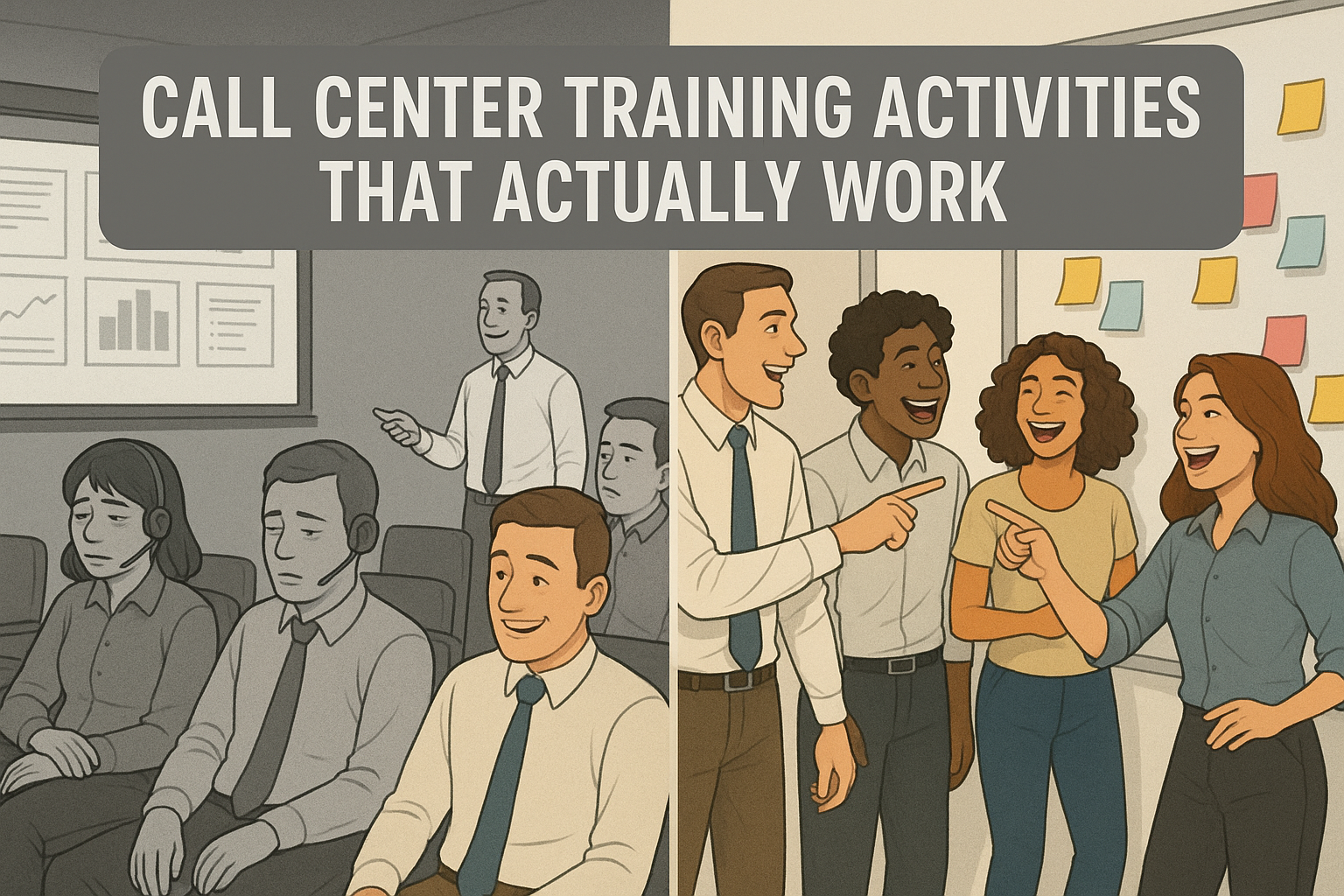
Contrast between boring PowerPoint-based training and engaging, activity-driven training in call centers.
Let’s be honest: too many call center training sessions feel like death by PowerPoint. Agents sit politely through hours of slides, nodding along, but two weeks later you’re still wondering if they can handle a live customer without freezing. If you’ve ever looked out at a sea of blank stares and thought, “This can’t be sinking in,” you’re not alone.
The good news is these activities aren’t just for new hire training. The same games and challenges can be used to refresh skills with seasoned agents, coach through weak spots, or inject energy into a slow day on the floor. Gamification isn’t about bells and whistles—it’s about creating moments where agents are engaged, practicing, and building confidence in ways that last.
Why Gamification Works in Call Center Training
Gamification isn’t about adding fluff to training. It’s about turning learning into something agents can absorb, remember, and apply under pressure. When you build in game-like activities, you get four big wins:
Improved retention and recall: Agents are more likely to remember policies, products, and processes when they’ve practiced them in a challenge or game instead of just hearing about them.
Interactive, not passive: Games break the monotony of lecture-heavy training. They get agents talking, moving, and thinking out loud, which locks in the learning.
Agents lean in during a training activity, taking notes and sharing ideas in a collaborative classroom setting.
Soft skills in action: Listening, empathy, and problem-solving are hard to teach with slides. Gamified scenarios let agents practice these skills in realistic but safe situations.
Stronger team connection: Shared challenges and a little healthy competition build rapport. That sense of team carries over when agents hit the floor together.
7 High-Impact Call Center Training Activities
1. Icebreaker Bingo
Trainer’s Snapshot
Group size: 8 to 20 works best
Run time: 10 to 15 minutes
Prep time: 3 to 5 minutes
Materials: Bingo cards or shared doc, pens or chat reactions
Formats: In person or virtual
Primary goal: Fast connection, lower nerves, surface skills and backgrounds you can leverage later
What you’ll watch for: Who leads conversations, who hangs back, unexpected strengths to reference during coaching
Follow-up: 2 to 3 minute debrief and quick callouts of interesting finds
How it works
Give everyone a 5×5 card of short statements.
Agents circulate and find a teammate who matches each square, then write that person’s name in it. One name per square.
First to complete a row or column calls Bingo.
Debrief with two quick prompts: what surprised you, and who you want to partner with in the next activity.
Why it works
You get immediate energy, fast rapport, and a snapshot of the room. It primes agents to talk, listen, and ask purposeful questions, which is the whole job on the phones.
Variations
Queue Bingo: Squares tied to your top call drivers or systems.
Skill Bingo: Behaviors you want to see on calls, like summarizing or labeling emotion.
Remote Twist: Use a shared doc or poll; reactions count as signatures.
Common pitfalls
Prompts that are too personal or generic. Keep them job-relevant and safe.
Cards that are impossible to complete. Make sure multiple people can match each square.
AI Prompt Support
Use this with ChatGPT or your LLM of choice to generate tailor-made Bingo cards in under a minute.
You are helping a call center trainer create Icebreaker Bingo cards for a live session.

Context:
- Company: [COMPANY NAME]
- Team: [TEAM TYPE, e.g., Billing, Tech Support, Sales]
- Audience: [NEW HIRES | MIXED TENURE]
- Format: [IN-PERSON | VIRTUAL]
- Goals: Fast connection, surface skills and backgrounds, reduce first-day nerves, prime listening and questioning
- Constraints: No personal or sensitive data. Keep prompts professional, inclusive, and job-relevant.

Task:

1) Generate THREE 5x5 Bingo card sets with distinct themes:
   A) Queue Bingo: squares tied to our top 5 call drivers, systems, and workflows.
   B) Skill Bingo: squares reflecting call behaviors we want to reinforce.
   C) Experience Bingo: squares about prior roles, tools used, and training preferences.

2) For each set:
   - Provide 30 prompts, each 6 to 9 words, clear and specific.
   - Ensure at least 2 people in a group of 12 could match most squares.
   - Avoid health, family, age, nationality, or commute questions.
   - Include 4 squares that reference our environment:
     • products/services: [LIST 3 TO 5]
     • systems/tools: [LIST 3 TO 5]
     • policies/topics: [LIST 3 TO 5]
   - Mark 5 prompts as “easy,” 5 as “challenge,” the rest “standard.”

3) Output format for each set:
   - A Markdown 5x5 grid labeled “FREE” in the center if needed.
   - A plain list of all prompts underneath for quick copy.
   - A 60-second facilitator note with:
     • who can sign a square and how to verify quickly
     • a tie-break rule
     • 3 debrief questions tied to our goals
     • 2 optional replacements in case a square does not fit our group

4) If Format is VIRTUAL:
   - Add instructions for running in Zoom or Teams chat.
   - Replace “signatures” with “@name” mentions or reactions.
   - Provide a single-share link friendly version of the grid in Markdown.

5) Quality checks:
   - No duplicate prompts within a set.
   - No sensitive or personal topics.
   - Language at 7th to 8th grade reading level.
   - Keep the tone professional and upbeat.

Now ask me only for any missing inputs in a single line of questions, then produce the three themed sets.
2. Role-Play Switcheroo
Trainer’s Snapshot
Group size: 2 to 6 per round
Run time: 15–20 minutes
Prep time: None with an Intelligent Virtual Customer (IVC) tool, 5–10 minutes if setting scenarios manually
Materials: IVC platform (shameless plug: check out TrueCX if you’re in the market), or printed role-play scenarios
Formats: In person or virtual
Primary goal: Build empathy, adaptability, and quick decision-making
What you’ll watch for: How agents adapt when the switch happens, whether they mirror empathy back to the “customer,” and how they carry tone through the transition
Follow-up: Debrief with transcripts (if using IVC) or group discussion
How it works
With an Intelligent Virtual Customer tool, trainees interact with an AI-driven customer simulation. One trainee starts as the “agent,” responding in real time. Mid-scenario, the trainer clicks “Switch,” and the tool flips roles—now the first trainee becomes the customer (continuing the persona’s responses) while the second takes over as the agent.
If you don’t have an IVC yet, you can still run this activity the old-fashioned way: pair trainees and have one act as the customer, the other as the agent. At the switch, they trade roles and continue the call. The key is keeping prompts realistic so the practice feels valuable, not like over-the-top role-playing.
Why it works
Agents experience what it’s like to be the customer, which makes empathy less abstract.
Adaptability is tested live: can the new agent step in midstream and keep the conversation productive?
The IVC option removes awkward “pretend” moments and gives consistent, trackable practice.
The debrief turns a fun exercise into practical coaching.
Variations
Timed Switch: Swap roles every 90 seconds no matter where the call is.
Curveball Switch: The trainer triggers the swap at unpredictable moments.
Group Mode: While two agents switch off, others observe and score empathy, clarity, and adaptability.
Common pitfalls
Switching before rapport is established. Let the first “agent” warm up.
Overcomplicating the customer profile too early. Start with common call types before escalating.
Skipping reflection. The switch only works if trainees stop and talk about what changed.
AI Support
An Intelligent Virtual Customer tool takes this activity to another level. It keeps scenarios realistic, tracks transcripts, and highlights coaching opportunities. If you’re exploring IVCs, shameless plug—TrueCX specializes in building these simulations and can preload your top call drivers, personas, and escalation paths.
3. The 60-Second Knowledge Blitz
Trainer’s Snapshot
Group size: Works with any size, best with 6+
Run time: 5–10 minutes per round
Prep time: 5 minutes to build a question list (or none if using AI-generated sets)
Materials: Timer, whiteboard or scoreboard, optional buzzer or chat reactions
Formats: In person or virtual
Primary goal: Boost recall, sharpen focus under pressure, reinforce policies or product details
What you’ll watch for: Who answers confidently, who hesitates, which questions consistently stump the group
Follow-up: Review the top 3 most-missed questions and turn them into a quick coaching moment
How it works
Set a timer for 60 seconds. One trainee answers as many rapid-fire questions as possible before time runs out. Rotate until everyone gets a turn. Questions should focus on your top policies, workflows, or product knowledge.
Why it works
Transforms rote memorization into a fast, fun challenge.
Builds quick recall under mild pressure, just like live calls.
Surfaces weak spots instantly, giving you ready-made coaching material.
Variations
Team Blitz: Teams compete, with steals allowed if a player misses.
Category Blitz: Organize by theme (verification, billing, troubleshooting, product features).
Reverse Blitz: Give the answer, and trainees provide the question.
Common pitfalls
Questions that are all surface-level or all obscure. Aim for a balanced mix.
Focusing on speed over accuracy. Reward correct answers most.
Letting the energy die—short rounds keep it sharp.
AI Prompt Support
Here’s a ready-to-use prompt you can drop into ChatGPT or your LLM of choice to auto-generate question sets tailored to your industry and policies.
You are helping a call center trainer create a 60-Second Knowledge Blitz game.
The goal is to generate fast-paced quiz questions that reinforce the exact knowledge agents need on the floor.

Inputs:
- Industry: [INDUSTRY NAME, e.g., Telecom, Retail Banking, Healthcare Insurance]
- Products/Services: [LIST 3–5 key items]
- Top Call Drivers: [LIST 3–5 common reasons customers call]
- Key Policies/Processes: [LIST 3–5 rules or workflows agents must recall quickly]
- Agent Experience Level: [NEW HIRES | MIXED TENURE | SEASONED]
- Difficulty: [EASY | STANDARD | CHALLENGE]
- Format: [IN-PERSON | VIRTUAL]

Task:

1. Generate **30 quiz questions** tailored to the inputs above.
   - Keep questions short (one sentence).
   - Each answer should be one to two sentences max.
   - Balance difficulty: 10 easy recall, 15 standard, 5 challenge.
   - Prioritize accuracy, clarity, and relevance to live calls.

2. Organize questions by category:
   - Policies & Compliance
   - Product/Service Knowledge
   - Troubleshooting/Process Steps
   - Customer Handling (tone, empathy, escalation triggers)

3. Output format:
   - A numbered list of questions with their correct answers.
   - Mark each question EASY, STANDARD, or CHALLENGE.
   - Include a **lightning round** of 5 “Yes/No” or “True/False” questions for bonus speed play.

4. End with a **facilitator note** explaining:
   - How to run the blitz in person vs. virtual.
   - How to score (accuracy over speed).
   - How to debrief (highlight the top 3 most-missed questions as coaching points).

Constraints:
- No trick questions.
- No outdated or obscure details.
- Use a professional but engaging tone.
4. Customer Empathy Map
Trainer’s Snapshot
Group size: 3–6 per team
Run time: 20–25 minutes
Prep time: 5 minutes if building scenarios manually, none with AI-generated content
Materials: Whiteboard or large paper, sticky notes or markers, optional digital collaboration tool (Miro, MURAL, Jamboard)
Formats: In person or virtual
Primary goal: Strengthen empathy, sharpen listening skills, and understand the customer’s perspective beyond surface-level complaints
What you’ll watch for: Who focuses only on “what was said” vs. who digs deeper into feelings and motivations
Follow-up: Have teams share their maps, compare similarities and differences, and identify one empathy skill to practice on calls
How it works
Divide agents into small groups. Each group gets a customer scenario (e.g., wrong bill, service outage, delayed delivery). On their empathy map, they document the customer’s:
Says: What the customer actually says aloud
Thinks: What the customer is likely thinking but not saying
Feels: The emotions driving their behavior
Does: The actions they take (e.g., calling back repeatedly, threatening to cancel)
Teams then share maps with the larger group, sparking discussion about what customers really need in those moments—beyond just a resolution.
Why it works
Builds emotional awareness—agents stop seeing “angry customer” and start seeing the person behind it.
Reinforces active listening and digging beneath the words.
Helps agents prepare for emotional dynamics, not just technical fixes.
Variations
Escalation Map: Map the customer’s emotional journey over multiple interactions.
Reverse Map: Start with “Feels” and “Thinks,” then work backward to “Says” and “Does.”
Compare Queues: Give different groups different call drivers, then compare empathy maps side by side.
Common pitfalls
Staying shallow (“They’re mad” instead of “They’re scared about losing service”). Push teams to dig deeper.
Treating it as a guessing game instead of a tool to sharpen real listening.
Skipping the debrief. The reflection is where empathy lessons stick.
AI Prompt Support
Here’s a ready-to-use prompt you can give to ChatGPT or any LLM to generate empathy map scenarios tailored to your industry and call drivers.
You are helping a call center trainer create Customer Empathy Map scenarios.

The goal is to generate realistic situations that challenge agents to understand a customer’s words, feelings, thoughts, and actions.

Inputs:
- Industry: [INDUSTRY NAME, e.g., Retail Banking, Telecom, Healthcare Insurance]
- Customer Persona: [e.g., Busy parent, Elderly customer, Small business owner]
- Top Call Driver: [e.g., Billing error, Service outage, Denied claim]
- Customer History: [First-time caller | Repeat caller | Escalated case]
- Agent Experience Level: [New hire | Experienced agent | Mixed group]
- Tone of Customer: [Calm, Frustrated, Angry, Confused, Upset but polite]

Task:

1. Generate **5 customer scenarios** based on the inputs above.
   - Each scenario should include:
     • Customer’s **situation/context** (1–2 sentences)
     • Sample **“Says”** (3–4 customer quotes)
     • Likely **“Thinks”** (3–4 unspoken thoughts)
     • Likely **“Feels”** (3–4 emotions with context)
     • Likely **“Does”** (3–4 observable actions)

2. Ensure each scenario feels realistic and mirrors the emotional complexity agents will encounter on real calls.

3. Output format:
   - Scenario header (short title)
   - Scenario details structured under: Says, Thinks, Feels, Does
   - A 2-sentence facilitator note explaining how to run the empathy map activity with this scenario.

Constraints:
- Keep customer language professional but authentic (avoid cartoonish overacting).
- Stay industry-relevant, reflecting actual call drivers.
- Use neutral, inclusive language.
- Write at a 7th–8th grade reading level for clarity.
5. Problem-Solving Relay
Trainer’s Snapshot
Group size: 4 to 8 per team, 2 to 4 teams
Run time: 20 to 25 minutes plus a 5 minute debrief
Prep time: 10 minutes if you build cases manually, near zero with AI generated packets
Primary goal: Practice end to end resolution under time pressure and improve handoffs
What you will watch for: Clear verification, crisp documentation, smart use of systems, timely escalation, quality of handoff notes
Follow up: Convert the winning path into a one page job aid and log the common blockers you saw
How it works
Create one realistic multi step case tied to a top call driver. Break the journey into legs that match your process, for example: verify, discover, research, apply policy, resolve, document. Split your team into a relay line. Each person owns one leg with a strict time box, then passes the case to the next person using a short handoff note. Keep the customer context continuous. Score for accuracy, policy adherence, empathy cues in notes, and speed. Run a quick debrief and repeat with a small twist.
Why it works
Forces process discipline without feeling like a lecture
Builds respect for clean handoffs and notes other people can use
Exposes gaps that get missed in single person mock calls
Creates a safe space to practice escalation logic and tradeoffs
Variations
Blind Handoff: The next agent sees only the prior notes, not the live conversation
Escalation Fork: Add a decision point where the wrong choice costs time
Evidence Hunt: Release a key artifact when someone asks the right question
Noise Round: Introduce a minor system outage or policy change mid relay
Common pitfalls
Steps are vague so no one knows what good looks like
Speed gets rewarded over accuracy and documentation
The same two people dominate every leg
No debrief, so lessons do not transfer to live calls
AI Prompt Support
Use this prompt with ChatGPT or your LLM of choice to generate a complete Problem Solving Relay packet tailored to your shop.
You are helping a call center trainer design a Problem-Solving Relay activity.

Goal:
Create a realistic, multi-step resolution exercise that trains agents to verify, diagnose, apply policy, resolve, and document with clean handoffs under time pressure.

Inputs:
- Industry: [e.g., Telecom, Retail Banking, Healthcare Insurance, E-commerce]
- Queue/Team: [e.g., Billing, Tech Support, Claims, Orders]
- Products/Services: [list 3–5]
- Top Call Driver: [e.g., billing error, service outage, denied claim]
- Systems in scope: [e.g., CRM, Billing, Knowledge Base, Ticketing]
- Verification requirements: [fields that MUST be confirmed]
- Compliance constraints: [e.g., PCI, HIPAA, disclosure rules]
- SLAs or targets: [e.g., AHT, FCR, hold time]
- Escalation tiers: [e.g., L1, L2, Supervisor, Back office]
- Agent experience level: [New hire | Mixed | Seasoned]
- Complexity level: [Easy | Standard | Challenge]
- Format: [In-person | Virtual]
- Number of teams: [e.g., 3 teams of 5]

Tasks:

1) Build ONE primary scenario tied to the Top Call Driver.
   - Provide a 3-sentence brief, a customer persona, starting context, and data available at start.
   - Include 2 red herrings and 2 missing but discoverable facts.
   - State what success looks like in one sentence.

2) Map the relay into 4–6 legs. For EACH leg, include:
   - Objective and time limit
   - Required actions and system steps
   - 3 targeted questions the agent should ask
   - Artifacts to produce (case note, disposition, order ID, etc.)
   - Success criteria and common mistakes
   - Penalties for breaking policy or skipping verification

3) Provide a handoff note template that fits on 4 lines:
   - Context, what was verified, what was tried, next step

4) Create a scoring rubric out of 100 points:
   - 60 quality, 25 process adherence, 15 time
   - List exact deductions for misses like verification, disclosures, wrong disposition

5) Add facilitator controls:
   - When to drop a curveball, how to keep time, tie-break rule
   - A quick hint the trainer can give without solving the problem

6) Produce printable materials:
   - Scenario card
   - Role cards for each leg
   - Team score sheet

7) Write a 5 minute debrief plan:
   - 5 questions that connect to empathy, policy, and process
   - Turn the winning path into a one-page job aid outline

8) Provide variants:
   - Virtual instructions with breakout rooms and a shared doc
   - Smaller teams with combined legs
   - Hard mode that adds an escalation decision

Output format:
- Use clear Markdown headings.
- Sections in this order: Scenario Brief, Legs, Handoff Template, Scoring Rubric, Facilitator Controls, Printables, Debrief Plan, Variants.

Constraints:
- No personal or sensitive data. Use placeholders if needed.
- Keep language clear at a 7th to 8th grade reading level.
- Keep tone professional and realistic. No overacting cues.
- Ensure at least one valid resolution path exists and is fully described.
6. Call Simulation Challenge
Trainer’s Snapshot
Group size: 2 to 4 per scenario
Run time: 20–25 minutes
Prep time: None with an Intelligent Virtual Customer (IVC) tool, 10–15 minutes if building scenarios manually
Materials: IVC platform (check out TrueCX if you’re exploring options) or printed call scripts
Formats: In person or virtual
Primary goal: Practice real-world customer scenarios, test decision-making under pressure, strengthen feedback culture
What you’ll watch for: Who asks clarifying questions, who rushes, who de-escalates well, who misses key details
Follow-up: Peer or AI-driven feedback, highlight best practices, repeat with tougher scenarios
How it works
With an Intelligent Virtual Customer tool, agents enter a simulated call designed around your top call drivers (billing issue, tech outage, shipping delay, etc.). In small groups, one agent handles the “customer,” while others observe and note strengths or gaps. After the call, everyone discusses what went well, what to improve, and how they’d handle it differently. Then rotate roles so each person gets a turn in the hot seat.
If you don’t have an IVC, the fallback is a trainer-written scenario played by a peer. One person acts as the customer with a short script or prompt, while the other handles the call. Observers provide feedback. It works, but consistency depends on how committed peers are to playing the customer role.
Why it works
Moves agents from theory into practice in a safe, repeatable environment.
Surfaces blind spots that won’t show up in a lecture—like skipping verification or failing to check account notes.
Builds peer-to-peer coaching habits when agents give feedback on what they observed.
With an IVC, trainers get transcripts and performance data without disrupting flow.
Variations
Speed Round: Multiple short calls in quick succession, testing fast resets.
Escalation Path: Run the same scenario twice, with the second round adding a curveball (angrier customer, policy roadblock).
Silent Observer: One agent listens without participating, then summarizes the customer’s emotions and key points.
Common pitfalls
Overloading new hires with edge cases too early. Start with top 3 call drivers first.
Letting feedback drag. Keep it structured: one strength, one improvement.
Agents slipping into “performance mode” instead of natural conversations. Remind them realism beats theatrics.
AI Support
This activity comes alive with an Intelligent Virtual Customer tool. It standardizes scenarios, ensures consistency across groups, and provides objective feedback. You can preload the exact calls your agents will face on the floor and even adjust difficulty as confidence grows.
If you’re ready to take the guesswork out of practice calls, shameless plug—TrueCX builds custom simulations around your real call drivers and gives you live insights into agent readiness.
7. Recognition Race
Trainer’s Snapshot
Group size: Any size, works best with 8+
Run time: Ongoing throughout training or coaching cycle
Prep time: 5–10 minutes to design scoring categories
Materials: Scoreboard (whiteboard, shared doc, or LMS tracking), small rewards (optional)
Formats: In person or virtual
Primary goal: Motivate consistent engagement, recognize contributions in real time, reinforce the right behaviors
What you’ll watch for: Who contributes consistently, who improves week to week, and who thrives under visible recognition
Follow-up: Tie points back to specific strengths (e.g., “3 points for catching that policy detail”), then highlight winners in a closing recognition moment
How it works
The Recognition Race runs in the background of training. Agents earn points for positive behaviors like volunteering answers, helping peers, completing activities on time, or demonstrating empathy in role-plays. Track scores visibly so everyone sees progress. At the end of training, recognize the top scorers with a certificate, shout-out, or small prize.
Why it works
Turns engagement into a visible, ongoing game instead of a one-off activity.
Encourages quieter agents to contribute, since every action counts.
Builds a culture of recognition where effort gets noticed, not just outcomes.
Reinforces the exact behaviors you want to see on the floor.
Variations
Team Race: Score by table or breakout group instead of individuals to promote collaboration.
Surprise Points: Award double points for a hidden “focus skill” (like empathy) revealed at the end of the session.
Peer Recognition: Let agents award one point to a peer who helped them during training.
Common pitfalls
Overcomplicating the system. Keep it simple: clear actions, visible points, and quick tallying.
Rewarding only speed or volume. Balance recognition with quality and accuracy.
Skipping the celebration. Recognition without a moment of closure feels hollow.
AI Prompt Support
Here’s a detailed prompt to help you design a Recognition Race that matches your training goals, culture, and agents.
You are helping a call center trainer design a Recognition Race activity.

The goal is to create a simple, motivating points-based system that rewards agent engagement and reinforces key behaviors during training or coaching.

Inputs:
- Industry: [e.g., Telecom, Banking, Healthcare, E-commerce]
- Training Type: [Onboarding | Refresher | Coaching Program]
- Agent Experience Level: [New hires | Mixed | Experienced]
- Key Behaviors to Reinforce: [e.g., volunteering answers, helping peers, applying empathy, accuracy, speed]
- Format: [In-person | Virtual | Hybrid]
- Training Duration: [1 day | 1 week | 4 weeks]
- Reward Style: [Public recognition | Certificates | Small prizes | Team competition only]

Task:

1. Generate a Recognition Race system tailored to the inputs above.
   - Define **5–7 scoring actions** (behaviors agents can earn points for).
   - Assign clear point values (e.g., +2 for answering a tough question).
   - Provide a simple **scoreboard design** suitable for the format.
   - Suggest **1–2 optional penalties** for disruptive behaviors (if appropriate).

2. Provide **3 variations**:
   - Individual competition
   - Team-based
   - Hybrid (mix of both)

3. Write a **scoring rubric**:
   - Points available per activity/day
   - Total possible points for the program
   - How to handle ties

4. Add a **facilitator guide**:
   - How to explain the rules quickly
   - How to keep scoring visible without slowing down training
   - How to announce winners (tone: celebratory, not punitive)

5. End with a **5-question debrief set** to link recognition back to agent motivation and workplace culture.

Constraints:
- Keep the system easy to manage without technology.
- Avoid rewarding only extroverts; ensure points cover a variety of engagement styles.
- Keep tone professional but fun.
- All language should be clear at a 7th–8th grade reading level.
How Trainers Can Apply These Activities
The best part about these activities is their flexibility. They’re not locked to onboarding or “Day 1 icebreakers”—you can slot them in wherever you need a boost in engagement, practice, or focus.
Adapt by training stage
Onboarding: Use them to break up long sessions, build confidence, and get new hires practicing early.
Refresher training: Drop in a Knowledge Blitz or Simulation Challenge to reinforce updates without another slide deck.
Coaching: Run a quick Empathy Map or Problem-Solving Relay with agents who are struggling in specific areas.
Mix and match formats. Every activity can run in person, in a virtual classroom, or even as a quick stand-up huddle on the floor. A Recognition Race works as well in a Zoom room as it does on a whiteboard in training.
Keep setup low effort, high impact. These activities don’t need complex prep. A few scenario cards, a timer, or a shared doc is enough. If you do have an Intelligent Virtual Customer tool, you can instantly scale role-plays and simulations—but even without one, every exercise here is trainer-ready with simple materials.
Always close the loop. The activity is the spark, but the debrief is where learning sticks. Build in 3–5 minutes at the end to highlight what went well, what could improve, and how the lesson ties directly back to live calls.
TL;DR: Call Center Training Activities
Call center training activities keep agents engaged, improve retention, and build real-world skills faster than lecture-heavy sessions. The most effective ones are simple to run, adaptable for onboarding or refresher training, and focus on interaction over theory.
Here are 7 high-impact call center training activities trainers can use right away:
Icebreaker Bingo – Fast connection builder on Day 1.
Role-Play Switcheroo – Agents swap roles mid-scenario to build empathy and adaptability.
60-Second Knowledge Blitz – Rapid-fire quiz for policy and product recall.
Customer Empathy Map – Map what customers say, think, feel, and do.
Problem-Solving Relay – Team race to resolve multi-step customer issues.
Call Simulation Challenge – Realistic practice calls with peer or AI-driven customers.
Recognition Race – Ongoing points system to reward engagement.
How to use them:
Adapt for onboarding, refresher training, or coaching.
Run in person, virtually, or during quick huddles.
Always include a short debrief so the learning sticks.
Bottom line: Gamified call center training activities make learning stick, boost confidence, and strengthen team morale. Start with one in your next session and build from there.
Want more insights like this?
Subscribe to TrueCX’s newsletter—the #1 resource for contact center trainers—for the latest in AI-powered training, team performance strategies, and real-world tips for building a stronger, smarter contact center, starting with contact center coaching.
The LED Coaching Light: A Contact Center Coaching Tool that Actually Works
A simple, professional 3-step framework (Listen, Encourage, Direct) for effective contact center coaching.
Imagine Laura, a busy frontline supervisor in a bustling contact center—managing 15 agents, back-to-back calls, rising KPIs, and a literal queue of managers requesting her time. She wants her team to improve—but she’s swamped. Every coach call is either rushed or skipped. She hears her agents respond with glazed-over faces. “What could you have done differently?” The question lands flat.
But Laura tries something new. For the next week, between calls, she uses a “LED moment” with each agent—just 60 seconds. She listens to a quick snippet, praises real strengths, and gives a single, practical tip. By week’s end, agents report feeling supported; QA scores tick upward. It wasn’t magic, but it was intentional.
Why Contact Center Coaching Matters
In contact centers, feedback feels like a compliance checkbox—but it doesn’t have to be. Studies show that:
Consistent coaching like this boosts first-call resolution, which correlates 1:1 with customer satisfaction—every 1% FCR uptick improves satisfaction by 1% and NPS by 1.4 points. (Wikipedia, FCR)
Coaching not only improves performance—it reduces turnover. Centers with high-manager floor time have double the staff retention compared to those without. (McKinsey, Smarter Call Coaching)
Attracting the right people is half the battle—keeping them is the other. A strong coaching culture empowers agents while strengthening loyalty and reducing costly churn.
Why the LED Coaching Light?
Research shows that traditional coaching often fails due to:
Managers bogged down in prep and admin
Agents needing multiple reminders before adopting new skills
Too many formal reviews and not enough in-the-moment guidance
LED Coaching Light solves this. It’s:
Fast: Under 5 minutes
Focused: One strength, one micro-improvement
Human: Built on real call snippets, delivered casually
Laura’s story isn’t rare—it’s replicable. If you want coaching that works in the real world of contact center stress and urgency, LED delivers. And makes contact center coaching feel like something managers want to do.
What is the LED Coaching Light?
L – Listen Start with a small, specific snippet of a call. Either play back a short segment or summarize it clearly. No need to rehash the entire call—just anchor the feedback in a concrete moment.
E – Encourage Find something to reinforce. This isn’t about fluffy praise—this is about pointing out what worked so the agent knows to keep doing it.
D – Direct Offer one improvement. Just one. It should be clear, doable, and worth implementing on the very next call.
LED in Real-World Coaching Scenarios
Scenario 1: Soft Skills on a Tough Call
Jenna took a call from an upset patient waiting on a prescription. She stayed factual but sounded clipped.
Listen: “Let’s review the section around minute 3 when the patient asked for a faster resolution.” Encourage: “You stayed calm and didn’t interrupt. That’s a win—staying composed when someone’s venting isn’t easy.” Direct: “Next time, try: ‘I hear how frustrating this is. Let’s go over your options together.’”
Scenario
Original Phrase
LED Tip
Improved Phrase
Jenna’s call
“There’s nothing we can do”
Add empathy
“I hear your frustration—let’s go over options”
Scenario 2: High Performer, Small Miss
Luis skipped the greeting and dove right into solving the issue.
Listen: “Here’s where the call starts—no greeting.” Encourage: “Your problem-solving speed is top-notch.” Direct: “Let’s still open with ‘Thanks for calling—Luis here.’ That sets a consistent tone.”
Scenario
Original Phrase
LED Tip (Direct)
Improved Phrase
Luis starts the call without a greeting and jumps straight to problem-solving
“Okay, let me pull up your account…”
Add a warm, consistent greeting to set the tone
“Thanks for calling—this is Luis. Let me pull up your account…”
Scenario 3: New Agent, Confidence Check
Ashley hesitated explaining a denied claim policy.
Listen: “This part where you explained the denial stood out.” Encourage: “You didn’t over-apologize, and you stayed respectful.” Direct: “Add: ‘Here’s what you can do next.’ It shifts focus from denial to action.”
Scenario
Original Phrase
LED Tip (Direct)
Improved Phrase
Ashley hesitates when explaining a denied claim and ends the call abruptly
“Unfortunately, the claim was denied… that’s all I can say.”
Shift focus from denial to next steps to build confidence and clarity
“The claim was denied—but here’s what you can do next…”
Using LED Without Making It Weird
Keep it casual: Use LED on the fly—after a call, in a chat, or during side-by-sides.
Make it consistent: A quick LED moment each week per rep builds momentum.
Don’t overdo it: If there’s no obvious correction, stick to encouragement.
TL;DR: LED Coaching Light
L – Listen to a moment in the call E – Encourage one strength D – Direct one simple improvement
Quick. Specific. Actually useful contact center coaching.
FAQs About Contact Center Coaching with LED
What makes LED different from traditional contact center coaching?
It’s fast, low-pressure, and focused on real-time feedback—designed for the real world, not HR checklists.
Can LED be used in non-voice channels?
Yes. Just replace “Listen” with “Review”—the same flow works for chat, email, and SMS transcripts.
Do I have to find something to fix on every call?
Not at all. Some LED moments are just about celebrating progress.
How do I track LED coaching?
Keep it lightweight: use a shared spreadsheet or embed a form in your QA system with “L-E-D” fields.
How do I get buy-in from my supervisors?
Start small. Try LED in a team huddle or pilot it with one team. Managers will feel the difference—and so will agents.
Want more insights like this?
Subscribe to TrueCX’s newsletter—the #1 resource for contact center trainers—for the latest in AI-powered training, team performance strategies, and real-world tips for building a stronger, smarter contact center, starting with contact center coaching.